

Apps · Help
Warehouse: receiving, picking, transfers, and stock counts
Use the Warehouse app to follow goods from receiving through storage, dispatch, and verification.
On this page
Prepare the warehouse
Select the correct entity and open Warehouse from the app launcher. Warehouse Setup is the starting point for the physical locations used by your business. Confirm the warehouse, zones or bins where used, item identifiers, and the people authorized to receive, move, or approve stock.
Use one agreed naming convention for locations. A location called Store in one process and Main Store in another can make scanning, counting, and investigation harder. Confirm item units before receiving a delivery.
Receive and store goods
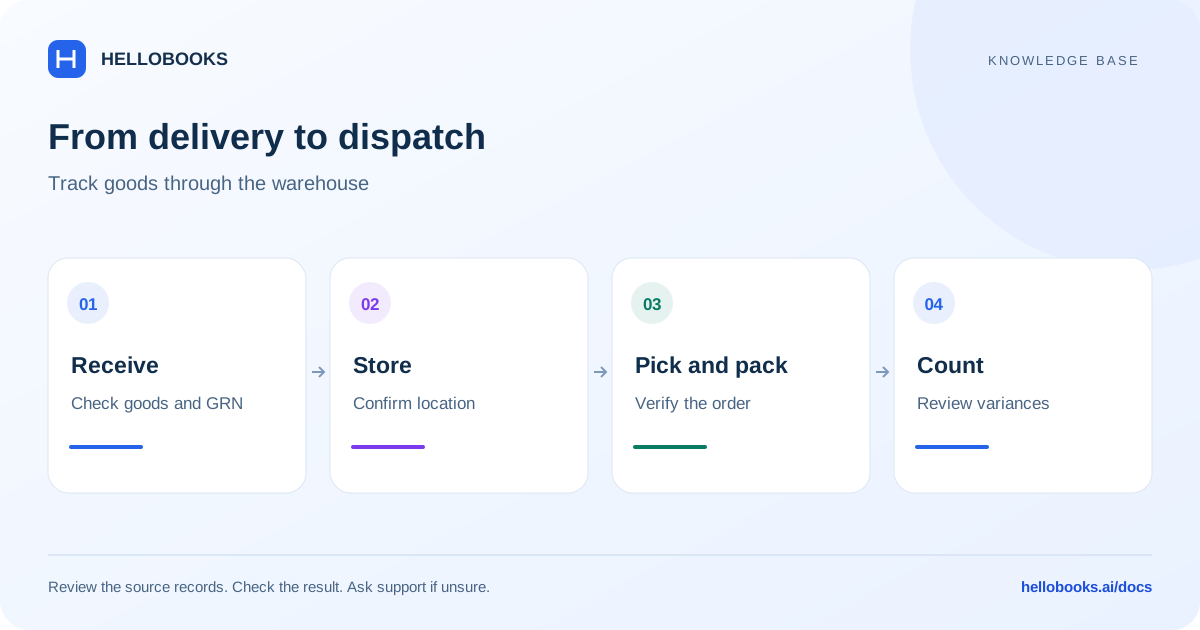
The navigation includes Receiving (GRN), Put-Away Rules, Replenishment Tasks, and Stock States. Follow the documents for the real delivery.
- Open Receiving (GRN) and identify the relevant receipt or purchase reference.
- Compare the items and quantities with the delivery evidence. Resolve shortages, damage, or mismatched items before confirming the receipt.
- Use the applicable put-away workflow to place goods in the intended location.
- Check the receipt reference, location, and resulting stock state.
- Retain the supplier and delivery references for a later discrepancy or return.
Pick, pack, and transfer
Allocation & Reservation, Wave / Batch Picking, Scan to Pack, and Packing & Shipping cover different parts of fulfilment. Confirm the order and location before selecting stock. Picking is a physical operation; check the dispatch result rather than assuming a picked order has been shipped.
Stock Transfer is for a movement between locations. Confirm source, destination, item, and quantity, and check the receiving side of the transfer. A transfer should not be recreated as an unrelated purchase and sale just to move quantities.
Use Shipment Tracking where available to follow dispatch information. Ask support which stages are enabled in your account if the visible menu differs.
Count and investigate stock
Use Cycle Counting for a selected set of stock, or Physical Stocktake for a broader count. Agree the count time and how movements during the count will be handled. Compare the physical quantity with the recorded quantity for the same item and location.
Review variances and their causes before approving corrections. Exceptions, Approvals, Audit Log, and Alerts provide additional control surfaces. An approval or adjustment should have an explanation tied to the count evidence.
Example: check a transfer without changing total stock
Illustrative example: Warehouse A receives 10 units of one item and Warehouse B starts with zero. The business then transfers 4 units from A to B. After the supported transfer and its receiving stage are complete, the expected quantities are A = 6 and B = 4, for a combined total of 10.
Before comparing the locations, confirm the same item and unit, the transfer reference and whether the goods are still in transit. The example describes a completed transfer; it does not define how every account displays an intermediate stock state.
If A shows 6 but B shows zero, inspect the receiving side and transfer status rather than creating another receipt or transfer. If a physical count finds only 3 at B after completion, investigate the one-unit difference using dispatch and delivery evidence.
Record the expected and actual quantities at both locations. Email hello@hellobooks.ai with the transfer and receipt references if the status or balance cannot be explained. Do not record an unrelated purchase or sale to make the locations agree.
Resolve an operational problem
For a failed scan, record the barcode value and item expected. For a missing quantity, include the source and destination locations and receipt or transfer references. For an access issue, include the screen name and action that is unavailable.
Email hello@hellobooks.ai if a receipt, transfer, or count result is unclear. Avoid repeating the same movement while support checks whether the first attempt succeeded.
Frequently asked questions
What does GRN mean?
Goods Receipt Note. Use the receiving workflow to identify and review goods received against the delivery or purchase reference.
Can I count only part of the warehouse?
The app includes Cycle Counting as well as Physical Stocktake. Confirm the count scope and approval process that apply to your account.
What is the safe next check when a transfer or receipt looks incomplete?
Check the original movement reference, source and destination, receiving status, unit and date before repeating it. If completion is uncertain, email hello@hellobooks.ai with those references and the expected versus actual quantities.