

Apps · Help
Consolidation: select companies, map accounts, and review group reports
Follow Company Selection, Account Consolidation Mapping, and Consolidated View with clear reconciliation checks.
On this page
Prepare the companies and reporting period
Select the organization and open Consolidation from the app launcher. Confirm which entities belong in the report and that you can access them.
Before combining figures, agree the reporting dates, accounting basis, presentation currency, ownership assumptions, and account mapping. Retain each company's standalone reports for the same period so the group result can be reconciled.
Do not treat selection in a report as evidence of a legal group relationship. Your accountant should confirm the consolidation policy that applies.
Follow the consolidation workflow
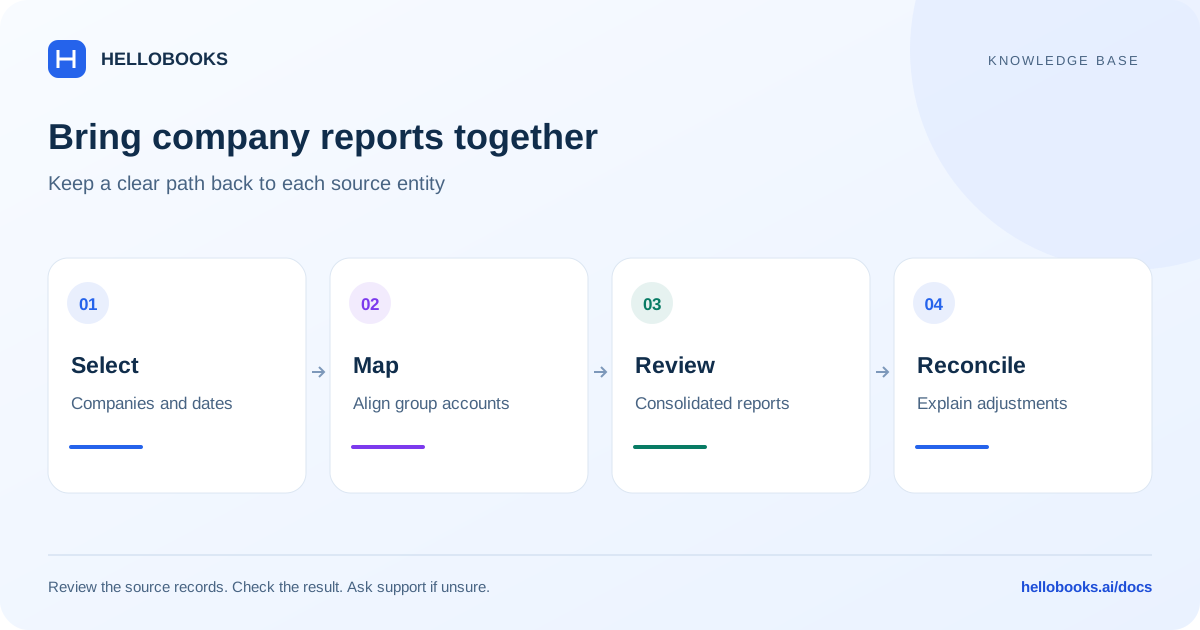
The visible stages are Company Selection, Account Consolidation Mapping, and Consolidated View.
- In Company Selection, verify the entities to include and the reporting scope.
- In Account Consolidation Mapping, review how each entity's accounts correspond to the group reporting accounts.
- Resolve missing or ambiguous mappings before using the combined results.
- Open Consolidated View and inspect P&L Accounts, Balance Sheet Accounts, and Cash Flow as applicable.
- Compare the group totals with the underlying company figures and investigate differences.
- Export the reviewed result using the available PDF or CSV option when needed.
Review account mappings carefully
Accounts with the same name can have different meanings, and accounts with different names can represent the same category. Match according to economic meaning and reporting treatment, not just a similar label.
Keep a record of mappings that need judgment, such as different expense groupings or local tax accounts. If an account is excluded or unmapped, determine its effect on the report before relying on totals.
Check currency and intercompany treatment
Different currencies and intercompany balances require an agreed accounting approach. Confirm the rates, dates, and treatment actually used by your account's workflow.
Do not assume that opening a group report automatically eliminates every intercompany entry or handles every ownership arrangement. Check the supporting detail and ask hello@hellobooks.ai to confirm any capability or result you cannot verify.
A useful reconciliation starts with the sum of source-entity reports, then explains mapping effects, currency translation, and any consolidation adjustments separately.
Example: reconcile two mapped account balances
Illustrative example: Company A has an expense account balance of 1,000 and Company B has 2,000 for the same period, accounting basis and currency. If both accounts map to the same group expense account and no translation or consolidation adjustment applies, the expected combined amount is 3,000.
Check Company Selection and Account Consolidation Mapping before comparing the result. If Consolidated View shows 1,000, investigate whether Company B was excluded, its account was unmapped, or its dates differ. Do not change Company B's underlying transactions simply to force the group result.
If the entities have intercompany transactions, different currencies or ownership adjustments, the simple 1,000 + 2,000 example is no longer a complete reconciliation. Explain each supported adjustment and have your accountant confirm the treatment. This example does not claim automatic elimination or currency translation.
Retain both standalone reports, the selection and mapping evidence, and the group report. Send hello@hellobooks.ai the account references and expected versus actual total when a difference cannot be traced.
Investigate a group-report difference
Provide the included entities, reporting dates, currency, affected group account, source accounts, and the expected versus actual result. Include the saved mapping or report reference where available.
Avoid changing source-company transactions merely to force a consolidation total to match. First establish whether the difference is in source data, selection, mapping, currency treatment, or a group adjustment.
Frequently asked questions
Why do group totals differ from adding company reports?
Check scope, dates, account mapping, currency translation, and consolidation adjustments. Use standalone reports from the same period.
Does the guide guarantee automatic elimination of every intercompany entry?
No. Confirm the treatment supported by your workflow and review the resulting detail with your accountant or support.
What is the next safe step when a consolidated figure cannot be explained?
Trace the selected companies, dates, source accounts, group mappings and any currency or consolidation adjustments. Email hello@hellobooks.ai with the standalone and group report references before changing source transactions or relying on an unexplained group total.