

Apps · Help
Manufacturing: bills of materials, orders, and production review
Prepare a bill of materials and follow production through materials, output, quality, and cost checks.
On this page
Prepare the product and bill of materials
Open Manufacturing from the app launcher after selecting the entity that owns the production activity. The navigation includes Bill of Materials, Manufacturing Orders, Production Planning, and MRP (Material Requirements).
Before creating production records, prepare the finished item, component items, units, planned quantities, and the bill of materials version. Confirm the warehouse locations and the costs you expect to capture. A unit mismatch, such as kilograms versus individual pieces, can distort both material requirements and cost.
Review the Bill of Materials
Use Bill of Materials to establish what is needed for the intended output. Check component quantities, the output quantity to which those quantities apply, and the version or effective design being used.
If a design changes, establish which orders should use the new version. Engineering Changes and Routings are available navigation areas where enabled, but do not assume every account has the same approval or engineering process.
Follow a manufacturing order
The app labels the main order area Manufacturing Orders.
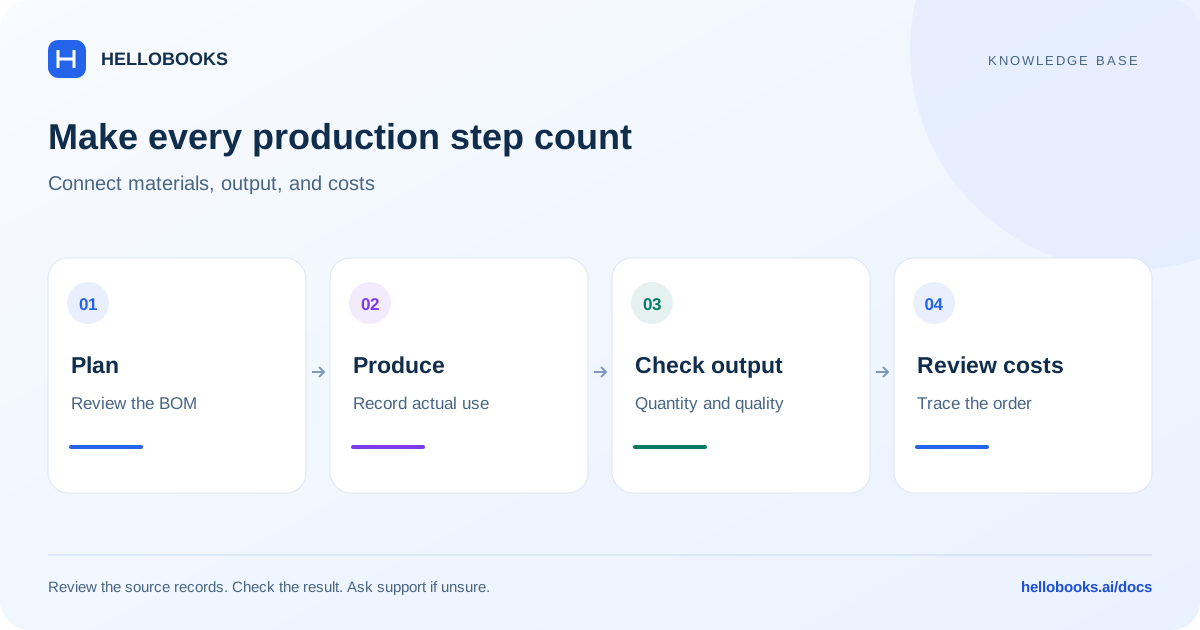
- Confirm the finished product, production quantity, BOM, dates, and locations.
- Review material availability before starting the work. Use the applicable planning or requirements view to investigate shortages.
- Record material use and production activity through the order's supported steps.
- Record actual output and any relevant waste or by-products through the applicable workflow.
- Review the completed order, stock movements, and cost results before treating the order as finished.
Quality and traceability
Quality Control and Lots & Serials help organize production evidence where enabled. Check which inspections, batch references, or serial identifiers are required for the product. An entered inspection is not the same as an approved result.
Subcontracting, Shop Floor, Work Centers, and Job Costing are distinct areas. Use the area matching the operation, and ask support if a required action is unavailable. India-specific job-work and ITC-04 options depend on the relevant country features.
Example: compare planned components with actual output
Illustrative example: the reviewed BOM requires 2 component units for each finished unit. An order for 5 finished units therefore requires 10 component units before any separately planned waste. Confirm that the BOM is expressed per one finished unit and that the component units match the stock records.
Suppose the production evidence shows 10 components consumed, 4 finished units completed and 2 components wasted. The physical explanation is 4 x 2 = 8 components in output, plus 2 wasted, for total consumption of 10. Keep the waste evidence and use only the recording and approval process supported by your account.
If each component costs 10, the components consumed have an illustrative value of 100. Whether waste is charged to output, expensed separately or treated another way depends on the applicable costing policy and supported workflow. Do not infer finished-unit cost by dividing without checking labor, overhead, waste treatment and work in progress.
Verify the order, actual output, component movements and any waste record together. If the order reports 5 finished units when only 4 were completed, retain the order/BOM references and contact hello@hellobooks.ai before changing stock or closing the order.
Review output and costs
Compare planned and actual component quantities, output, and recorded costs. Cost Analysis and Stock Ledger can help trace results. Investigate missing costs or unexpected stock before relying on the reported unit cost.
For example, planning ten finished units and recording eight changes the cost per completed unit. Explain shortages, scrap, or incomplete work rather than changing the output merely to match the plan.
Include the manufacturing order, BOM version, item codes, quantities, locations, and exact discrepancy in a ticket to hello@hellobooks.ai.
Frequently asked questions
Is Manufacturing Orders the same area as work orders?
Manufacturing Orders is the visible main order label in the app navigation. Use it to find the applicable production-order workflow.
Why is material usage or cost unexpected?
Check the BOM version, units, actual quantities, output, locations, and recorded costs. Provide the order and item references to support for investigation.
Should I close an order when material use or finished output is uncertain?
First compare the BOM basis, component units, actual consumption, output and waste evidence. Email hello@hellobooks.ai with the order reference and unexplained difference before taking a completion or correction action whose effect you cannot verify.