

Payments · Help
How to apply one incoming payment to multiple invoices
Record one new customer receipt and split it across invoices without duplicating the payment.
On this page
Check whether the receipt already exists
Use these steps for a new receipt that has not yet been recorded in HelloBooks. If the money is already entered as a payment, advance, or bank transaction, first identify that existing record. Recording it again can duplicate the receipt.
Have the customer's payment instructions and invoice numbers ready. This Apply to Document flow accepts invoices from one customer in one currency. The selected bank account must use that currency too.
Apply the new receipt
Receive Money is available through the Record Incoming Payment app shortcut.
- Open Receive Money and select the receiving bank account if prompted. Check Selected Bank Account.
- Under Recording Method, choose Apply to Document.
- Find the invoices and select their checkboxes or use Apply. Check that they belong to the same customer.
- Set Apply Amount for each selected invoice. Do not exceed an invoice's outstanding balance.
- Enter the actual receipt in Payment Amount. With no adjustment, Total to Apply must equal Payment Amount, leaving zero remaining to apply.
- Choose Save. Look for: Payment recorded and applied to the selected documents.
- Reopen the invoices and compare their payment history and outstanding balances with the intended allocation.
Example: allocate 15,000 across two invoices
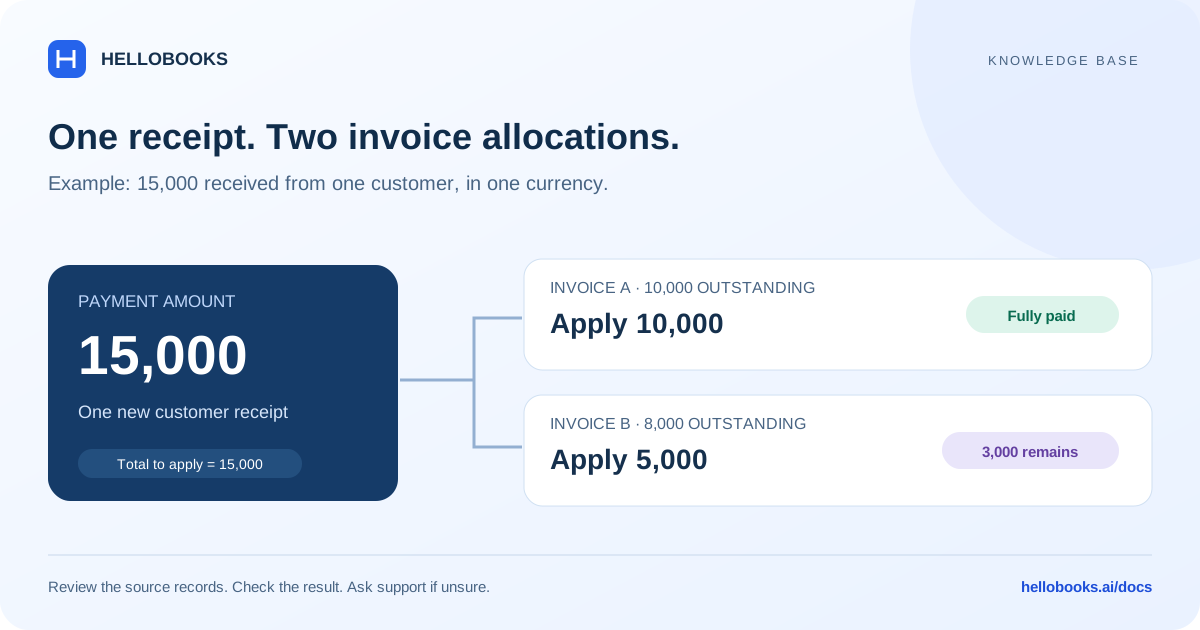
A customer has invoice A with 10,000 outstanding and invoice B with 8,000 outstanding. They send 15,000 and ask you to settle A first. Apply 10,000 to A and 5,000 to B; enter 15,000 as Payment Amount.
The expected result is one new receipt applied to both invoices. A should be fully paid, and B should retain 3,000 outstanding. This example uses one customer and one currency throughout.
Payment date, reference, and attachments
Check that the date and reference used for the receipt match the real transaction. If your Apply to Document screen does not expose the date or reference you need to change, ask support for the correct workflow before saving a backdated receipt.
Attachments selected during this creation flow are not supported in Apply to Document. Keep the payment evidence and use the supported payment attachment workflow after recording, with support's help if necessary.
If the form rejects your selection
Different customers require separate receipts. Different document currencies also require separate receipts. If the bank account currency differs from the invoice currency, this screen directs you to record the payment from the invoice instead; ask support about the applicable exchange-rate workflow.
If an outstanding balance or customer cannot be determined, refresh the list. If the receipt already exists or the allocation needs correction, provide support with the existing payment reference rather than creating a replacement entry.
Frequently asked questions
Can one receipt cover several invoices?
Yes, for a new receipt use Receive Money, choose Apply to Document, and allocate the amount across invoices for one customer in one currency.
Can I combine invoices from different customers?
This flow has one payer. Record separate receipts for different customers.
What if the customer paid more than the invoices?
Confirm whether the excess should be an advance or refund. Do not use an unexplained adjustment to force the amounts to balance; ask hello@hellobooks.ai for the correct workflow.