

Payments · Help
Partial payments, bank fees, and payment differences
Decide whether a difference is an unpaid balance, a real fee, or an excess receipt before recording it.
On this page
Identify why the amounts differ
Compare the amount actually received or paid with the amount being allocated. A smaller receipt may be a part payment, a bank charge, an agreed discount, or a mistake in the selected invoices. Those cases need different accounting treatments.
Use the bank evidence and the customer's remittance advice. An unexplained difference should stay unresolved until it is understood; do not call it a discount or rounding adjustment simply to enable Save.
Leave a partial payment outstanding
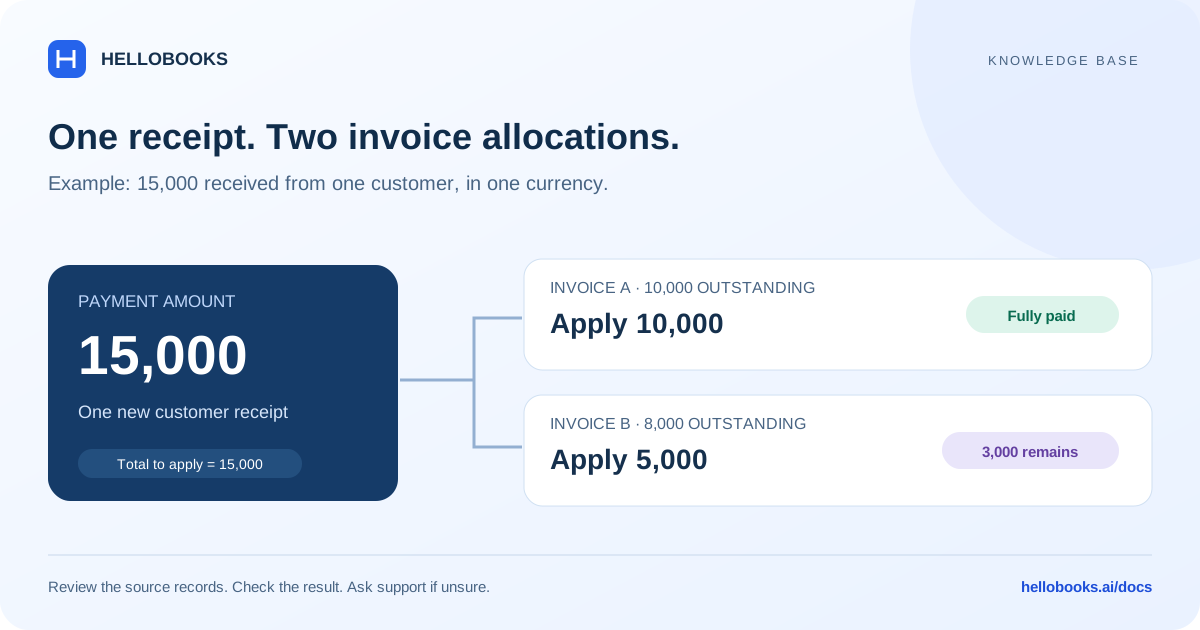
If 2,000 is received against an invoice with 5,000 outstanding, apply 2,000 and leave 3,000 unpaid. In Receive Money → Apply to Document, edit Apply Amount. For supplier bills in Batch Pay Bills, edit Allocation.
When allocating across several documents, the sum of the allocations should match the actual payment if there is no separate adjustment. Each allocation must remain within its document's outstanding balance.
Record a genuine adjustment
The incoming Apply to Document flow supports Bank Fee, Round Off, Discount, Late Fee, and Minor Adjustment. Select the type that describes the real difference and explain it. The adjustment amount must match the difference between Payment Amount and Total to Apply.
For example, an invoice balance is 1,000 and a documented bank fee leaves a receipt of 990. If your accounting policy is to settle the invoice and recognize the fee separately, the difference is 10. Confirm that treatment and the adjustment account with your accountant before saving.
An ordinary part payment is not a fee. If the customer simply paid 990 on account, apply 990 and keep 10 outstanding instead.
Handle an excess receipt deliberately
If the customer sends more than the invoices being settled, determine whether the excess is for another invoice, a future purchase, or a refund. The appropriate treatment may involve a customer advance.
The new-receipt procedure here does not establish the steps for advances or refunds. Email hello@hellobooks.ai with the receipt reference and intended treatment for help.
Check the result
After recording, compare the receipt, invoice allocations, adjustment, and unpaid balance. Confirm that the bank amount reflects the real receipt and that a document was not closed accidentally.
If there was a network error, check whether a payment was created before trying again. Include the amount, date, reference, invoice numbers, and error message in a support ticket when the outcome is unclear.
Frequently asked questions
Does a partial payment need a discount?
No. Apply the amount actually paid and leave the remaining balance outstanding unless there is a genuine, agreed adjustment.
Why must the totals match?
Without an adjustment, Payment Amount must equal Total to Apply. A genuine adjustment must explain and equal the difference.
Can I apply more than the invoice balance?
This flow rejects allocations above the outstanding balance. Ask support how to handle any excess receipt.