

Apps · Help
Budget: build a plan and review budget versus actual
Use Budget Manager, Budget Summary, Budget Variance, and Scenario Planning with consistent periods and accounts.
On this page
Prepare a comparable budget
Open Budget from the app launcher. The navigation includes Budget Manager, Budget Summary, Budget Variance, and Scenario Planning.
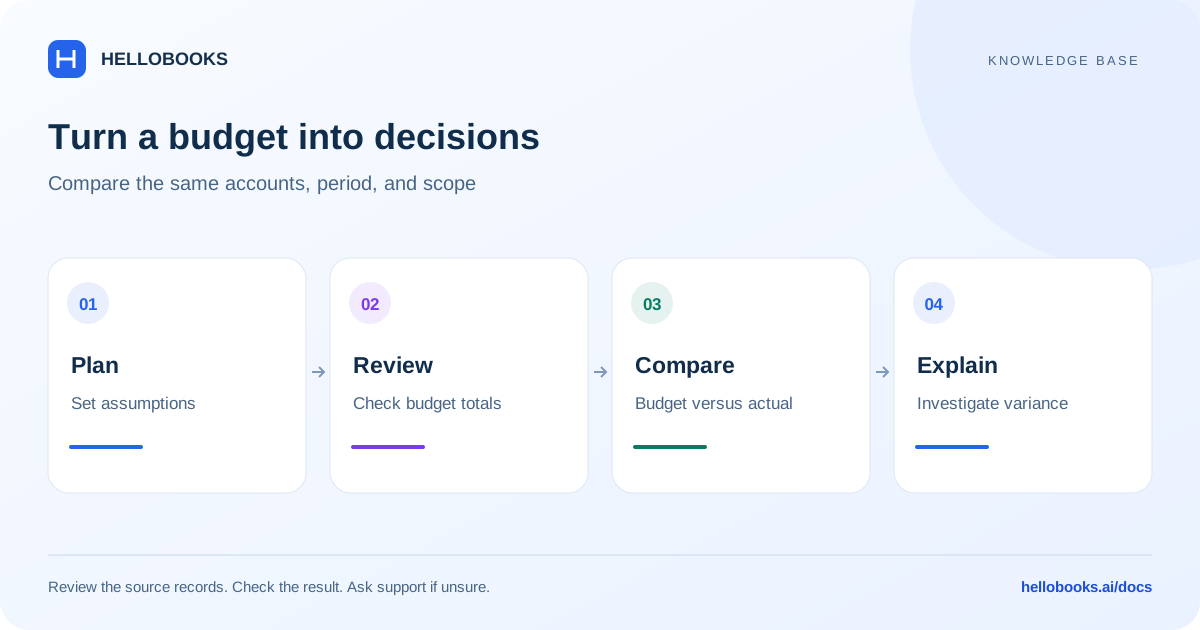
Agree the reporting entity, financial period, currency, accounts, and any department or project dimensions. Decide whether the budget is monthly, annual, or rolling. Comparisons are meaningful only when the budget and actual figures cover the same scope.
Prepare assumptions alongside the values. For example, separate an increase caused by expected sales volume from an increase caused by a price change. This makes a later variance easier to explain.
Work in Budget Manager
Use Budget Manager to find the budget you are creating or maintaining.
- Select the relevant budget and verify its period and scope.
- Enter or review planned amounts against the intended accounts and dimensions.
- Check totals and confirm that a monthly figure has not been entered as an annual figure.
- Follow the applicable review or approval process before the budget becomes the reference for reporting.
- Retain the version and the assumptions used to prepare it.
Review the summary and variance
Use Budget Summary to review the plan at a broader level, then Budget Variance to investigate differences from actual results. Start with the largest or most unexpected differences and inspect the underlying period and source activity.
A favourable expense variance can mean genuine savings, delayed work, or costs not yet recorded. A revenue shortfall can be caused by timing or missing invoicing as well as lower sales. Explain the operational cause before changing the budget.
Compare amounts and the basis of the comparison. A negative number is not automatically good or bad; the account type and variance definition matter.
Use scenarios without losing the baseline
Scenario Planning helps you compare assumptions. Keep the approved baseline identifiable and describe what changes in each scenario, such as lower sales, delayed collections, or higher materials costs.
A scenario is a planning view. It does not establish that a real invoice, bill, or payment exists. Check actual accounting records separately when reviewing the business result.
Example: explain an expense overspend
Illustrative example: the approved monthly budget for one expense account is 1,000. Actual expenses for the same entity, month, currency and account are 1,200. The business spent 200 more than planned: 1,200 - 1,000 = 200, which is 20 percent of the 1,000 budget.
Call this a 200 overspend when explaining it. The app may display variance using a different subtraction order, so check its actual definition before interpreting a positive or negative sign. A percentage comparison also needs a stated denominator; percentage variance from a zero budget needs separate treatment.
Suppose a bill for 200 belongs to another period. Verify the bill date, reporting basis and filters before concluding that the operational plan was exceeded. Correct an actual accounting error through the authorized process, not by changing a budget to hide it.
Keep the approved baseline identifiable when exploring a scenario. If the displayed variance still cannot be reconciled, email hello@hellobooks.ai with the budget/version, report filters, account, source references and the expected calculation.
When a budget comparison looks wrong
Check the budget version, reporting period, entity, accounts, and dimensions. Inspect whether transactions were posted to a different account or date.
Send hello@hellobooks.ai the budget name, period, affected account or dimension, expected and actual amounts, and the report filters. Include the source transaction references when available.
Frequently asked questions
Why does Budget Variance differ from another report?
Compare the entity, period, accounts, dimensions, and budget version first. Then inspect the source transactions and report basis.
Should I replace the original budget when assumptions change?
Keep the approved baseline identifiable and use a clearly described scenario or version according to your organization's planning process.
What should I check when I do not understand a variance sign or percentage?
Compare the entity, period, account, budget version and actual-report basis, then confirm the displayed subtraction order and percentage denominator. Email hello@hellobooks.ai with the filters and expected calculation if the definition or result remains unclear.