

Migration · Help
Migrate to HelloBooks: choose a source, preview, import, and reconcile
Choose the correct connector or file-import route and verify accounts, balances, documents, and payments before switching systems.
On this page
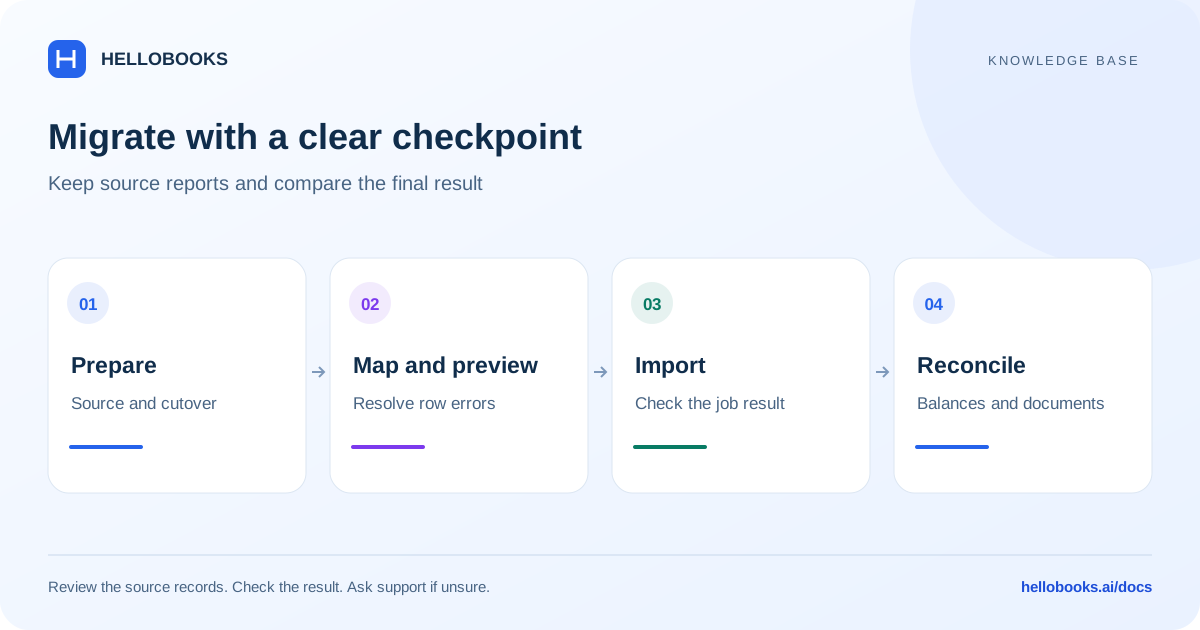
Plan the cutover before importing
Agree the organization, destination entity, country, base currency, and cutover date. Decide whether you need opening balances, outstanding documents, historical transactions, or an ongoing connection. These choices determine what should be imported and what should remain in the source system.
Keep an untouched export or backup and retain the source trial balance, bank balances, receivables, payables, and inventory reports at the cutover date. Record their reporting basis and currency. They are the controls against which you will check HelloBooks.
Decide who can approve the migration result and when the old system will stop receiving new entries. If both systems continue to change during migration, document how those changes will be brought across.
Choose the source shown in your account
Open the app launcher and choose Migration. The destination is the in-app migration workflow, so keep the correct entity selected.
QuickBooks — Connect & Sync uses the QuickBooks Online connection. In the source selector it is offered to US entities. It is not a connector for a QuickBooks Desktop company file. The older QuickBooks CSV tile is hidden; do not rely on seeing it in the source grid.
Xero — Connect & Sync uses the Xero connection. The former Xero CSV tile is also hidden in the source selector.
Tally uses the Tally Desktop connector and is offered to Indian entities. Confirm the desktop connector setup and selected company with support when needed.
Wave, Zoho Books, BUSY, Marg ERP, and Vyapar have file-import choices in the source selector. HelloBooks template / other CSV is the general spreadsheet path. Use the entity types and templates shown for the selected source.
FreshBooks and Sage are not enabled as selectable import paths in the source selector. A published general migration blog does not establish that a direct importer is available. Ask hello@hellobooks.ai to identify the applicable template or assisted route.
Use a connector when that is the chosen path
A connector and a file import have different steps. For QuickBooks Online, Xero, or Tally, follow the connection flow shown after choosing the source. Confirm the source company and the destination entity before allowing data to be synchronized.
Review the connection and synchronization status and the resulting data. Keep track of whether the connection continues to synchronize after the initial migration. Ask support to explain the direction and treatment of changes for your connection.
Do not upload a second copy of the same historical data while a connector is importing it. If authorization fails, the source company is wrong, or progress is unclear, retain the status or error and contact support before starting another migration.
Import spreadsheet data in dependency order
The file wizard imports one entity type per pass. The sidebar retains the migration plan and shows completed, current, and pending types.
The recommended order in the migration workflow is: Chart of Accounts, Items, Customers, Vendors, Invoices, Bills, Payments, Journal Entries, and Trial Balance. The available types depend on the source. Import only what belongs in your agreed migration plan.
This order allows documents and payments to refer to their accounts, contacts, and items. A file that refers to a missing customer or invoice needs its dependencies resolved before the related rows can be imported.
For Wave, a General Ledger export is an alternative to the detailed subledger sequence. Do not import both as if they were unrelated additions: establish the coverage first to avoid doubling the accounting effect.
Upload, map, and preview a file
The file-import stages are Source, Upload, Preview, and Done. Preview is the point to resolve mapping and row problems before committing records.
- Choose the source and the entity type for this pass.
- Use the provided template to check required columns and sample formatting. Preserve account codes, document numbers, dates, currency, and identifiers.
- Upload the matching file. Review the column mapping and account mapping where shown.
- Inspect the preview, row errors, totals, and selected rows. Fix missing dependencies and invalid values.
- Review the duplicate/conflict policy. Skip duplicates, Merge, and Overwrite have different consequences; do not choose a replacement policy without understanding its effect.
- Import only the reviewed rows and wait for the result.
- Record successful, skipped, and failed counts, then use Import next type for the next planned entity type.
Check invoices, bills, payments, and opening balances
A correct trial balance alone does not prove that open invoices or payments were linked correctly. Compare document counts, customer and vendor balances, invoice and bill numbers, paid amounts, and remaining amounts.
Check sample payments against the documents they should settle. A migrated receipt with no allocation can leave an invoice outstanding even if the bank balance looks right. Do not create a new receipt simply to close that invoice; ask support to investigate the existing payment.
Agree how opening balances interact with imported history. Importing full transaction history and separately entering balances for the same history can double the result. Reconcile the general ledger and subsidiary records together.
For inventory, compare both quantities and values at the same date. For bank accounts, compare the account and currency and identify uncleared items. Keep an explanation for each accepted difference.
Example: reconcile two invoices and their existing receipt
Illustrative migration example: at the cutover date, one customer has invoice A for 10,000 and invoice B for 8,000 in the same currency. The source system already records a receipt of 15,000, allocated 10,000 to A and 5,000 to B. Original invoice amounts total 18,000; applied receipts total 15,000; open receivables total 3,000.
After the agreed import or connector migration, verify the two invoice references and their original amounts, then trace the existing receipt and its allocation. Invoice A should have zero remaining and invoice B should have 3,000 remaining in this example. The customer balance and receivables report should agree when checked on the same date and basis.
If HelloBooks shows 18,000 outstanding, the receipt or its links may be missing from the result. Check the migration status, imported payment and document references before deciding the cause. Do not create another 15,000 receipt to close the invoices while the original payment may already exist.
Reconcile the receivables control account with the subsidiary records and the full source trial balance. If the agreed migration already includes these invoices and receipt, do not add another 3,000 opening receivable on top of them. Opening balances and transaction history must be designed as one nonduplicating migration plan.
If the receipt is present but cannot be linked or the totals differ, email hello@hellobooks.ai with the source product, cutover date, entity, migration job, invoice/payment references and expected 3,000 open balance. This example checks data relationships; it is not an unverified instruction for editing existing payments or rolling back an import.
Resume, retry, and correct carefully
Use Save and continue later where offered. A saved draft may retain mapping or job progress, but a file may need to be selected again. If a preview job is no longer available, follow the app's current recovery message.
After a timeout, inspect the job result and existing records before retrying. Preserve the job reference and original file. A retry that creates another set of records can make reconciliation much harder.
Do not assume that every connector or import supports one-click rollback. Ask support which correction or rollback procedure applies to the specific job and whether later transactions depend on imported records.
Sign off the migration result
Compare the cutover trial balance, balance sheet, profit and loss, banks, receivables, payables, and inventory with the source reports. Use the same date, currency, and accounting basis. Investigate differences rather than accepting a total because it looks close.
Keep the original files, mapping decisions, import results, reconciliations, and approval together. Confirm the date from which users should enter new transactions in HelloBooks and whether any source connection remains active.
For help, email hello@hellobooks.ai with the source product and version, destination entity, country, cutover date, entity type, job reference, error text, and the expected versus actual totals. Send redacted samples when needed; do not send account passwords or connector secrets.
Frequently asked questions
Can I migrate directly from QuickBooks Desktop using Connect & Sync?
QuickBooks — Connect & Sync is for QuickBooks Online. Ask hello@hellobooks.ai to confirm the supported Desktop or template route for your data.
Why is Tally or QuickBooks missing from the source list?
The source selector restricts Tally to Indian entities and QuickBooks Connect & Sync to US entities. Check the entity's country and ask support about the applicable route.
Which data should be imported first?
Follow the source's supported types and migration plan. The recommended file order starts with accounts, items, customers, and vendors, before documents and payments.
Should I import both Wave General Ledger and detailed invoices?
Treat General Ledger as an alternative to the detailed subledger sequence unless support confirms a plan that avoids duplicate accounting.
Can every migration be rolled back?
Do not assume a universal rollback. Give support the job reference so they can confirm the supported correction or rollback process.
What should I do if a migrated payment exists but its invoice still shows unpaid?
Check the payment reference, customer, currency, migration status and document allocation before recording anything again. Email hello@hellobooks.ai with the source and imported references and expected balances if the link or result is uncertain. A second receipt can duplicate the accounting effect.