

Apps · Help
Inventory: items, stock movements, and reconciliation
Prepare item records, understand stock changes, and investigate quantity or value differences.
On this page
Open Inventory and prepare your records
Choose the organization and entity that owns the stock, then open the app launcher and select Inventory. Access can depend on your role. If the tile is missing, ask your administrator or hello@hellobooks.ai to check your access.
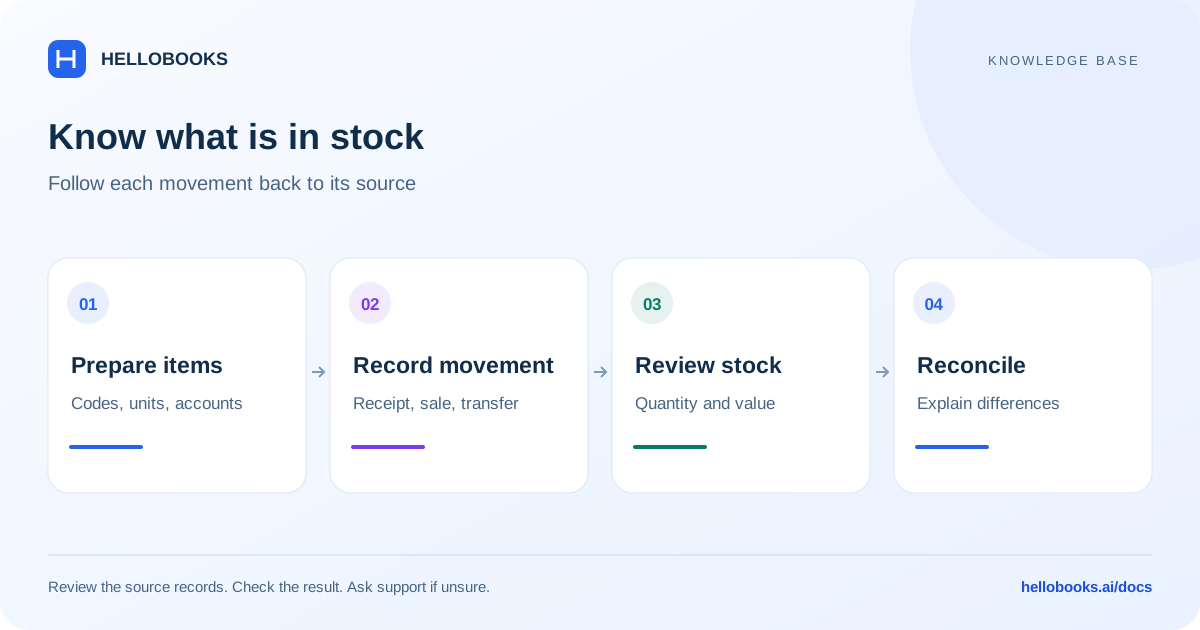
Before adding or importing items, prepare a unique item code, description, unit of measure, tax treatment, and the relevant purchase, sales, and inventory accounts. Decide which items represent physical stock and which represent services. Reusing an existing item code can cause duplicate records or misleading quantities.
Set a reliable opening position
Agree a conversion date and retain the physical count and valuation that support opening inventory. Keep quantity and value together: entering a quantity without a defensible cost can make later margins difficult to explain.
If you are migrating transactions, establish whether the imported documents already create stock movements. Do not also enter the same opening movement manually. Ask support to confirm the correct approach if you are unsure how your migration will affect stock.
Follow a stock transaction from source to result
A reliable stock review starts with the document that caused the movement.
- Identify the item and the business event: receipt, sale, return, transfer, or adjustment.
- Check the source document, date, quantity, unit, and warehouse where applicable.
- Use the matching business workflow. Warehouse handles physical receipt, storage, transfers, and counts; Manufacturing handles component consumption and finished output.
- Review the resulting quantity and stock value in the relevant inventory view.
- Keep the document reference with any explanation or supporting evidence.
Investigate a stock difference
Compare the same item, location, date range, and unit of measure. A reserved quantity is not necessarily available stock, and a receipt in one warehouse does not mean it is present in another.
For a quantity difference, trace receipts, sales, returns, and adjustments around the date the variance first appeared. For a value difference, also inspect costs, valuation dates, and backdated documents. Do not post repeated adjustments until a number looks right.
A useful support ticket identifies the item code, location, as-of date, expected and actual quantities, expected and actual values, and the source document references.
Example: reconcile an item's quantity and value
Illustrative example: one item in one location starts with 10 units. A documented receipt adds 5 and a documented sale removes 3. With no other movements, the expected quantity is 10 + 5 - 3 = 12 units. Use the same unit and cutoff time for every part of the comparison.
If all units have the same supported unit cost of 20 in the entity's currency, with no extra costs or valuation adjustments, the illustrative closing value is 12 x 20 = 240. This simple arithmetic is not a promise of the app's valuation method. Verify the actual valuation basis and underlying costs before comparing the amount.
If the view shows 11 units, trace the receipt, sale, returns and adjustments to explain the one-unit difference. Check whether a movement was backdated or belongs to another location. A correct quantity does not by itself prove the value is correct.
Keep the opening evidence and receipt/sale references with the check. If the difference remains unexplained, email hello@hellobooks.ai with the item, location, date, expected 12 units and actual quantity. Do not add an adjustment just to force a match.
A practical routine for the business owner
Review unexpected negative balances, unusually large adjustments, duplicate item codes, and items with incomplete units or costs. Reconcile physical counts on a planned schedule and keep the explanation for each approved variance.
At period end, use the same reporting date for inventory and accounting comparisons. Escalate a valuation issue before relying on the figures for margins or financial reporting. Feature availability and the exact menu can differ by account; support can identify the applicable screen.
Frequently asked questions
Should I use Inventory or Warehouse?
Inventory covers item and stock information. Warehouse adds physical receiving, locations, picking, transfers, and counts. Start with the business event you need to record.
Why does stock not match a physical count?
Check item, location, date, unit, and source movements first. Send the count and document references to hello@hellobooks.ai if the difference remains unexplained.
What should I do if I cannot confirm the stock quantity or valuation?
Compare the same item, location, unit and cutoff date, then trace the underlying movements and costs. If the result is still uncertain, email hello@hellobooks.ai with the source references and expected versus actual quantity and value before posting a corrective adjustment.