

Country reports · Help
Australia: BAS, GST and supporting tax reports
Use the Australian BAS workflow, reconcile GST and withholding fields, and verify lodgement evidence.
On this page
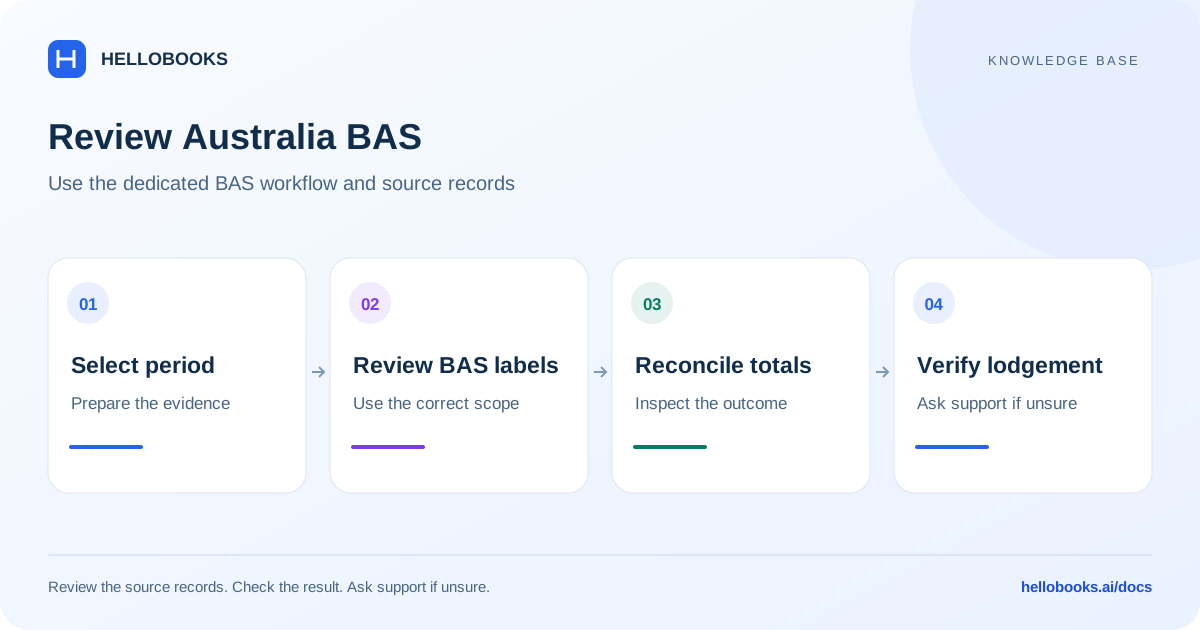
Confirm the Australian entity and reporting period
Select the Australian entity and verify its ABN/GST setup, reporting frequency, accounting basis and period. Check the entity financial year rather than assuming the calendar year. Confirm the GST codes and reporting categories applied to sales, purchases and adjustments.
Use the dedicated BAS Report workflow for BAS statements. In the reviewed frontend it is available at /taxes/bas-report. The generic sales-tax-report route for Australia contains static sample tax rows and is not reliable evidence of the entity actual GST figures.
Choose the Australian report
The reviewed routes include BAS Report, IAS, TPAR, FBT, Fuel Tax Credits, GST Reconciliation, PAYG Summary and Tax Reconciliation. BAS has statement status views such as Draft, Awaiting Approval, Ready to Lodge, Filed and Amended.
Use BAS for the applicable activity-statement review; IAS for the supported instalment/withholding workflow; GST Reconciliation for book-to-GST differences; and PAYG Summary for relevant withholding details. TPAR reports reportable contractor payments, not every vendor purchase.
FBT and fuel-tax-credit calculations have separate inputs and eligibility rules. A report label does not establish that the entity qualifies or that an ATO submission connection is active. This guide does not claim complete coverage of every Australian tax obligation.
Read GST and BAS fields
In the reviewed backend, 1A is GST on sales and 1B is GST on purchases. The simplified GST component is 1A minus 1B. G1, G2, G3, G10, G11 and other fields describe the relevant sales/purchase categories under the configured reporting method; not every BAS presentation uses every full-form field.
The backend aggregates mapped tax components and transactions into BAS fields. It also supports a worksheet calculation using taxable GST-inclusive totals divided by 11. That relationship applies to the standard 10% taxable case; it is not a rule for GST-free, input-taxed, mixed or private-use amounts.
For a simple illustrative fully taxable sale of 110 including 10% GST, GST is 110 / 11 = 10 and the tax-exclusive value is 100. Confirm the transaction actual classification and applicable rate before using this arithmetic.
Understand why BAS amount owing can differ from net GST
BAS settlement can include more than GST. The reviewed backend combines net GST with PAYG withholding/instalment fields and other configured amounts, and accounts for fuel tax credits and other supported offsets. Inspect the full statement before expecting Amount Owing to equal only 1A - 1B.
Payroll W1/W2 values can come from a connected payroll source or manual edits. Check the displayed provenance and actual payroll evidence; a zero field can mean no source data was available rather than no wages or withholding occurred.
Illustrative example: 1A is 100 and eligible 1B is 40, giving simplified net GST of 60. If the statement also has 30 of applicable PAYG withholding and no other amounts, the simplified combined amount is 90. These are fictional report values and exclude other possible fields and adjustments.
Review a BAS statement
Use the dedicated BAS workflow and the accounting records for the same entity and period.
- Confirm the ABN, reporting frequency, basis and statement period.
- Open the relevant statement or prepare it through the supported workflow. Check whether it is a draft, amendment or already filed period.
- Review GST sales/purchases and trace material amounts to their mapped tax components and transactions.
- Review payroll/withholding provenance, instalments and any eligible credits or adjustments.
- Resolve reconciliation and validation differences with the responsible reviewer before approving or lodging.
- Retain the actual ATO/provider lodgement reference and result. An exported file or an internal status change is not sufficient proof of ATO acceptance.
Check TPAR contractor inclusion
The TPAR screen explains that vendors must be marked as TPAR contractors to include reportable contractor payments. Verify the vendor identity and ABN, the actual payments in the relevant period and the applicable reporting obligation before generating an output.
A missing contractor should be investigated from both the vendor configuration and payment records. Do not mark every vendor as reportable merely to force inclusion.
Know what this guide has verified
The documentation audit traced frontend routes/API clients and selected accounting calculations. It did not run an authenticated Australian entity, generate a real TPAR file, calculate a customer BAS, send payroll data or lodge with the ATO. End-to-end and statutory acceptance checks remain required.
If you see generic US-style tax percentages or sample analysis in the Australia sales-tax page, use the dedicated BAS route and report the discrepancy to hello@hellobooks.ai. Do not use sample rows as a filing basis.
Ask for help with a tax-report difference
Email hello@hellobooks.ai with the entity, country, registration, report name, period, basis, expected versus actual total and relevant document references. Include redacted evidence of the error and any existing submission reference. Send the email to request support; opening a draft does not create a ticket.
Ask your accountant to confirm the applicable tax treatment, rates, eligibility and filing obligation. Do not send passwords, one-time codes, signing credentials or secret keys.
Frequently asked questions
Why is my BAS amount owing different from 1A minus 1B?
BAS can include PAYG and other configured fields, adjustments or credits. Review the complete settlement and its source records rather than only the net-GST component.
Can I calculate GST as one-eleventh of every amount?
No. That arithmetic fits a GST-inclusive amount taxed at the standard 10% rate. GST-free, input-taxed, mixed and private-use cases require their applicable treatment.
Where should I review actual Australian BAS statements?
Use the dedicated BAS Report workflow at /taxes/bas-report. The reviewed generic sales-tax route for Australia contains static sample tax rows and should not be used as proof of actual GST figures.
Why is a contractor missing from TPAR?
Check the vendor TPAR contractor setting and the eligible payment records and reporting period. Verify the obligation with your accountant rather than changing every vendor to force inclusion.