

Payments · Help
Payment FAQs: missing invoices, existing receipts, and failed saves
Find the right payment workflow and resolve common questions without entering the same payment twice.
On this page
A payment already exists: what should I do?
Identify whether the entry is a customer payment, an advance, or a bank-feed transaction awaiting matching. These are different starting points. The new Receive Money procedure creates a receipt; it should not be used to recreate money that is already recorded.
Email hello@hellobooks.ai with the existing payment reference, amount, date, customer, and invoice numbers. State the allocation you want. Support can help identify the appropriate linking or correction workflow.
Why is an invoice missing?
Check the organization and entity first. Then clear the search, date, status, and amount filters in Apply to Document. Search for the invoice number again and check its current outstanding balance.
If the app reports that the customer or outstanding balance cannot be determined, refresh the list. If it remains unavailable, send support the document number and exact message. Do not recreate the invoice just to make it appear.
What if saving fails or times out?
A missing success message does not establish that nothing was saved. Check the payment details and the affected documents before submitting a new entry.
Capture the exact error, approximate time, payment reference, amount, and document numbers. Ask support to confirm the result if it is still uncertain. Do not delete or reverse entries solely because a page failed to refresh.
Why is an invoice still unpaid?
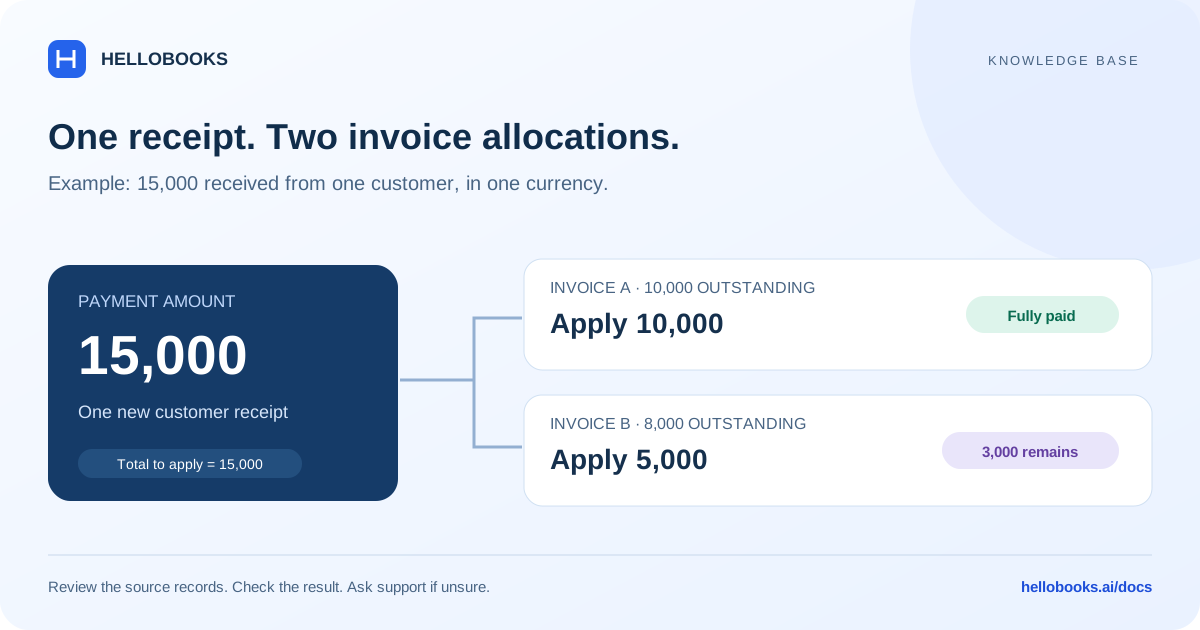
For a partial receipt, an outstanding balance is expected. Compare the actual allocated amount with the amount due. Reopen or refresh the invoice after a successful save and check its payment history.
If the amounts disagree, confirm that the payment was applied to the intended invoice in the intended entity. Give support both the payment and invoice references so they can trace the relationship.
Frequently asked questions
How do I correct a wrong allocation?
Identify the existing payment and intended invoices, then email hello@hellobooks.ai. Do not duplicate the payment while the correction workflow is being checked.
Should I click Save again after a timeout?
Check for an existing payment first. Ask support to confirm the result if it is unclear.
What details help support investigate?
Include the app and screen, organization/entity name, payment and invoice references, amount, currency, date, exact error, expected result, and a redacted screenshot if helpful.