

Apps · Help
Find the right app in the HelloBooks app launcher
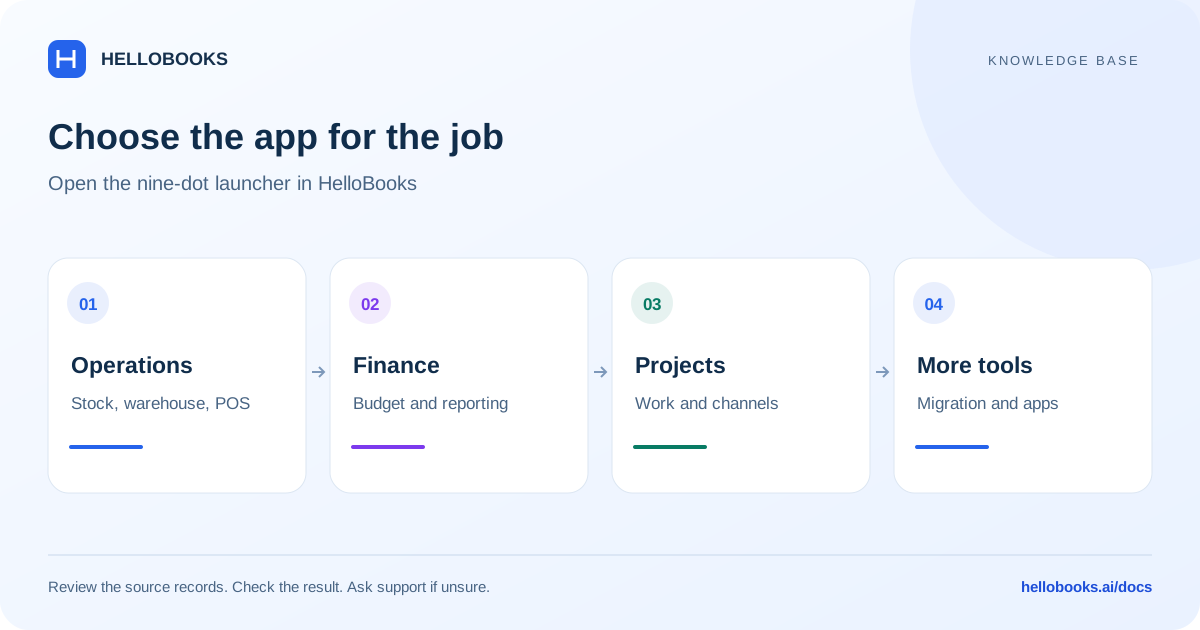
Use the nine-dot launcher to open operations, finance, industry, migration, and companion apps in the correct context.
On this page
Start with your organization and entity
The nine-dot app launcher is the starting point for HelloBooks modules and companion products. Its name describes the launcher icon; the set of apps can grow and can differ according to your access.
Choose the correct organization and entity before opening an app. Inventory, Warehouse, and Manufacturing visibility is checked against your access. If an expected tile is missing, ask your administrator or hello@hellobooks.ai to confirm the relevant permission or availability.
Most in-app modules open in another tab. Migration stays in the current app context. Companion products can open a separate site, so check which product you are using before following a guide.
Operations apps
Inventory helps you work with items, stock movements, quantities, and values. Warehouse covers physical receiving, storage, picking, dispatch, transfers, and counts. Manufacturing covers bills of materials, production orders, components, output, and related cost checks. POS is for retail or restaurant sales and the associated register and payment work.
Start with the app that owns the business event. Receiving a delivery belongs to a receiving workflow; taking a customer payment at a register belongs to POS. The detailed guides in this knowledge base explain the checks around each of these areas.
Finance and compliance apps
Budget opens Budget Manager, with Budget Summary, Budget Variance, and Scenario Planning available in its navigation. Consolidation opens the company-selection and account-mapping workflow for group reporting. Compliance helps organize obligations, reconciliation, filing evidence, and month-end work.
HelloBooks Practice opens practice.hellobooks.ai as a companion product for practice work. Confirm your practice account and client context there; an entity selected in the accounting app should not be assumed to grant access to every practice client.
Industry and channel apps
Projects organizes project work and its relationship to billing and costs. The Real Estate tile currently opens the Projects destination as well. Use the project context and templates relevant to your work; do not expect a separate real-estate account simply because there is a separate tile.
Upwork opens its dashboard for report import, project mapping, invoice grouping, and settlement review. Marketplace Seller opens the seller hub. Available marketplace connections vary; check the connection offered in your account before assuming that every marketplace can synchronize.
Before connecting a seller account or importing a report, identify the source account, destination entity, reporting period, and whether those transactions are already present. Give support the source and record references when an import or settlement is unclear.
More apps and tools
HelloTime opens app.hellotime.ai. Use it for the time, attendance, leave, or payroll workflow available to your account, and confirm the employer and employee context before recording or approving anything.
HelloGrowth CRM opens hellogrowthcrm.com. Confirm the sales workspace and customer context there. A sales lead, an accounting customer, and a paid invoice are distinct records; ask support how your account connects them if you are unsure.
AI Calls requires an organization and entity to be selected. Open it from the launcher so the correct context is passed to the call dashboard. Review the intended contact, call purpose, scheduled activity, and results before initiating further calls. Ask support about any missing access or uncertain call result.
Migration opens the in-app migration workflow. Read the migration guide before choosing a connector or importing files, and retain the source reports for reconciliation.
If the app or screen does not match
Give support the exact tile label, organization/entity, destination screen, and what you expected to do. Include the error text or a redacted screenshot. For a companion product, also identify that product and its workspace.
Email hello@hellobooks.ai rather than attempting a similar-looking action in a different app. A guide about recording a bill payment does not establish the procedure for a POS refund, a payroll payment, or a practice invoice.
Frequently asked questions
Does nine-dot launcher mean there are exactly nine apps?
No. The nine dots describe the launcher icon. The available app list depends on the current product and your access.
Why does Real Estate open Projects?
Both Real Estate and Projects currently open the Projects destination.
Why can I not open AI Calls?
Select an organization and entity first. If the problem continues, email hello@hellobooks.ai with the exact message.