

Apps · Help
POS: prepare a register, record a sale, and close a shift
Understand the checks around point-of-sale transactions, customer receipts, and daily settlement.
On this page
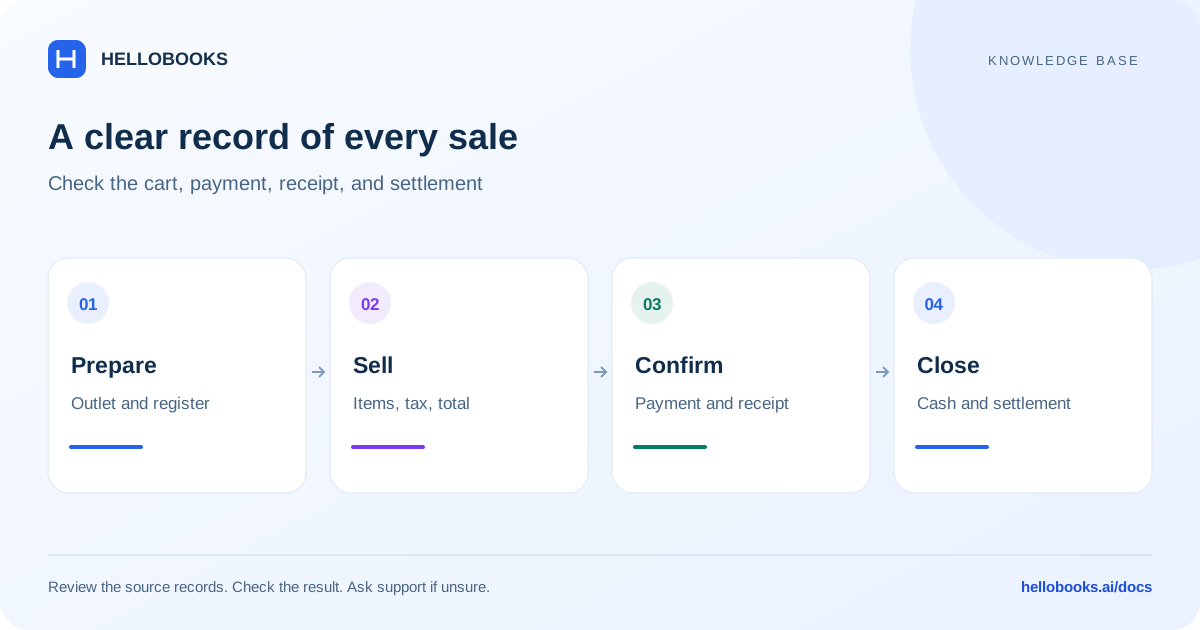
Prepare the register before selling
Choose the correct entity and open POS from the app launcher. Confirm the outlet and register, the person operating it, and the business currency before taking a payment.
Check the item catalogue, prices, tax treatment, available payment methods, and receipt details. If you use a scanner, printer, payment terminal, or kitchen printer, check the applicable device setup with a controlled test. An available payment-method label does not establish that a provider connection is active.
Check a sale from cart to receipt
Use the actual items and payment evidence for each transaction.
- Select or scan the items and verify quantities and prices.
- Confirm the customer where needed and review tax, discounts, and the total.
- Choose the payment method actually used by the customer.
- Confirm the payment result before completing the sale. If a card or online payment is uncertain, check the provider result before collecting it again.
- Provide or retain the receipt and keep its transaction reference.
- Check that the sale appears in the appropriate POS transaction view.
Restaurant operations
Restaurant workflows can include tables, kitchen orders, and modifiers. Confirm the outlet setup and the intended table or order before sending work to the kitchen.
A kitchen order, a completed sale, and a bank settlement are different records. Use the customer receipt to check the sale and the provider or bank evidence to check settlement. Ask support about your enabled restaurant workflow if the expected option is absent.
Returns, refunds, and uncertain payments
Find the original sale before handling a return. Check the items, quantities, original payment method, and the refund policy that applies. Use the supported return/refund workflow for your account so the stock and payment records can be traced.
A payment-terminal error does not always mean the customer was not charged. Check the transaction reference with the provider. Do not take another payment or issue a manual adjustment until the result is understood.
Example: reconcile cash separately from card settlement
Illustrative example: a register starts with opening cash of 100. Completed cash sales add 240 and a documented cash refund removes 20. Assuming no other cash pickups, drops or movements, expected closing cash is 100 + 240 - 20 = 320 in the register's currency.
If the physical count is 315, the cash difference is 5 short. Check the opening count, cash sale and refund references, payment-method selection and any cash movements. The example assumes the refund was already processed through an authorized, supported workflow; it is not an instruction for a new refund.
Suppose the same day also has card sales of 500 and provider fees of 10. A net settlement of 490 may explain those amounts if they belong to the same settlement period and there are no other adjustments. That card amount should not be added to physical cash in the drawer.
Keep the register/shift reference, counted cash and provider settlement evidence. For an unexplained shortage or uncertain charge, email hello@hellobooks.ai before taking payment again or creating an adjustment.
Close and reconcile the trading day
Count physical cash and compare it with the register's expected cash. Keep cash drops, pickups, refunds, and opening cash separate when explaining differences.
Compare card and online totals with provider settlement reports. Fees and settlement timing can explain why the bank deposit is different from gross sales; record the actual explanation rather than treating every difference as missing cash.
For support, include the outlet, register, shift or sale reference, payment method, time, amount, currency, and provider reference. Email hello@hellobooks.ai when the sale or payment result is uncertain.
Frequently asked questions
Can I assume a card payment failed when the POS shows an error?
No. Check the payment-provider result and transaction reference before collecting the payment again.
Why does the bank deposit differ from sales?
Compare refunds, fees, settlement timing, cash movements, and payment methods. Gross sales and a bank settlement need not be the same amount.
What should I send support when the register or payment result is uncertain?
Email hello@hellobooks.ai with the outlet, register or shift, sale/refund reference, time, amount, currency and payment-provider reference. Check the existing sale and provider status first; do not collect again or issue a refund solely because the screen showed an error.