

Country reports · Help
United States: sales tax reports and calculation checks
Review US sales-tax calculations, jurisdiction liability, returns and payment evidence without confusing recorded status with actual filing.
On this page
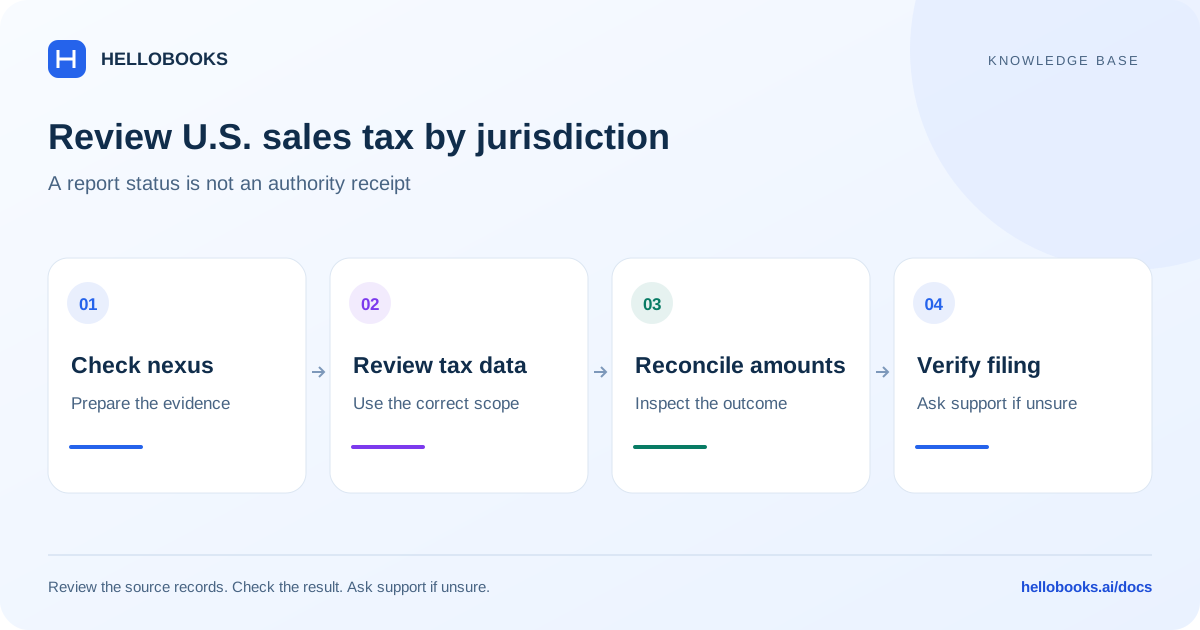
Confirm the US entity and sales-tax setup
Select the US entity and confirm the relevant state registrations, origin address, shipping destination and item tax treatment. In Settings > Sales Tax, review the enabled calculation options and the configured provider connection. A state nexus obligation is not determined solely by the report total.
The reviewed calculation path uses Avalara for an enabled US entity. The request includes the document date, currency, customer, origin/destination addresses, line quantities, amounts and tax codes. Review missing or default product codes before accepting the result. Country or industry selection alone cannot establish the correct tax for every item or transaction.
Choose the US report surface
The US Sales Tax hub has Overview, Returns and Liability tabs. Separate screens cover sales-tax payment history and recording a payment, and the app also includes an Economic Nexus dashboard. Use the selected entity and the period/state controls on the relevant screen.
Overview helps identify outstanding work; Returns organizes prepared return records; Liability shows amounts attributed to jurisdictions or periods; payment history provides recorded remittances. Review the underlying calculation and filing references when reconciling these views.
These are the US sales-tax surfaces identified in this source audit. This guide does not certify complete coverage of every federal, state, local, payroll, franchise or income-tax report, nor that every state is enrolled for electronic filing.
Review a calculation and its report result
Saving an invoice does not by itself prove that automatic tax succeeded. The reviewed hook can skip calculation when disabled, when invoice/bill automation is off, or when the transaction is a marketplace-facilitator sale. It also allows the document save to continue after a provider error. Check the actual calculation status and returned tax breakdown.
- Open the invoice or bill and check its entity, date, currency, addresses, quantities, amounts and tax codes.
- Confirm the provider calculation completed and inspect the returned line and jurisdiction tax amounts.
- Open the matching period/state in the sales-tax report and trace the document into the reported total.
- Review credit notes, voids, marketplace-collected sales and previously recorded remittances before explaining a difference.
- Retain the reviewed report and calculation reference. Escalate unexplained differences before filing or paying.
How the reviewed US calculation path works
The provider returns tax amounts and jurisdiction details; HelloBooks stores that response and uses materialized amounts in its reporting and liability paths. It is not a single nationwide percentage calculated from total sales. The effective rate shown for a liability account is a display value; liability accrual uses the recorded tax amount.
For a simple single-rate illustration, tax = taxable base multiplied by rate / 100. An assumed taxable base of 1,000 at an assumed 8% gives 80 tax and 1,080 gross. These figures are fictional arithmetic, not a rate recommendation for any US state. Multiple jurisdictions, exemptions, taxability and sourcing rules can change the result.
A marketplace-facilitator sale is skipped by this automatic calculation hook so HelloBooks does not treat marketplace-remitted tax as its own collectible liability. Verify the original marketplace classification rather than turning off tax on an ordinary direct sale.
Distinguish a return record from a filed return
The reviewed File ready returns screen can attempt provider e-filing when configured and can otherwise record a return as filed inside HelloBooks. A HelloBooks Filed label alone does not establish that a state received or accepted a filing.
Before using a filing or payment action, check the provider enrollment, state, period and prepared figures with the responsible reviewer. After submission, keep the actual provider or authority reference and acceptance result. A recorded remittance and a filed return are separate records.
If the status is uncertain, inspect the existing attempt and reference before retrying. A rejected or errored filing needs investigation; opening or downloading a return does not complete the obligation.
A repeatable US review checklist
Confirm country and state scope; review registrations and provider setup; check calculation success; reconcile taxable sales and adjustments by jurisdiction; compare liability with remittances; confirm return period and filing status; and retain the authority acknowledgement where filing applies.
This guide is based on pinned frontend and accounting source inspection. No customer return was computed, submitted or paid and no production provider enrollment was verified during this documentation work.
Ask for help with a tax-report difference
Email hello@hellobooks.ai with the entity, country, registration, report name, period, basis, expected versus actual total and relevant document references. Include redacted evidence of the error and any existing submission reference. Send the email to request support; opening a draft does not create a ticket.
Ask your accountant to confirm the applicable tax treatment, rates, eligibility and filing obligation. Do not send passwords, one-time codes, signing credentials or secret keys.
Frequently asked questions
Does invoice save success mean US sales tax was calculated?
No. Automatic calculation can be skipped or fail while the save continues. Inspect the actual tax result, setup, document fields and report breakdown.
Is there one US sales-tax rate I can use everywhere?
No. The reviewed enabled path requests a provider calculation using transaction and address details. Confirm jurisdiction, sourcing, product treatment, registrations and exemptions for the actual transaction.
Does Filed in HelloBooks prove the state accepted the return?
No. Some workflows record an internal filed status. Keep the provider or state acknowledgement and distinguish it from the internal record.