
Key takeaways
What this article covers, in order:
- Mistake 1: Relying Too Much on Manual Data Entry
- Mistake 2: Not Using Bank Reconciliation Software Regularly
- How can AI bookkeeping help with GST compliance for an Indian SME?
- Mistake 3: Why do I keep mixing personal and business expenses?
- Mistake 4: Why do month-end closes still take so long even with Tally?
- Mistake 5: Ignoring Digital Invoicing and Payment Integration
How Busy Accountants in Indian SMEs Can Use AI Bookkeeping Software to Automate Month-End Close
==============================================================================================
Closing the books at month-end is a daunting challenge for many accountants in Indian SMEs. The process requires gathering and cross-checking data from invoices, bank statements, payments, expenses, and GST filings. Doing this manually consumes hours and increases the risk of errors. Mistakes can cause delayed financial reports, GST penalties, and strained cash flow decisions. For instance, missing an input tax credit or incorrectly reconciling bank balances can lead to costly GST notices from authorities. Accountants often find themselves overwhelmed by juggling Tally exports, Excel sheets, and physical documents while racing against deadlines. Is there a way to simplify and speed up this time-consuming process? AI bookkeeping software specifically designed for Indian SMEs offers clear solutions.
Mistake 1: Relying Too Much on Manual Data Entry
What does too much manual data entry look like for busy accountants?
Busy accountants in Indian SMEs spend hours inputting invoice and payment data manually into spreadsheets or Tally, increasing errors and delays.
Imagine an accountant in a Bengaluru-based SME manually entering data from dozens of physical and emailed invoices into an Excel workbook daily. They export bank statements from internet banking portals and then type matching payment details into their books. Sometimes, repetitive entries are added twice or skipped in error. The numbers on Tally reports don’t always match the bank balances. It’s frustrating and leaves little time for analysis.
Why does this happen? Many SMEs do not have dedicated data entry staff, so the accountant or finance lead wears multiple hats. In India’s busy cities like Mumbai and Pune, high workloads and interruptions from operational tasks make manual data entry prone to mistakes and delays. Several invoice formats and payment modes (UPI, Razorpay, cheques) increase complexity.
The fix is adopting AI-powered bookkeeping software that automatically extracts data from invoices and receipts. The software uses OCR combined with AI to read supplier name, invoice number, GSTIN, amounts, GST rates, and due dates. Simultaneously, it imports bank transactions directly through secure APIs or file uploads. This automation eradicates manual keying errors and drastically reduces time spent on data entry. Instead of typing, the accountant reviews and validates the extracted data.
Example: A Pune-based textile SME uses AI bookkeeping to scan its stack of purchase invoices and automatically logs them in the system. Instead of 3 hours of data entry, it takes just 20 minutes to verify accuracy.
Mistake 2: Not Using Bank Reconciliation Software Regularly
How can AI busy accounting solve reconciliation headaches?
AI-powered bank reconciliation lets accountants automatically match bank payments to invoices and spot discrepancies instantly.
Month-end arrives and the accountant discovers payments in the bank that don’t appear in ledger accounts. Some supplier bills remain unpaid due to missing payment confirmations. This leads to confusion about actual cash balances and unsettled expenses, resulting in financial reports that don’t reflect reality.
This happens because SMEs often delay or overlook regular bank reconciliations since manual reconciliation requires printed bank statements, matching spreadsheets, and tracking multiple payment modes. This tedious process is pushed to the month-end, creating bottlenecks. Errors compound if invoices remain unmatched.
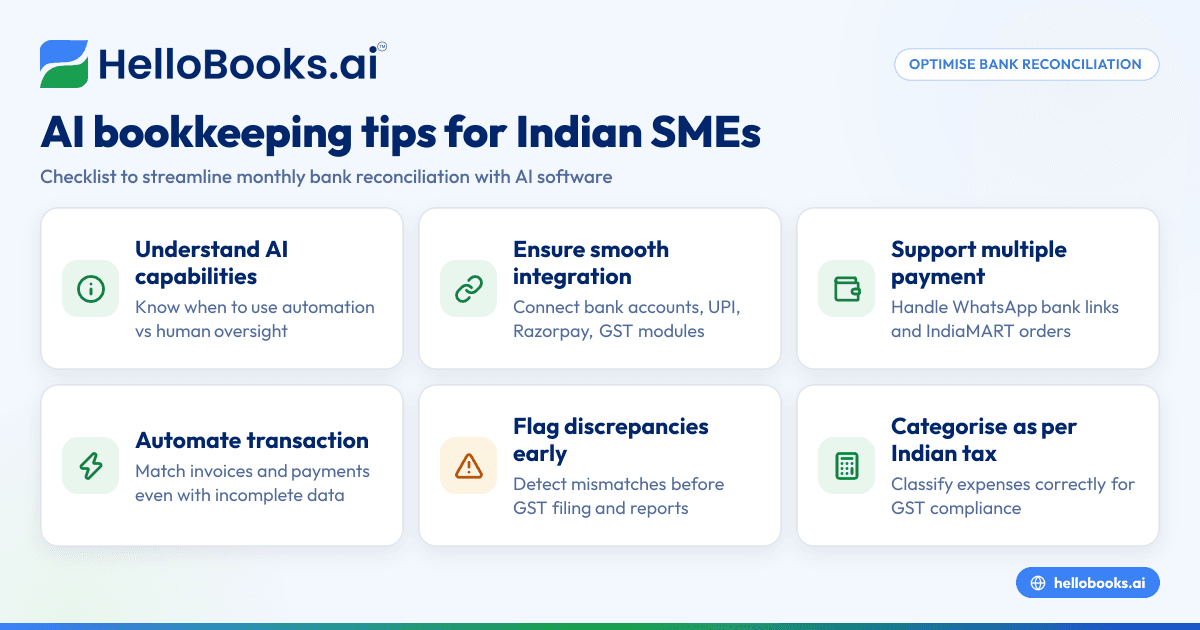
The fix is using bank reconciliation software with AI capabilities that automatically matches bank entries against invoices, credit notes, and payments recorded in your books. The software flags discrepancies such as unmatched receipts, partial payments, or duplicate transactions instantly. This allows the accountant to address problems early rather than scrambling at month-end.
Example: A growing IT service firm in Mumbai leverages automated reconciliation to match hundreds of digital payments received via UPI and Razorpay. The software highlights unmatched payments for follow-up, saving days of manual effort every month.
How can AI bookkeeping help with GST compliance for an Indian SME?
AI busy accounting software simplifies GST compliance by automating invoice validation, GSTIN checks, and preparing GST return-ready reports.
Handling GST compliance is a major headache during month-end close. Matching all sales and purchase invoices with corresponding payments and credit notes is critical to accurate GST returns. Manually tracking Input Tax Credit (ITC) and reconciling outward and inward supplies across various GSTINs risks costly mistakes.
AI bookkeeping software built for Indian SMEs simplifies this by:
- Automatically validating supplier GSTINs on invoices and detecting invalid or mismatched numbers.
- Generating GST return-ready reports in formats compatible with the GSTN portal.
- Linking with e-invoicing software for seamless generation and receipt of e-invoices in real time.
- Providing audit-ready data summaries for sales, purchases, and ITC claims.
- Scheduling reminders aligned with GST filing deadlines to avoid penalties.
These features reduce tedious manual cross-checks and improve filing accuracy, saving time and compliance risk.
Example: An SME in Bengaluru uses AI bookkeeping to automate e-invoice integration and prepare GSTR-3B drafts mid-month. This alerts their finance team to missing input invoices well before the filing deadline, preventing last-minute rushes.
Mistake 3: Why do I keep mixing personal and business expenses?
What does mixing personal and business expenses look like?
Mixing personal and business expenses causes messy books and complicates GST claims and bookkeeping.
In several SMEs, managers and owners sometimes pay business expenses from personal funds or the company card for convenience. These mixed expenses clog the books with unclear entries. When it’s time to reconcile expenses or claim deductions, untangling personal payments from business costs is time-consuming.
This happens because small businesses often lack strict policies or digital processes to separate personal spending. Paper bills, WhatsApp images of receipts, and cash payments complicate classification. Without automated checks, errors go unnoticed.
The fix is introducing expense management software with AI categorization that lets employees upload expenses via mobile apps, tagging them as business or personal. AI flags suspicious claims based on patterns like unusually high amounts or vendors. Approvals flow digitally, and GST on expenses is calculated automatically with accurate ledger entries.
Example: A small manufacturing unit in Pune uses an expense app where shop floor supervisors capture and classify expenses daily, reducing month-end chaos and speeding up GST reconciliation.
Mistake 4: Why do month-end closes still take so long even with Tally?
Why does Tally not speed up month-end close as expected?
Tally requires manual data entry, reconciliation, and GST preparation, slowing month-end without automation.
Despite using a popular accounting package like Tally, month-end close drags on for days. Accountants spend hours on manual journal entries, reconciling payments, and preparing GST returns manually. They often find themselves toggling between Tally exports, Excel sheets, and physical invoices.
This happens because Tally, though robust, does not automate invoice extraction or bank reconciliation natively. Many SMEs rely on separate tools or manual processes to link payments and expenses. GST compliance preparation requires multiple data exports and imports.
The fix is switching to an AI bookkeeping solution that automates routine tasks. The software intelligently extracts invoice details, matches bank transactions, applies GST codes, and generates ready-to-file GST reports. This accelerates closing, reduces errors, and provides timely financial insights.
If your SME finds reconciliation difficult even after Tally, consider AI accounting software that enhances automation while supporting existing workflows.
Mistake 5: Ignoring Digital Invoicing and Payment Integration
Why should small businesses adopt digital invoicing and payment integration?
Digital invoicing linked with payment gateways automates cash flow tracking and cuts down month-end reconciliation work.
Many SMEs continue to issue handwritten bills or PDF invoices sent via WhatsApp or email without a digital trail. Payments received through UPI, Razorpay, or bank transfers are often recorded separately or logged late. This makes tracking outstanding invoices and cash flow cumbersome.
This happens because SMEs have not adopted integrated digital invoicing software linked with payment gateways. Manual follow-ups to reconcile payments with invoices take time and cause errors.
The fix is using integrated invoice software that generates GST-compliant digital invoices linked with payment gateways and UPI collections. AI-enabled tracking updates your cash book as payments clear. This simplifies reconciliation and shortens month-end close.
Example: A wholesaler in Mumbai uses digital invoicing integrated with Razorpay. Payments received through UPI are automatically matched to invoices, and income ledgers update instantaneously, allowing faster reporting.
Mistake 6: Not Leveraging AI to Automate Routine Bookkeeping Tasks
What happens when SMEs don’t automate routine bookkeeping?
Manual tracking leads to data errors, duplicate entries, and delays in financial reporting for busy SME accountants.
SMEs that still manually track purchase orders, supplier bills, and employee expense claims juggle several spreadsheets. Duplicate entries or missed invoices often appear, causing delays in financial reporting.
This happens because manual bookkeeping requires constant vigilance. With limited staff, SMEs struggle to keep pace with the volume of transactions. Human errors multiply when data is scattered.
The fix is adopting AI bookkeeping software that learns your business’s transaction patterns to auto-categorize expenses, assign GST rates correctly, and generate ledger entries automatically. AI tools identify missing invoices by analyzing gaps in purchase patterns and nudge teams proactively.
Accountants then spend less time on repetitive tasks and more on analysis and strategic support for the business.
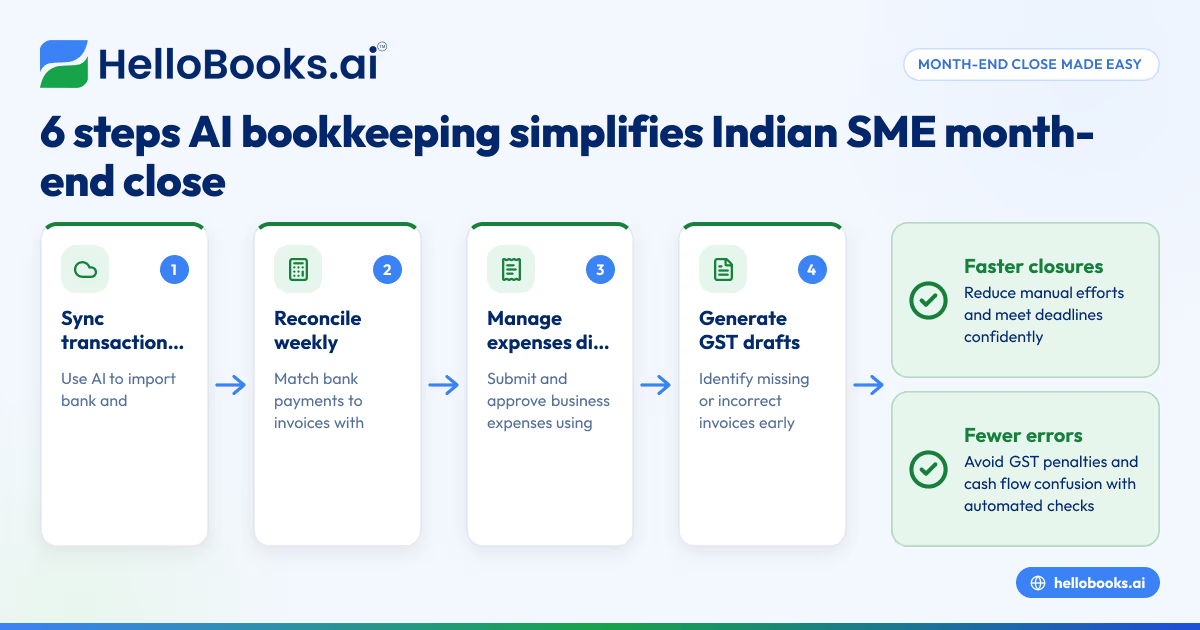
A simple routine to avoid month-end close delays
- Daily: Sync bank transactions and payment receipts using AI-enabled software, ensuring real-time capture.
- Weekly: Reconcile all bank statements with automated tools; verify GST invoice details to catch errors early.
- Weekly: Submit and approve expense claims digitally via mobile apps to prevent last-minute surprises.
- Mid-Month: Generate draft GST reports from the system to identify missing or mismatched invoices.
- Last 3 Days of Month: Conduct final reviews of reconciliations and ensure all invoices and payments are posted.
- Last Day of Month: Prepare and lock books digitally after verifying the GST filing readiness and finalize reports.
Following this routine minimizes errors and stress during month-end close. AI software makes each step faster by reducing manual intervention.
Using accounting software for small business with AI capabilities is no longer optional in Indian SMEs. It helps meet compliance deadlines, enhances accuracy, and provides timely financial insight — all critical to managing growth. Whether your SME’s finance team is in Mumbai, Bengaluru, Pune, or smaller cities, cloud-based AI bookkeeping can reduce overtime and improve morale.
If you want to see how AI bookkeeping can simplify your month-end close and lower the burden on your accounting team, you can book a demo or explore the pricing plans to start automating today. Embrace AI to reclaim valuable time and move your business forward with confidence.
This article provides general information and not tax or legal advice. For specific GST filing or compliance, consult professionals or official GST resources.
Related reading
- AI accounting software
- How Busy Accountants in Indian SMEs Can Leverage AI Bookkeeping to Save Time
- How AI Bookkeeping Software Helps US Small Businesses Automate Month-End Close Processes
Read next
This article covers one part of a bigger topic. For the complete picture, read our guide to busy accounting.