
Key takeaways
What this article covers, in order:
- Key takeaways
- What is a month end close checklist?
- How does AI bookkeeping software automate month-end close tasks?
- Why is automating month-end close important for US small businesses?
- How can US small businesses create an effective month end close checklist?
- What are the key components of an AI month end close process?
How AI bookkeeping software helps small businesses in the United States automate month-end close processes
Month-end close is the crucial task of finalizing all financial records for the accounting period. It often means hours of manual data entry, reconciliation, and review before financial statements can be issued. AI bookkeeping software cuts the workload by automating routine steps, enabling accuracy and faster close cycles for US small businesses.
Key takeaways
- Month-end close is a structured process ensuring books are accurate and complete by period end.
- AI bookkeeping software automates many month-end tasks such as bank reconciliation and transaction categorization.
- Automation reduces errors and accelerates the close timeline for small businesses using cloud accounting tools.
- A clear month end close checklist helps small businesses track, prioritize, and complete all necessary tasks.
- AI tools assist with tasks like invoice processing, expense management, and financial reporting.
- Using AI bookkeeping saves small US businesses time that can be reinvested in growth and compliance readiness.
What is a month end close checklist?
A month end close checklist is a step-by-step guide for completing all accounting tasks needed to close the books for a month. It ensures nothing is missed and that financial data is reliable.
Typically, it includes tasks like:
- Recording all sales and income.
- Posting payroll and employee expenses.
- Reconciling bank and credit card statements.
- Reviewing and adjusting accruals or prepayments.
- Verifying accounts payable and receivable balances.
- Generating financial statements such as profit & loss and balance sheets.
For many US small businesses juggling spreadsheets or dated software, this checklist can be overwhelming and time-consuming. AI bookkeeping software enforces these steps with automated processes designed for accuracy and speed.
How does AI bookkeeping software automate month-end close tasks?
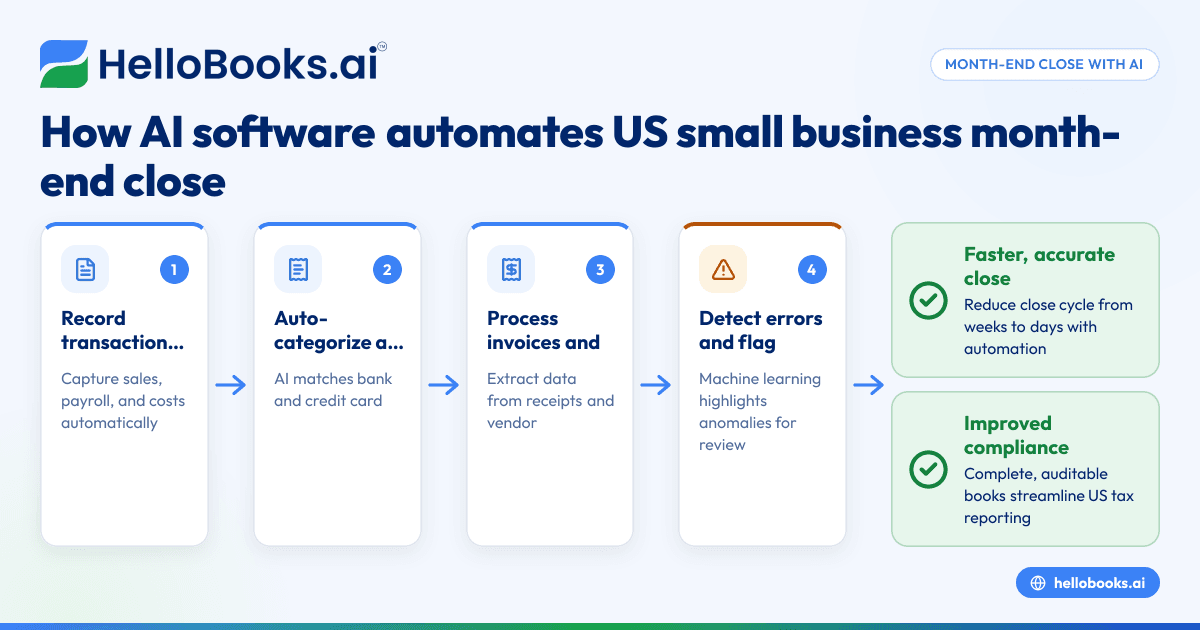
AI bookkeeping software leverages machine learning algorithms and automation to perform many tasks that traditionally require manual effort:
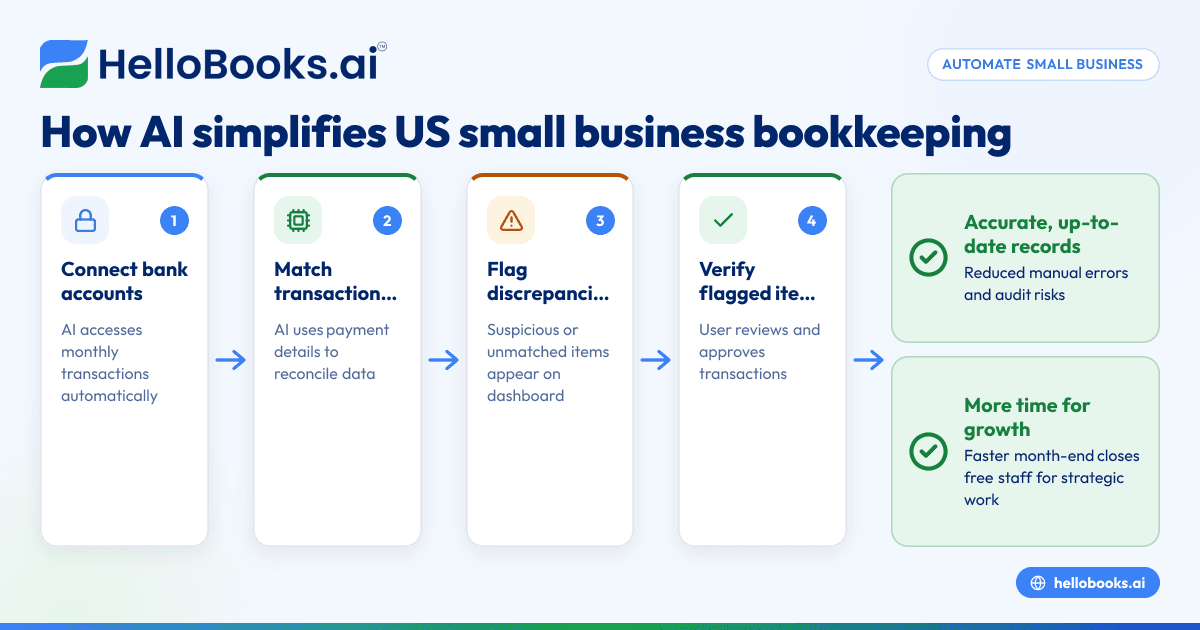
- Automatic transaction categorization: AI learns how to classify bank transactions correctly based on past data and vendor patterns, saving hours of manual coding.
- Real-time bank reconciliation: The software continuously matches bank and credit card feeds with accounting records, highlighting discrepancies promptly.
- Invoice and expense automation: AI tools extract data from vendor invoices and employee receipts, entering them into the system without manual typing.
- Error detection and correction: Machine learning detects anomalies or inconsistencies, prompting review before final closing.
- Automated journal entries: Recurring accruals, depreciation, and other adjustments can be scheduled and posted automatically.
This type of automation accelerates the [month end close checklist] execution and reduces costly errors.
Why is automating month-end close important for US small businesses?
Automating month-end close provides several benefits for small US businesses:
- Time savings: Automation frees finance teams from repetitive tasks, allowing them to focus on analysis and strategy.
- Improved accuracy: AI reduces human errors common in manual bookkeeping and data entry.
- Faster financial visibility: Quicker close cycles mean timely management reports and insights.
- Regulatory compliance: Complete and accurate books make tax filing and audits smoother, especially with US-specific requirements like sales tax and 1099 reporting.
- Cost efficiency: Faster close with fewer corrections lowers operational costs.
- Better cash flow management: Automated expense tracking and customer invoicing improve cash flow monitoring.
This is particularly crucial for small businesses in cities like Chicago, Houston, or Detroit where tight margins and compliance requirements are significant.
How can US small businesses create an effective month end close checklist?
Creating and following a month end close checklist tailored to your business ensures consistent, error-free closing:
- Outline all accounting activities needed to close the month end books, including transactions, reconciliations, accruals, reports, and tax prep.
- Assign responsibilities to team members for each task.
- Set deadlines for task completion, allowing buffer time before reporting due dates.
- Use automation tools that integrate with your bookkeeping or ERP system to check off items as they complete.
- Conduct monthly reviews to capture missed items or areas needing improvement.
- Adapt the checklist periodically as your business grows and accounting needs evolve.
AI bookkeeping software, like HelloBooks, can provide templates and built-in workflows to manage and simplify this checklist process.
What are the key components of an AI month end close process?
An AI month end close process generally includes:
- Data capture: Automatic import of bank, credit card, and billing data.
- Smart classification: AI classifies income, expenses, and journal entries.
- Continuous reconciliation: Matching transactions as data flows in.
- Exception management: Flagging unusual or unmatched items for review.
- Automated adjustments: Recurring entries added without manual intervention.
- Report generation: Draft financial statements produced on demand.
- Audit trails: Detailed logs for compliance and transparency.
AI enhances traditional bookkeeping by eliminating manual bottlenecks and providing continuous accuracy checks, reducing the month end close cycle from weeks to days.
Are there risks or limitations to automating the month-end close with AI tools?
While AI bookkeeping offers many advantages, small businesses should be aware of certain considerations:
- Initial setup and training: AI requires initial configuration and learning from your business data.
- Data quality dependency: Poor or inconsistent data input can limit AI effectiveness.
- Human oversight still required: Review and judgment remain necessary, especially for complex adjustments.
- Cost of advanced tools: Automated platforms may have subscription fees, which should be balanced against time savings.
- Security and compliance: Ensure the software meets security expectations and regulatory requirements relevant in the US, like SOC 2 standards if handling sensitive financial data.
Choosing a trusted AI bookkeeping provider and understanding the software’s capabilities is essential.
How does AI bookkeeping integrate with existing accounting software like QuickBooks?
Many US small businesses use QuickBooks or similar tools as their primary accounting platform. AI bookkeeping software typically integrates through APIs or data connectors, allowing seamless data flow and automation of repetitive tasks.
Integration enables:
- Import and automatic categorization of bank transactions directly into QuickBooks.
- Reconciliation data synced back to keeping a single source of truth.
- Automated expense and invoice data entry feeding into QuickBooks workflows.
- Generating customized financial reports enriched with AI insights.
This interoperability ensures that AI enhances your existing financial tech stack rather than replacing trusted systems.
Can AI bookkeeping software help with US sales tax compliance during the month end close?
AI bookkeeping software can assist with sales tax compliance by:
- Automatically tracking and classifying sales by state and locality.
- Calculating accurate sales tax amounts per transaction.
- Generating reports to support state tax filings.
- Reminding users of filing deadlines and preparation steps.
For US small businesses required to remit state sales tax, such capabilities integrated into the month end close process reduce compliance risks. However, always verify tax rates and rules with official state resources or tax advisors.
How do I start automating my month-end close with AI bookkeeping software?
To start automating month-end close:
- Choose a solution like HelloBooks that offers automation for bookkeeping, invoicing, and reconciliation.
- Integrate your bank accounts, credit cards, and accounting software.
- Define your month end close checklist tasks within the software.
- Train the AI by verifying transaction categorizations during the initial periods.
- Set up scheduled automated reconciliations and journal entries.
- Review reports and exceptions flagged by the software monthly.
This stepwise approach minimizes disruption and gradually accelerates your month-end close process with AI assistance.
Try HelloBooks for simple, AI-driven month-end close automation
If you’re a US small business owner, accountant, or finance lead looking to cut month-end close time, explore how HelloBooks automates bookkeeping, bank reconciliation, and financial reporting. Book a demo at /book-a-demo or compare plans at /pricing to see which option fits your business best.
Frequently asked questions
What is the typical timeline for a month-end close in small businesses?
Most small businesses take between 5 to 15 days after the month ends to complete the close and prepare financial reports. Automation with AI can reduce this timeline significantly, sometimes to just a couple of days.
Can AI bookkeeping software replace my accountant?
AI bookkeeping software automates routine data entry and reconciliation but does not replace professional accountants who provide advice, handle complex accounting, and ensure regulatory compliance.
How secure is cloud-based AI bookkeeping software?
Reputable AI bookkeeping platforms adhere to strong security standards, including encryption and user access controls. Always review the vendor’s security policies and compliance certifications to protect your financial data.
How much does AI bookkeeping software cost?
Costs vary based on features and user count. Visit /pricing for detailed plans tailored to small businesses. The time saved and error reduction often deliver cost benefits outweighing subscription fees.
Does AI bookkeeping handle payroll during month-end close?
Some AI bookkeeping solutions integrate with payroll providers but payroll processing is often managed separately. AI tools can automate posting payroll expenses and liabilities to the books.
Can AI handle complex accounting entries like depreciation or accruals?
Yes, many AI bookkeeping platforms support scheduling and automating recurring journal entries including depreciation, amortization, accruals, and adjusting entries, easing month-end close.
Managing the month-end close process is easier and faster with AI bookkeeping software. If you want to automate your financial close tasks, keep data accurate, and focus on growing your US business, consider HelloBooks today. Book a demo at /book-a-demo or compare plans at /pricing.
Read next
This article covers one part of a bigger topic. For the complete picture, read our guide to accounting software.