Restaurant POS with KOT & Table Mapping HelloBooks Restaurant POS with KOT routing, table mapping, modifiers, and dine-in/takeaway/delivery flows. Start free—no credit card required.
KOT, table mapping, modifiers, dine flows
Kitchen Order Tickets per station, table mapping, modifiers (extra cheese, less spice), dine-in / takeaway / delivery flows — the full restaurant operating system inside HelloBooks.
Part of HelloBooks POS · Industry verticals
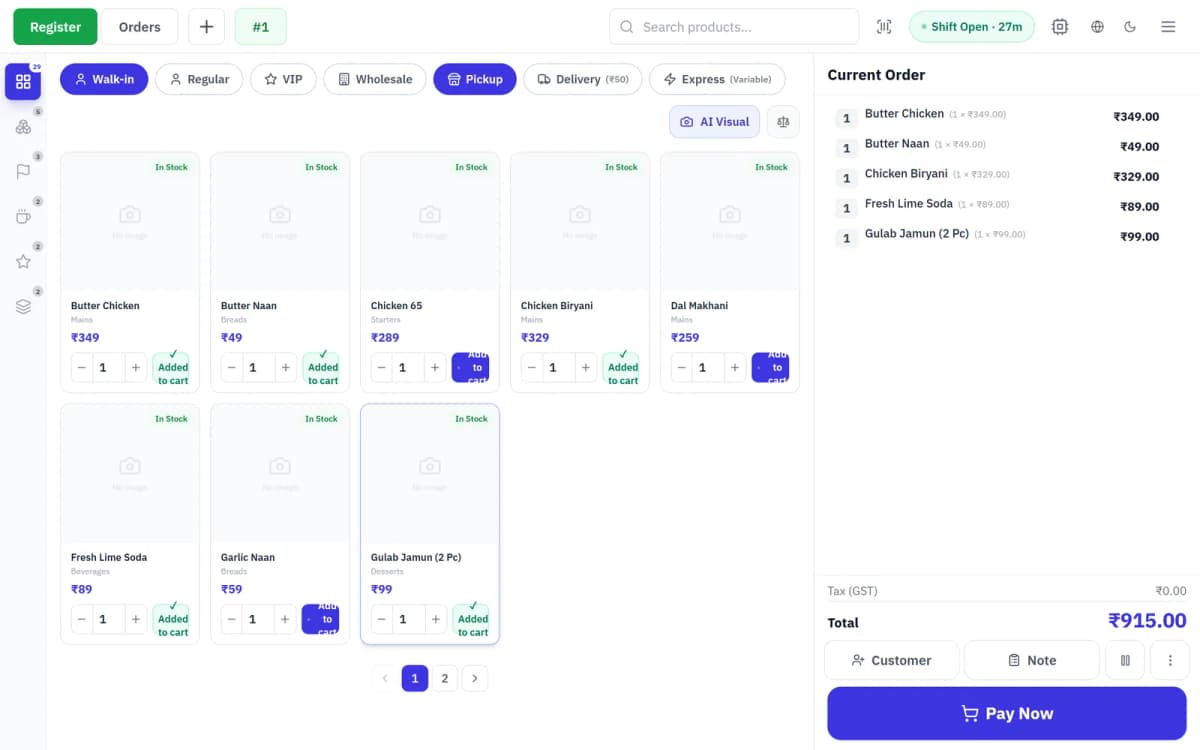
Restaurant POS is closer to a workflow tool than a billing tool — every order moves through KOT, kitchen, expedition, table, and bill. HelloBooks runs the whole loop on the same engine that closes your books, so dine-in, takeaway, delivery, and online aggregator orders all hit one revenue line.
Every detail, dialled in
Built for the till, validated against the canonical accounting engine — so every POS sale closes the books cleanly.
KOT routing per station
A single bill might split across four KOTs — hot kitchen, cold kitchen, bar, dessert. Each station prints what it owns; the expediter pulls the bill together at the pass.
- Per-station KOT routing
- Modifiers print on the right ticket
- Quantity-fire ordering
- Recall / void with reason
Table state machine
Table is a first-class object — open / occupied / cleaning / billed. The host sees the floor at a glance; the cashier opens a tab against a table; the runner sees what is ready.
- Floor plan per outlet
- Open / occupied / billed states
- Tab merge + split
- Reservation linkage
Dine / takeaway / delivery
Three order modes, three slightly different workflows, one POS. Delivery integrates with aggregator webhooks; takeaway gets a pickup time; dine-in lives on a table.
- Three order modes
- Zomato / Swiggy orders in one inbox
- Pickup-time SMS
- Delivery driver assignment
- Channel tag on every order for per-channel sales and margin reporting
Sample invoices
The bills your restaurant counter prints
Every dine-in, takeaway or delivery order settles into a clean, GST-ready receipt — item lines, tax, packing charge, round-off and tender — printed at the till and posted straight to your books.
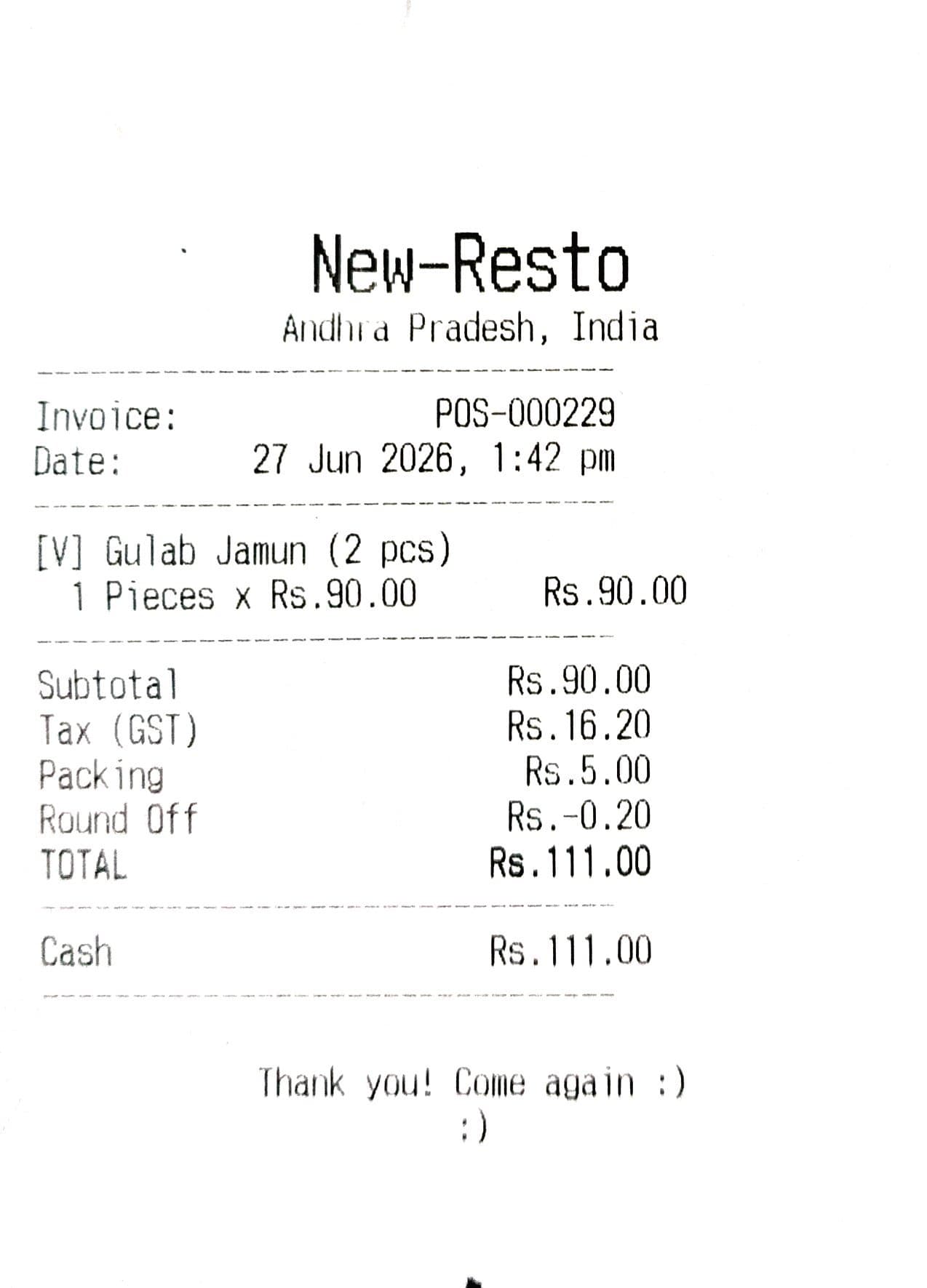
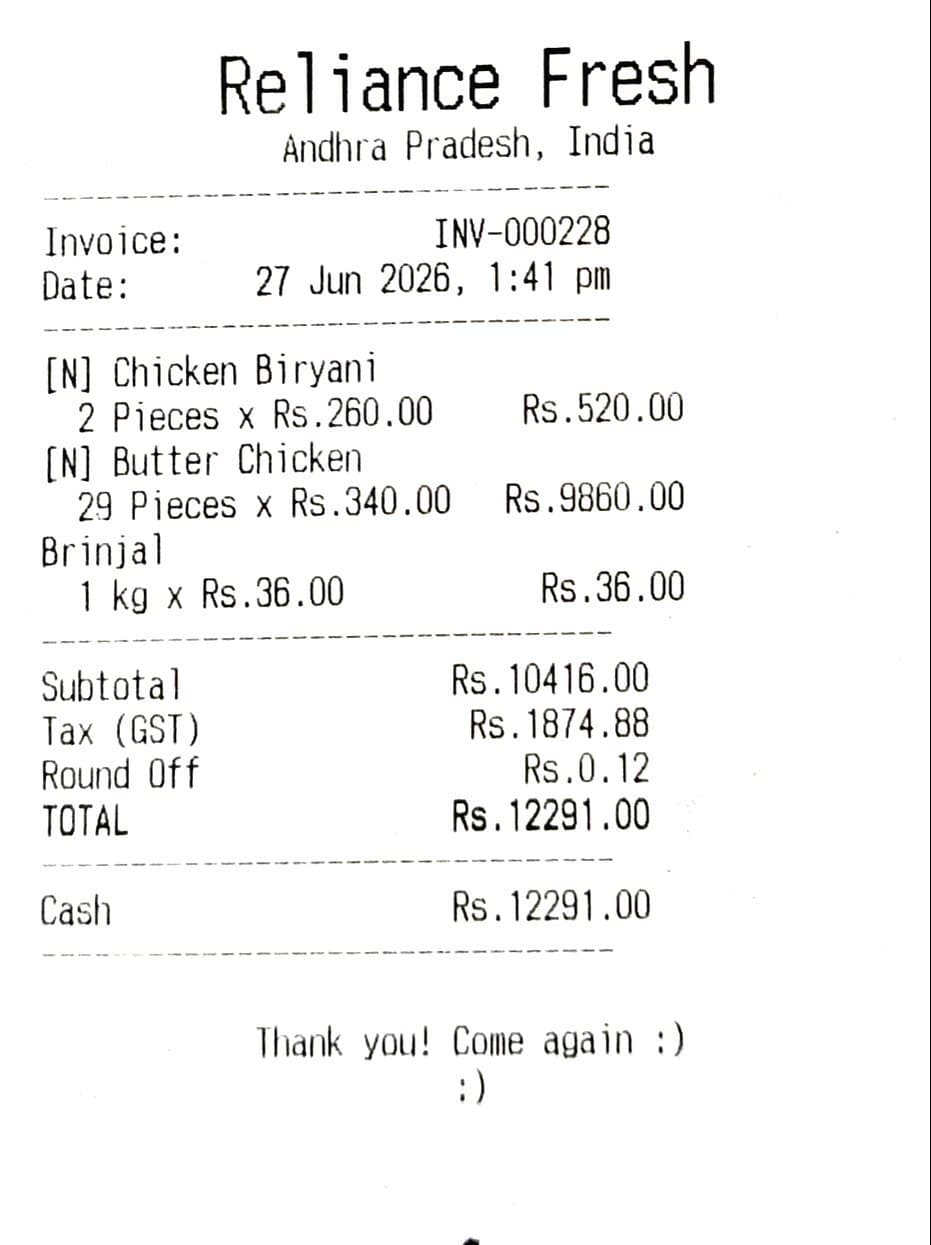
Example receipts generated by HelloBooks POS. Layout, tax rates and charges are configurable per outlet.
Why teams move off legacy tills
- KOT printed at one printer
- Table state in cashier’s head
- No modifier discipline
- Aggregator order re-keyed manually
- KOT per station
- Table state visible to all
- Modifiers first-class
- Aggregator orders native in the till
Questions, answered
How are modifiers priced?
Per-modifier price (extra cheese +30, no onion 0). Modifiers print on the KOT and on the bill.
Can I split a table bill?
Yes — by item or even-split, up to six tabs per parent. Linked bills inherit the dining session for analytics.
Does this cover bar tabs?
Yes. A bar tab is a long-running open bill on the bar “table”. Settle on departure.
How do I handle complimentary items?
Manager passcode + reason; the line shows zero price on the bill but is recorded for COGS and analytics.
Can customers leave feedback after the meal?
Yes — the receipt can carry a feedback QR that opens a quick rating-and-comment form. Responses aggregate in the back office so you see satisfaction by outlet without a separate survey tool.
Ready to automate your books?
Let AI handle the bookkeeping and reclaim hours every month. Get started free — no credit card required.