Key takeaways
What this article covers, in order:
- Before you start
- Step 1: What exactly is bank reconciliation and why do I need it?
- Step 2: How do I prepare my records for reconciliation?
- Step 3: How can AI bank reconciliation speed up the process?
- Step 4: What are the bank reconciliation steps using AI bookkeeping software?
- Worked example: Reconciling a Mumbai-based retailer’s bank statement
How to Use AI Bookkeeping for Accurate and Fast Bank Reconciliation in Small Indian Businesses
This guide is for small business owners, finance leads, and accountants in India who want to complete bank reconciliation accurately and quickly using AI bookkeeping tools. By the end, you will know the bank reconciliation steps and how AI can simplify the process.
Before you start
- Have your business bank statements ready in digital format (PDF, CSV, or Excel).
- Access your accounting records or software where invoices, payments, and expenses are recorded.
- Know your GST filing status and ensure your invoices and bills are GST-compliant.
- Choose AI bookkeeping software compatible with Indian banking and GST systems.
Step 1: What exactly is bank reconciliation and why do I need it?
Bank reconciliation is the process of matching your business’s accounting records with your bank statement to identify any differences. This step ensures your books are accurate, catches errors or fraud, and helps with cash flow planning. Without regular reconciliation, you risk misstating your finances and missing compliance deadlines.
For example, if a payment from a customer is recorded in your books but not yet reflected in the bank due to a delay, reconciliation will highlight this timing difference. Similarly, bank charges or interest income sometimes get missed in your books if you don’t reconcile regularly.
Common mistake: Waiting too long between reconciliations, which makes it hard to track discrepancies and can lead to costly mistakes. Small businesses in cities like Bengaluru or Pune often delay reconciliation due to limited staff, but this only compounds errors.
Step 2: How do I prepare my records for reconciliation?
Start by organising your accounting records. Ensure all invoices, payments received, expenses, and bank charges are entered correctly in your books or software. For GST-registered businesses, confirm the invoice details match the GST returns you plan to file.
If you still use spreadsheets or Tally, consider switching to AI bookkeeping software that automates data capture and reduces manual errors. Many Indian SMEs find that manual entry leads to duplicate or missing transactions, especially during busy sales periods or festival seasons.
Before starting, check that:
- All sales invoices are entered with correct GST details (taxable value, GSTIN of customer if applicable).
- All vendor bills and expenses are recorded with proper GST input credits.
- Bank charges and interest income are noted.
- Payments received through UPI, Razorpay, or bank transfers are accounted for.
Common mistake: Reconciling with incomplete or outdated records, which causes confusion and inaccurate results. For instance, missing an expense bill from a supplier in Pune can result in your books showing more cash than actually available.
Step 3: How can AI bank reconciliation speed up the process?
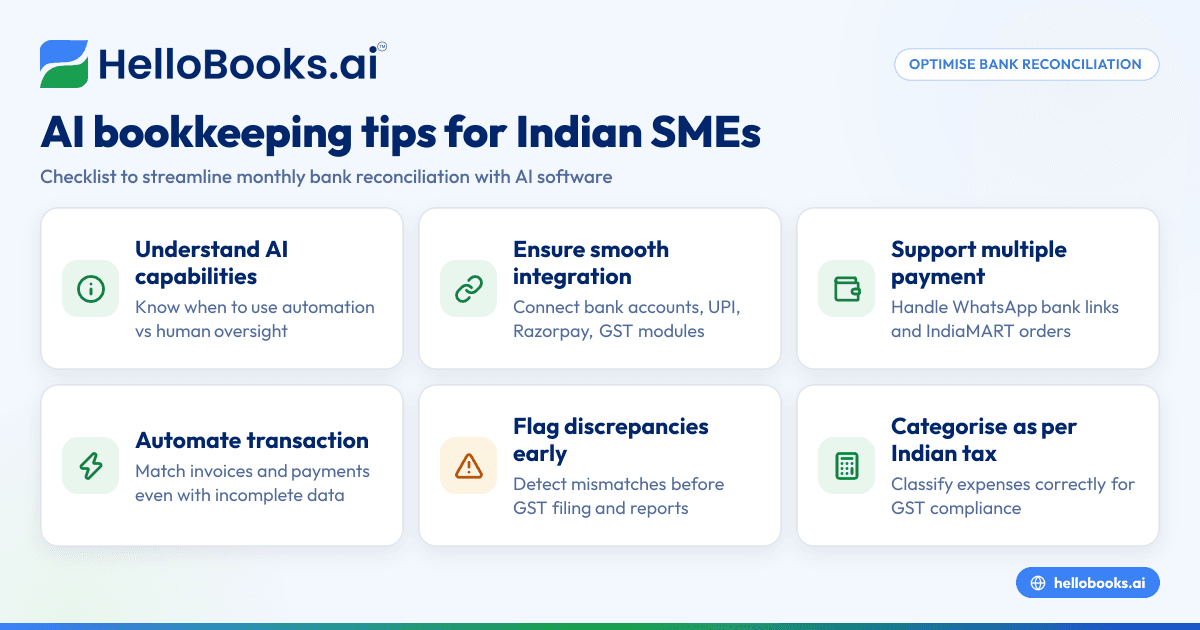
AI bank reconciliation uses machine learning to automatically match transactions in your bank statement with those in your accounting records. It flags unmatched items, duplicates, or errors for review. This reduces manual data entry, speeds up reconciliation, and improves accuracy.
AI tools can also categorise expenses and identify GST-related mismatches, simplifying your compliance tasks. For example, if an invoice’s GST amount does not match the payment received, AI can alert you to investigate before filing returns.
Many AI bookkeeping platforms connect directly to banks in India, enabling automatic import of bank statements via APIs, avoiding manual uploads. This connectivity is especially helpful for businesses in tier-2 and tier-3 cities where manual data handling can cause delays.
Common mistake: Ignoring AI suggestions or not reviewing flagged transactions, which can result in overlooked errors. Always double-check flagged items rather than blindly accepting software matches.
Step 4: What are the bank reconciliation steps using AI bookkeeping software?
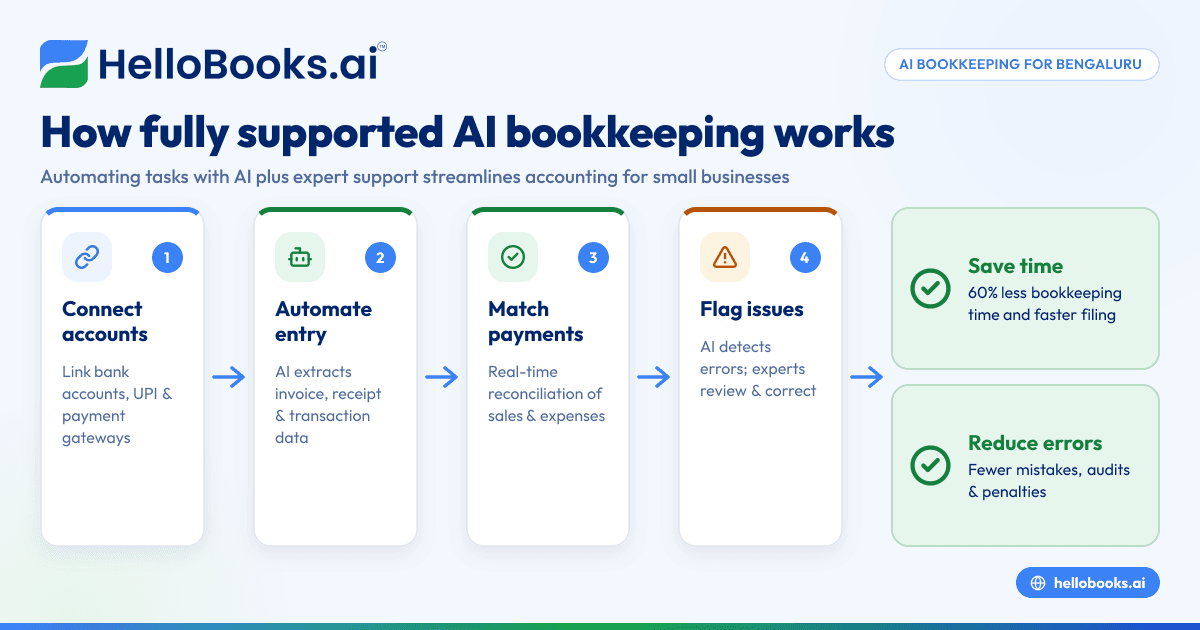
- Import your bank statement into the AI bookkeeping system — many platforms connect directly to Indian banks or accept uploads in formats like CSV or PDF.
- The AI tool scans and matches transactions automatically. It uses algorithms to pair payments, receipts, bank charges, and interest income with corresponding entries in your books.
- Review and confirm any unmatched or flagged transactions. The AI highlights discrepancies like missing payments, duplicate entries, or mismatched amounts related to GST.
- Adjust your accounting records if needed (e.g., record missing payments or bank fees). This step ensures your books reflect the true financial position.
- Generate a reconciliation report that shows matched and unmatched items clearly. This report is useful for internal audits and GST filing.
- Use the report to verify your cash balance and prepare GST returns or financial reports.
Common mistake: Skipping the review step and blindly accepting AI matches without verification. Although AI is powerful, it is not infallible. Human judgement is essential to catch unusual transactions or compliance issues.
Worked example: Reconciling a Mumbai-based retailer’s bank statement
Rahul runs a retail business in Mumbai. His bank statement for April shows 50 transactions totaling ₹5 lakh (illustrative). Using AI bookkeeping software, he uploads the bank statement and imports his sales invoices and expense bills recorded in the system.
The AI matches 45 transactions automatically but flags 5 payments not recorded in the books. Rahul reviews the flagged items and realises one payment was from a supplier refund not yet recorded and another was a bank charge missed earlier.
He updates the records accordingly and finalises the reconciliation report showing a perfect match between bank and book balances of ₹5 lakh. This accurate reconciliation helps Rahul confidently file his GST return for April.
Rahul also notices that one flagged transaction is a payment received via UPI that was missing from his sales invoices. He enters this invoice into the system, ensuring GST compliance and avoiding penalties.
Thanks to the AI tool, Rahul completes the entire reconciliation in under an hour. Without AI, this could have taken a full day of manual checking and data entry.
What common errors should I watch out for during bank reconciliation?
The most frequent errors include:
- Missing transactions in books or bank statements, especially payments made through multiple channels like UPI, cheque, or cash deposits.
- Recording amounts incorrectly (e.g., ₹15,000 instead of ₹1,50,000). This can happen due to human error or misreading bank statements.
- Ignoring bank fees or interest income, which affects cash balances and GST calculations.
- Delayed reconciliation causing piled-up discrepancies that become harder to resolve.
- Overlooking GST compliance on invoices related to payments, leading to mismatches in GSTR filings.
AI bookkeeping software helps reduce these errors by automating matching and flagging anomalies, but you still need to review carefully. For example, if the AI shows a payment amount slightly different from the invoice, it could be due to partial payments or advance receipts — you must clarify these.
How often should I do bank reconciliation in my small business?
You should ideally reconcile your bank accounts monthly, aligned with your GST filing cycle. Monthly reconciliation ensures your financial records match the bank before you file returns, reducing chances of GST audit issues.
Some businesses with high transaction volumes, such as e-commerce retailers in Bengaluru or wholesale traders in Pune, may choose weekly or even daily reconciliation. This frequency helps catch errors early and provides real-time cash flow visibility.
For a new or growing business, starting with monthly reconciliation is practical. As your volume grows, consider increasing frequency or automating further with AI tools.
Next steps
Now you know the bank reconciliation steps and how AI bookkeeping can make the process faster and more accurate for your small business in India. Start by organising your records and choosing the right AI bookkeeping software that supports Indian banking and GST requirements. You can explore options and book a demo at hellobooks.ai/book-a-demo or compare plans at hellobooks.ai/pricing.
Accurate and timely bank reconciliation will save you time, reduce stress, and improve your business’s financial health. Accurate books also make it easier to secure loans or attract investors as your business grows.
Related reading
- AI bookkeeping
- How AI Bookkeeping Software Can Simplify Bank Reconciliation for Small Businesses in the United States
- How Small Businesses Can Use AI Bookkeeping Tools Without Losing Control, Supported with Caveats
Read next
This article covers one part of a bigger topic. For the complete picture, read our guide to supported with caveat.