
Key takeaways
What this article covers, in order:
- Before you start
- Step 1: Why use ai automation for bookkeeping in your small business?
- What is an ai-powered bookkeeping tool, and can it understand Indian GST rules?
- Step 2: How to integrate your bank and invoicing systems for better ai bookkeeping
- Step 3: How can I keep full control over bookkeeping while shifting to an AI tool?
- What caveats should I keep in mind using AI software for my business books?
How Small Businesses Can Use AI Bookkeeping Tools Without Losing Control, Supported with Caveats
This guide is for owners, finance leads and accountants at small businesses in India who want to adopt AI bookkeeping for small business but worry about control and accuracy. By the end, you will know how to set up, use, and keep oversight of AI-powered bookkeeping tools effectively with clear warnings.
Before you start
- Gather your existing bookkeeping data in one place, such as your Tally files, spreadsheets, or QuickBooks exports.
- Have access to your bank statements for automated reconciliation.
- Understand your current GST filing process and compliance deadlines to ensure AI use supports them.
- Decide if you want software with invoicing, expense management, and compliance features integrated or prefer separate tools.
Step 1: Why use ai automation for bookkeeping in your small business?
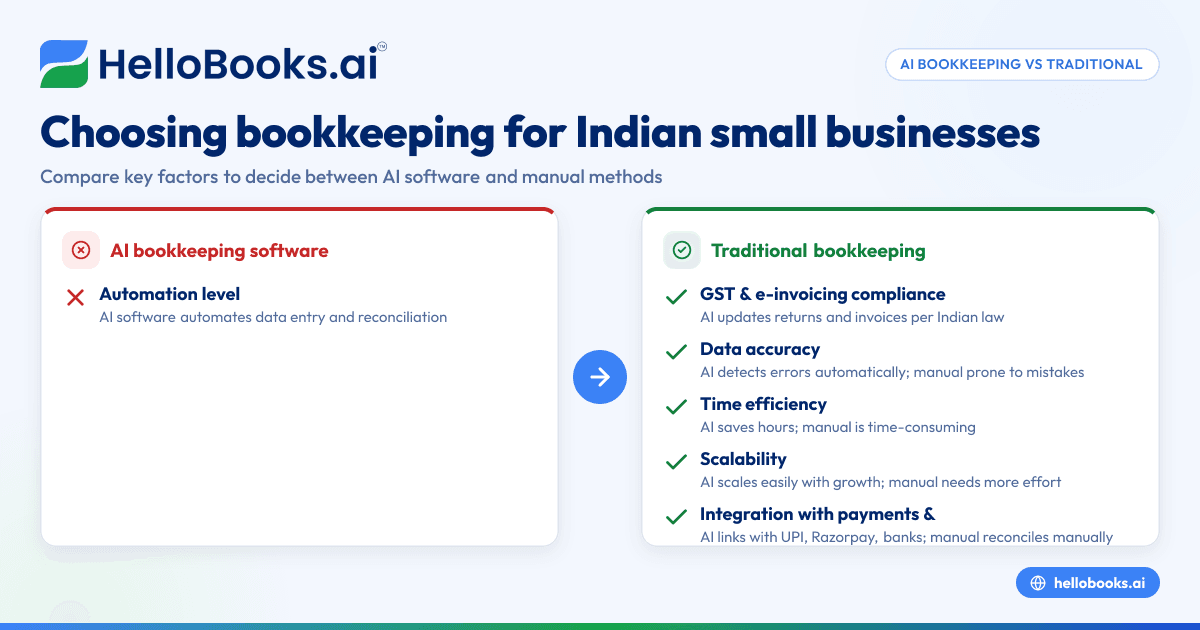
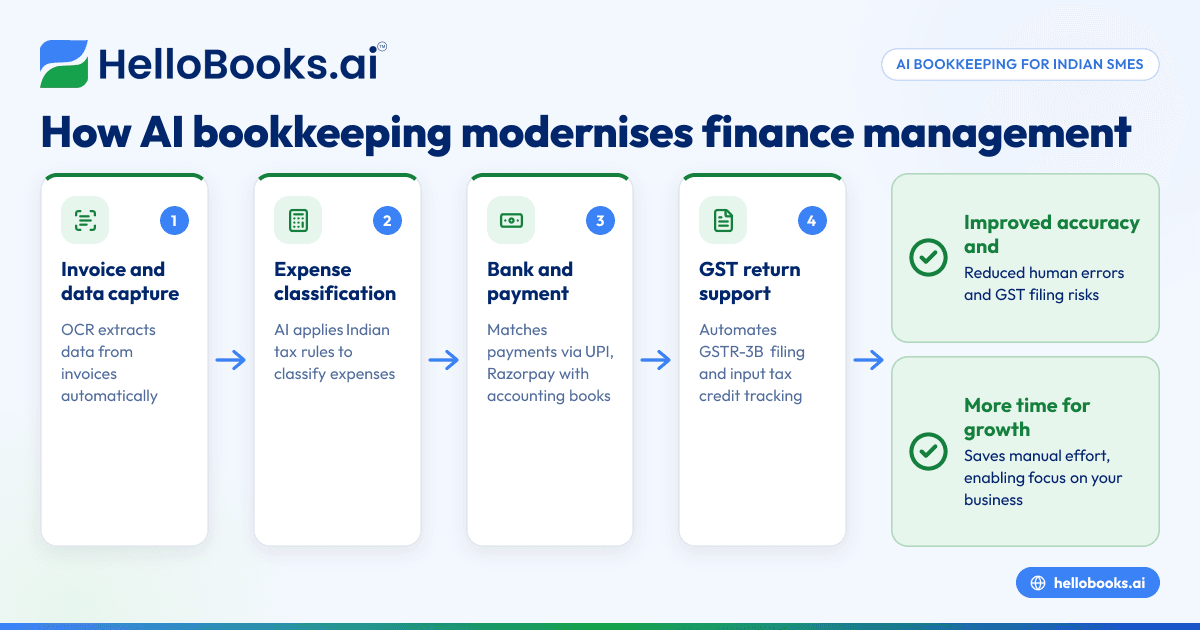
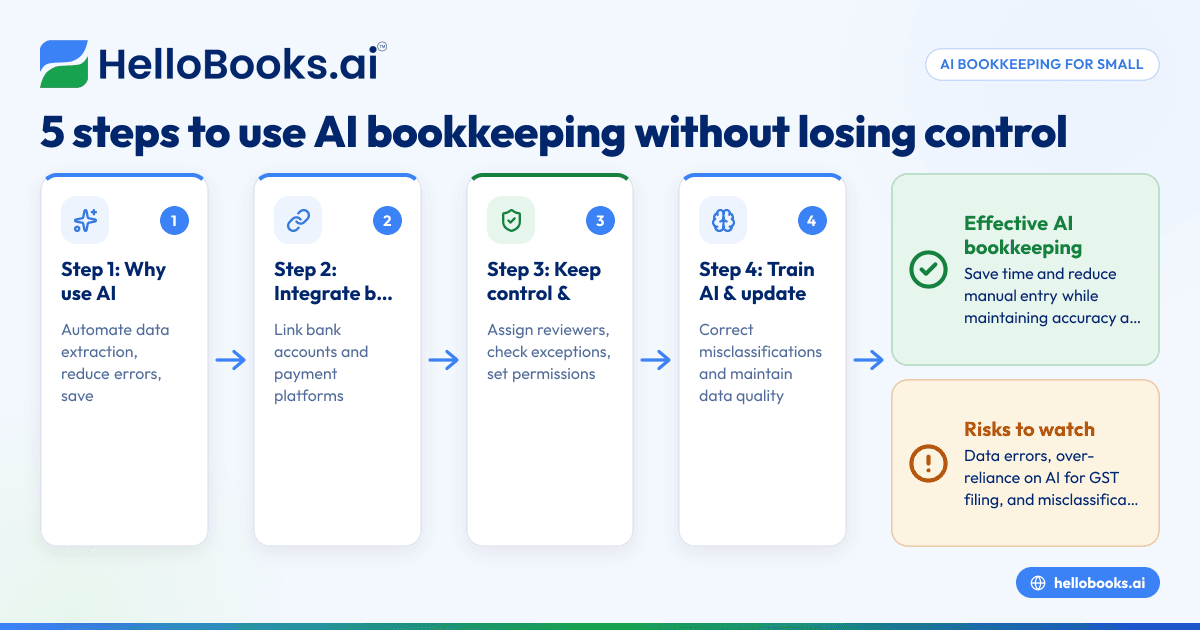
Automated bookkeeping with AI reduces time spent on manual entry and errors from human slips. It extracts data from invoices, receipts, bank statements and categorises transactions automatically. This frees you to focus on analysis and decision-making rather than routine data handling.
Mistake people make: Expecting AI tools to replace a human accountant fully. AI helps with routine work but cannot grasp complex tax situations or strategic financial planning without expert input.
What is an ai-powered bookkeeping tool, and can it understand Indian GST rules?
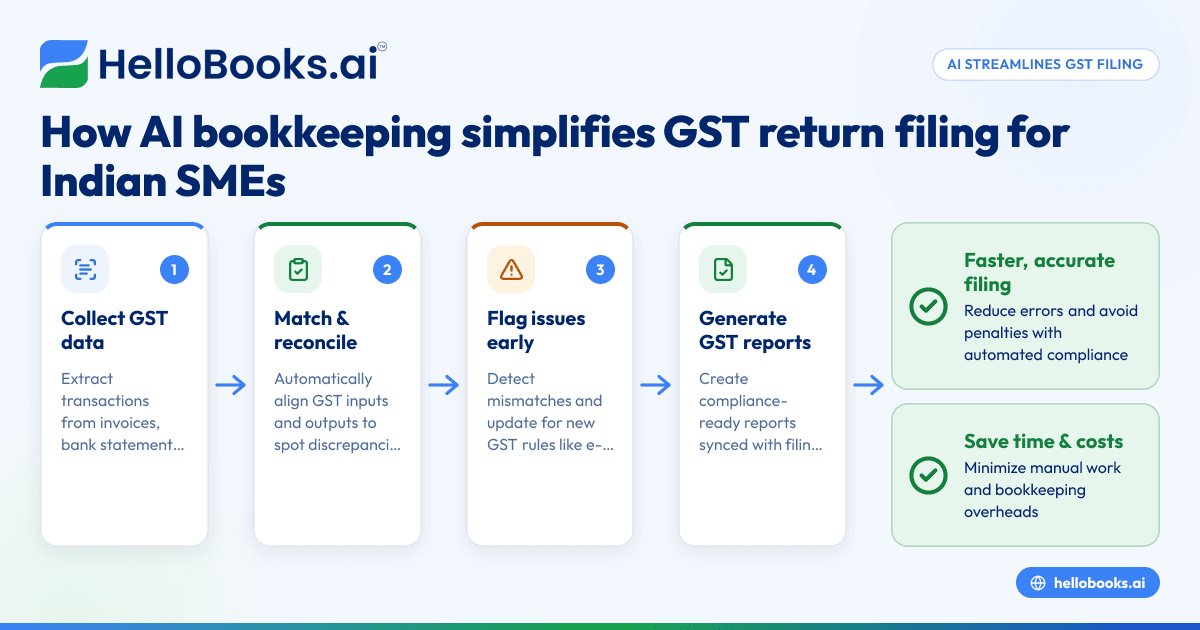
An AI bookkeeping tool uses machine learning to process and organise financial data. Modern tools tailored for Indian businesses recognise GST invoices, e-invoicing formats, reverse charge mechanisms, and tax rates applicable in India.
These ai software solutions read invoice details, automatically classify expenses and sales by GST codes, and prepare reports to help with GST return filing. However, the tool suggests classifications that still need review to prevent errors in your returns.
Step 2: How to integrate your bank and invoicing systems for better ai bookkeeping
Link your current bank accounts and payment platforms such as UPI or Razorpay to your ai tool. The software continuously fetches transaction details, matches them with your invoices or bills, and flags discrepancies. Invoicing features can automatically generate GST-compliant bills and send reminders.
Mistake people make: Not verifying matched transaction data regularly. AI is fast but can miscategorise payments, especially for partial payments or advances. Inspect flagged transactions weekly.
Step 3: How can I keep full control over bookkeeping while shifting to an AI tool?
AI bookkeeping for small business should not mean “set and forget.” Assign at least one person with bookkeeping expertise to review AI suggestions daily or weekly. Use dashboards and exception reports generated by the software to spot anomalies or missing entries.
Set permissions carefully to control who can approve, edit or delete entries in the system. This preserves accountability and audit trails for compliance audits by authorities such as GST departments or your CA.
What caveats should I keep in mind using AI software for my business books?
AI tools rely on your data quality. Dirty or incomplete data will produce errors. Regularly update vendor and customer master records, and digitise all paper invoices properly. AI can only support compliance, not guarantee it, so expert review remains essential.
Beware of over-reliance on AI for GST filing without understanding the nuances of input tax credit rules or reverse charges as per Indian law. Misfiling can invite penalties, so cross-check computed returns before submission.
Step 4: How to train your AI tool and improve its accuracy over time?
Feed your tool more examples of your common transaction types and correct any misclassifications it makes. This “training” improves its machine learning algorithms. Use consistent naming conventions for vendors, products, and GST codes to help AI recognise patterns better.
Keep your software updated to benefit from enhancements in AI automation models and compliance rule changes announced by government bodies like CBIC.
Step 5: How do I use financial reports generated by AI tools to grow my business?
Use the automated reports on cash flow, profit and loss, GST liabilities and receivables to monitor your financial health weekly. AI tools help you identify slow-paying customers, unofficial expenses and tax credit gaps. This insight supports timely decisions on credit control, budgeting and tax planning.
Mistake people make: Ignoring the reports or assuming the AI is always correct. Always cross-verify report data with your knowledge of business operations for accuracy.
Worked example: Using AI bookkeeping for a small Bengaluru-based service startup
Imagine Priya runs a digital marketing startup in Bengaluru. She uses a Tally alternative AI software that integrates with her ICICI bank account and Razorpay payment gateway. She uploads her previous GST return data and customer master records.
Every day, the software pulls her bank statements and payment records, matches them against uploaded invoices issued via the AI invoicing feature. Priya reviews exceptions flagged by the tool and corrects classifications for a few miscoded expenses. She regularly updates customer contact details in the system to improve AI accuracy.
Monthly, the tool generates GST return-ready forms, which Priya cross-checks with her CA before filing via the government portal. Her dashboard highlights receivables pending over 30 days, enabling proactive follow-up. She sees detailed expense reports by category, helping her trim unnecessary costs.
By using AI bookkeeping for small business, Priya saves over 10 hours a month on data entry and reconciliation without losing control over compliance and accuracy.
Now that you understand how to use AI bookkeeping for small business with clear oversight and vital caveats, you can take the next step to reduce manual workload and enhance your financial management. Start by comparing different accounting software for small business options or request a personalised walkthrough to see how it fits your unique needs. Book a demo at /book-a-demo and see automated bookkeeping in action.
Related reading
- AI bookkeeping
- How AI Bookkeeping Can Help Small Businesses in the United States Stay Compliant with State and Local Sales Tax Rules
- Quarterly Estimated Tax Payments for Delaware Small Businesses: How AI Bookkeeping Can Simplify Your Process
Read next
This article covers one part of a bigger topic. For the complete picture, read our guide to supported with caveat.