
Key takeaways
What this article covers, in order:
- Key takeaways
- What is bank reconciliation and why is it important for small businesses in the U.S.?
- What are the basic bank reconciliation steps small businesses should follow?
- How does AI bank reconciliation work?
- What are the benefits of AI bookkeeping software for bank reconciliation in small businesses?
- Can AI bookkeeping software handle complex bank reconciliation challenges like partial payments or transfers?
Bank reconciliation matches your business’s bank statements with your financial records to catch errors and discrepancies. AI bookkeeping automates this by quickly identifying mismatches, saving time and improving accuracy.
Key takeaways
- Bank reconciliation compares your bank statements with your internal books to find and fix differences.
- AI bookkeeping software automates transaction matching for faster, more accurate reconciliations.
- Small businesses in the U.S. benefit from AI-driven bank reconciliation software integrated with tools like QuickBooks.
- Regular reconciliation helps detect fraud, prevents overdrafts, and simplifies tax compliance.
- AI bank reconciliation reduces manual effort and supports efficient cash flow management.
- Automating reconciliation frees business owners and accountants to focus on growth and strategy.
What is bank reconciliation and why is it important for small businesses in the U.S.?
Bank reconciliation is the process of comparing transactions recorded in your accounting system with those on your bank statement. In the U.S., it ensures your financial data is accurate for cash flow management, tax preparation, and reports such as 1099 forms or sales tax returns.
If discrepancies—like missing payments or bank fees—arise, bank reconciliation alerts you so they can be corrected early. This protects your small business from costly errors and supports better decision-making.
What are the basic bank reconciliation steps small businesses should follow?
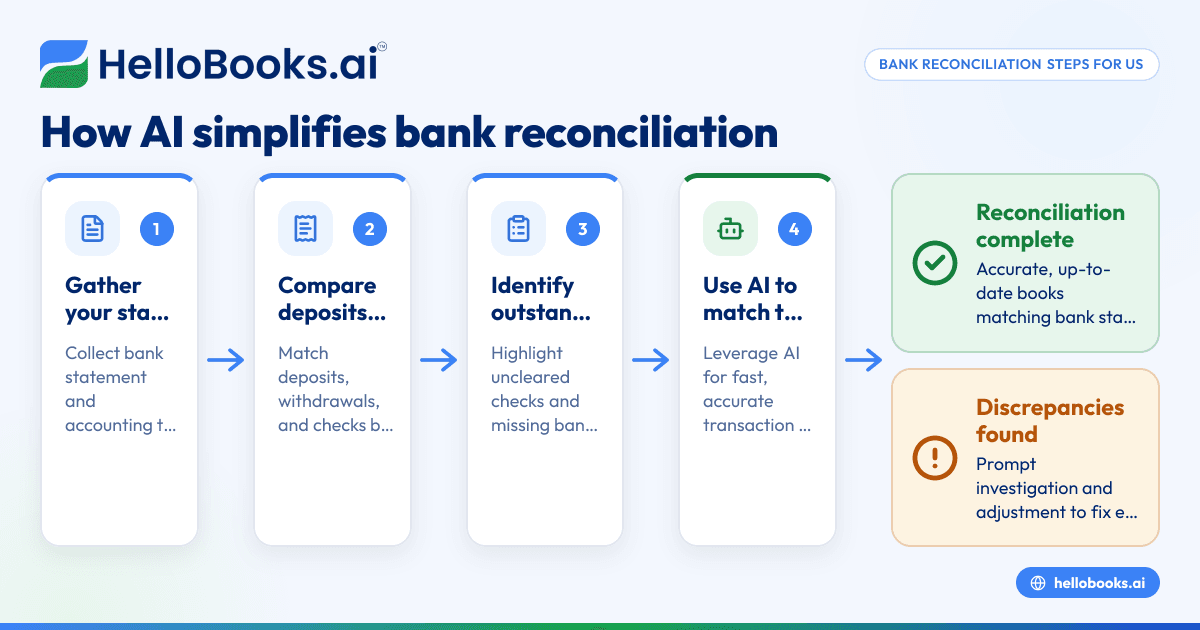
Here are essential bank reconciliation steps to do manually or with AI bookkeeping software:
- Gather Your Bank Statement and Accounting Records Collect your latest bank statement and accounting transactions for the same period.
- Compare Deposits Check if deposits in your books match those on the bank statement.
- Match Withdrawals and Checks Verify withdrawals and checks recorded in your books appear on the statement.
- Identify Outstanding Checks or Deposits Highlight transactions recorded internally but not yet cleared by the bank.
- Account for Bank Charges and Interest Enter bank fees, interest earned, or automatic payments shown on the statement but missing in your records.
- Investigate and Record Discrepancies Review unmatched transactions to find causes like timing differences or errors.
- Adjust Your Books Correct your accounting records for errors or missing items.
- Confirm Your Reconciliation Ensure the ending balances on your books and bank statement match exactly.
How does AI bank reconciliation work?
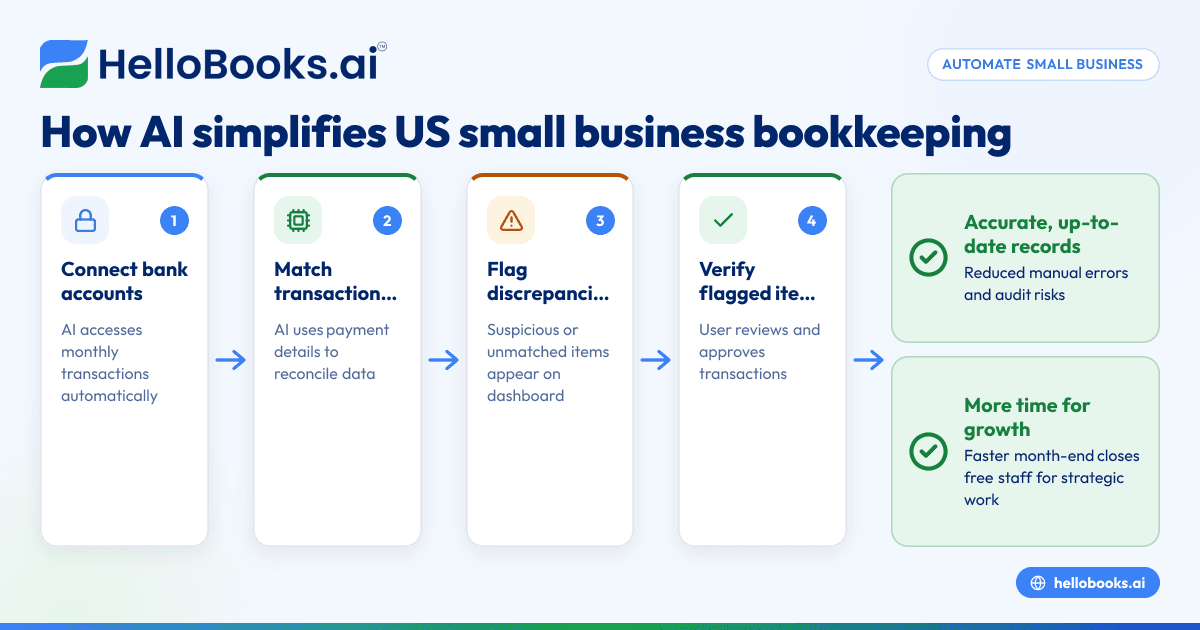
AI bank reconciliation automates matching your bank transactions to internal records using machine learning and pattern recognition. It extracts data from bank feeds and compares it with your books almost instantly, highlighting mismatches.
This technology handles subtle differences like partial payments or minor amount variations that manual methods can miss. AI also learns from corrections, improving accuracy and saving you time on data entry and error checking.
How often should small businesses in the U.S. perform bank reconciliation?
Small businesses should reconcile at least monthly, though weekly or daily checks are better for high transaction volumes. Frequent reconciliation helps spot errors quicker and prevents overdrafts.
With AI bookkeeping, daily reconciliation is easy. The AI processes bank feeds continuously and alerts you to issues in near real-time for prompt resolution.
What are the benefits of AI bookkeeping software for bank reconciliation in small businesses?
AI bookkeeping offers many advantages:
- Saves time: Automates tedious manual matching.
- Increases accuracy: Minimizes human errors.
- Detects fraud: Flags suspicious transactions early.
- Improves cash flow insights: Real-time tracking of cash position.
- Integrates with popular tools: Syncs easily with QuickBooks and Stripe.
- Simplifies compliance: Keeps records up to date for taxes and audits.
Can AI bookkeeping software handle complex bank reconciliation challenges like partial payments or transfers?
Yes. AI bank reconciliation software understands complex cases, such as splitting payments or internal transfers. It matches multiple smaller payments to a single invoice and adjusts for timing differences automatically, reducing manual work and errors.
How does AI bookkeeping software integrate with existing accounting tools like QuickBooks in the United States?
AI bookkeeping platforms link seamlessly with common U.S. tools like QuickBooks. Your bank feeds, invoices, and expenses sync in one place, allowing bank reconciliation software to process transactions centrally. This integration minimizes duplicate data entry and maintains real-time, accurate financial records.
How do small businesses get started with AI bank reconciliation software?
Start in simple steps:
- Select AI bookkeeping software compatible with your accounting system.
- Connect your bank accounts securely for automatic transaction import.
- Set reconciliation rules like match thresholds and categories.
- Review AI matches regularly to ensure accuracy at first.
- Adjust exceptions to help the AI learn your business specifics.
- Enjoy faster, precise reconciliations freeing you for business growth.
Tools like hellobooks.ai offer intuitive AI workflows that handle your bookkeeping and reconciliation smoothly.
What practical tips help small businesses get the most from AI bookkeeping for bank reconciliation?
Use AI bank reconciliation efficiently by regularly reviewing unmatched transactions and giving feedback to improve AI learning. Keep your books current and apply software rules to automate common payments and expenses. Schedule frequent reconciliations and train your team on security and software use to maximize benefits.
How can hellobooks.ai simplify bank reconciliation for your small business?
hellobooks.ai provides an advanced AI bookkeeping solution that automates bank reconciliation by syncing bank feeds, invoices, and expenses in one platform. The AI matches transactions accurately and flags issues instantly. Integration with QuickBooks preserves your current workflows while reducing errors and saving time.
Explore how hellobooks.ai can transform your bookkeeping by booking a demo or viewing the pricing plans.
Frequently asked questions
How long does bank reconciliation usually take for a small business?
Manually, it can take hours monthly depending on transaction volume. AI bank reconciliation cuts this to minutes by automating matching and error detection.
Can AI bookkeeping software detect fraudulent bank transactions?
Yes, AI flags unusual transactions with irregular amounts or vendors, helping catch fraud early.
Is bank reconciliation necessary if I use accounting software like QuickBooks?
Yes. Reconciliation verifies that bank statements and your books align and catches errors QuickBooks alone may miss.
What happens if my bank reconciliation doesn’t balance?
Investigate unmatched transactions, recheck for errors, and adjust your books until the balances match perfectly.
Do AI bookkeeping platforms comply with U.S. data security standards?
Reputable AI bookkeeping providers follow strict encryption and authentication protocols to protect your data per industry best practices.
Can AI bank reconciliation handle multiple bank accounts and credit cards?
Yes. AI bookkeeping links multiple accounts and reconciles all transactions for a complete financial view in one place.
Read next
This article covers one part of a bigger topic. For the complete picture, read our guide to accounting software.