


Key takeaways
What this article covers, in order:
- Why this comes up / what goes wrong
- Step-by-step
- Example (fictional figures)
- Common mistakes
- Frequently asked questions
- Key takeaways
Child care accounting software is designed to help small child care businesses handle bookkeeping, billing, expense tracking, and compliance tasks with less manual effort. Choosing the right software ensures accurate financial records, timely GST filings, and better business insights.
Why this comes up / what goes wrong
Small child care business owners often start with manual bookkeeping using spreadsheets, bill books, or basic accounting tools like Tally. As the business grows, managing invoices, tracking expenses, and reconciling bank statements become time-consuming and error-prone. GST compliance adds complexity, especially with filing forms like GSTR-1 and GSTR-3B. Owners look for child care accounting software to reduce data entry, avoid errors, and save time. However, many struggle to find software tailored to their specific needs, such as handling multiple fee structures, inventory for supplies, or compliance peculiarities.
Step-by-step
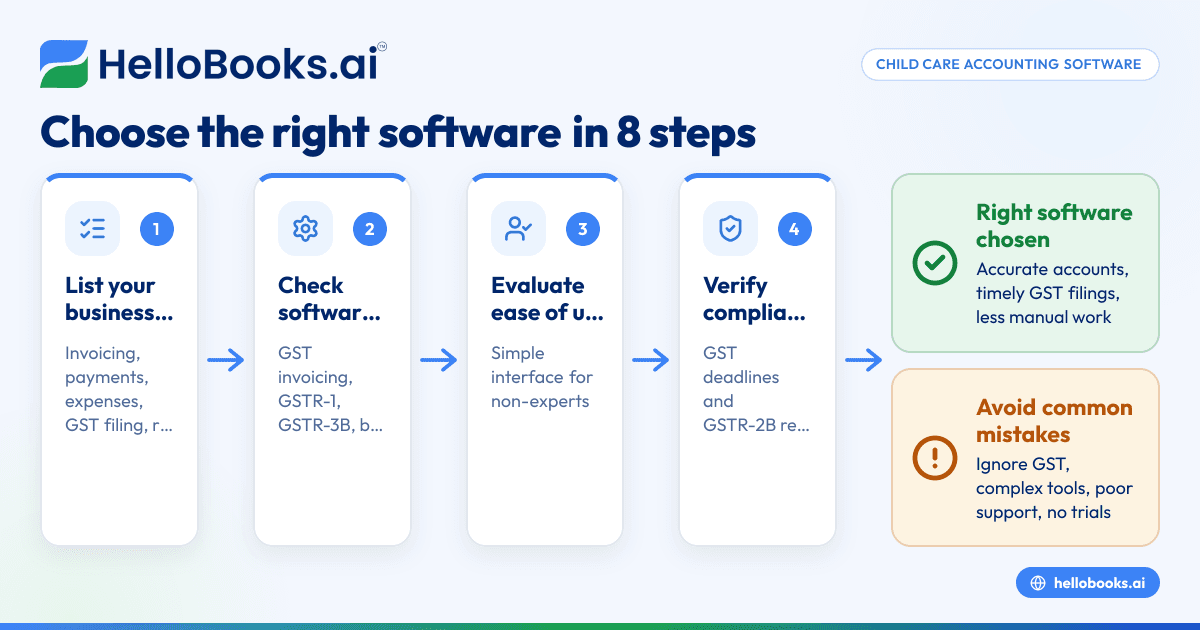
- List your business requirements: Identify your key accounting needs such as invoicing parents, tracking payments, managing expenses, handling GST compliance, and generating reports.
- Check software features: Ensure the software supports GST invoicing, e-invoicing if applicable, GSTR-1 and GSTR-3B filing, bank statement reconciliation, and expense management. Consider if inventory tracking is needed for supplies.
- Evaluate ease of use: Choose software with a simple interface, as many small business owners or their staff may not be accounting experts.
- Verify compliance support: Confirm the software helps with GST filing deadlines and generates necessary reports like GSTR-2B reconciliation.
- Consider integration and data import: Check if you can import existing data from Excel, Tally, or bill books to avoid re-entering information.
- Assess customer support: Look for accessible support channels to resolve issues quickly.
- Compare pricing and plans: Balance features with cost, especially if your business is small or growing.
- Trial the software: Use free trials or demos to test if the software fits your workflow.
For more on choosing software, see our accounting software for small business and accounting software in India guides.
Example (fictional figures)
Consider "Happy Kids Daycare" in Mumbai, which started using accounting software on 01/04/2023.
- Monthly fees collected: ₹1,50,000
- Supplies purchased: ₹30,000
- GST rate assumed: 18%
Calculations:
Fee GST = ₹1,50,000 × 18% = ₹27,000
Total invoice amount = ₹1,50,000 + ₹27,000 = ₹1,77,000
Input tax credit on supplies = ₹30,000 × 18% = ₹5,400
Net GST payable = ₹27,000 - ₹5,400 = ₹21,600
This shows how the software can calculate GST on fees and supplies, track input tax credit, and prepare for GSTR-1 and GSTR-3B filing.
Common mistakes
- Ignoring GST compliance needs: Many overlook that child care services may attract GST on certain supplies or fees. Prevent this by choosing software with GST invoicing and filing features.
- Choosing overly complex software: Software with too many features can confuse users. Prevent this by evaluating ease of use and focusing on essential features.
- Not verifying data import options: Manually re-entering data wastes time and causes errors. Prevent this by selecting software that imports Excel or Tally data.
- Skipping trial runs: Buying without testing can lead to mismatches with your workflow. Prevent this by using free trials.
- Neglecting support availability: Lack of support can delay critical compliance. Prevent this by choosing vendors with responsive customer service.
- Ignoring cost-effectiveness: Overpaying for features you don’t need strains budgets. Prevent this by comparing plans carefully.
Frequently asked questions
What is the difference between child care accounting software and general accounting software?
Child care accounting software often includes features tailored to managing fees, attendance, and supplies specific to child care businesses. General software may lack these customisations but can still handle basic accounting tasks. Many small businesses start with general software and move to specialised solutions as they grow.
Can I use Tally or Excel for child care accounting?
Yes, many small businesses use Tally or Excel initially. However, these tools require manual data entry and reconciliation, which can be time-consuming and error-prone. Dedicated child care accounting software automates many processes, reducing errors and saving time.
Does child care accounting software handle GST filing?
Good child care accounting software should support GST invoicing, GSTR-1 and GSTR-3B filing, and reconciliation with GSTR-2B. This helps ensure timely and accurate GST compliance.
Is it necessary to track inventory in child care accounting software?
If your child care business stocks supplies like diapers, food, or educational materials, tracking inventory helps manage costs and avoid stockouts. Not all software includes inventory features, so check if you need this.
How can I import existing data into child care accounting software?
Many software solutions allow importing data from Excel or Tally files. This prevents manual re-entry and speeds up the transition.
Are there software options suitable for very small child care businesses?
Yes, some software offers free or low-cost plans with limited transactions, ideal for small or new businesses. Look for plans that include basic GST filing to start with minimal cost.
For more on bookkeeping automation, visit our AI bookkeeping page.
Key takeaways
- Identify your child care business’s specific accounting and compliance needs before choosing software.
- Prioritise software with GST invoicing, filing support, and easy data import options.
- Test software with free trials to ensure ease of use and fit.
- Avoid common mistakes like ignoring GST compliance or choosing overly complex software.
- Consider software plans that match your business size and budget.
Start managing your child care business accounts efficiently by starting on the Free plan (200 transactions a year, GSTR-1 and 3B filing for one GSTIN).


