
Key takeaways
What this article covers, in order:
- Key takeaways
- Why this decision matters more for multi-branch businesses
- Tally vs cloud accounting: the basic difference
- What changes in bank reconciliation
- What changes in GST across branches
- What changes in branch-wise reporting
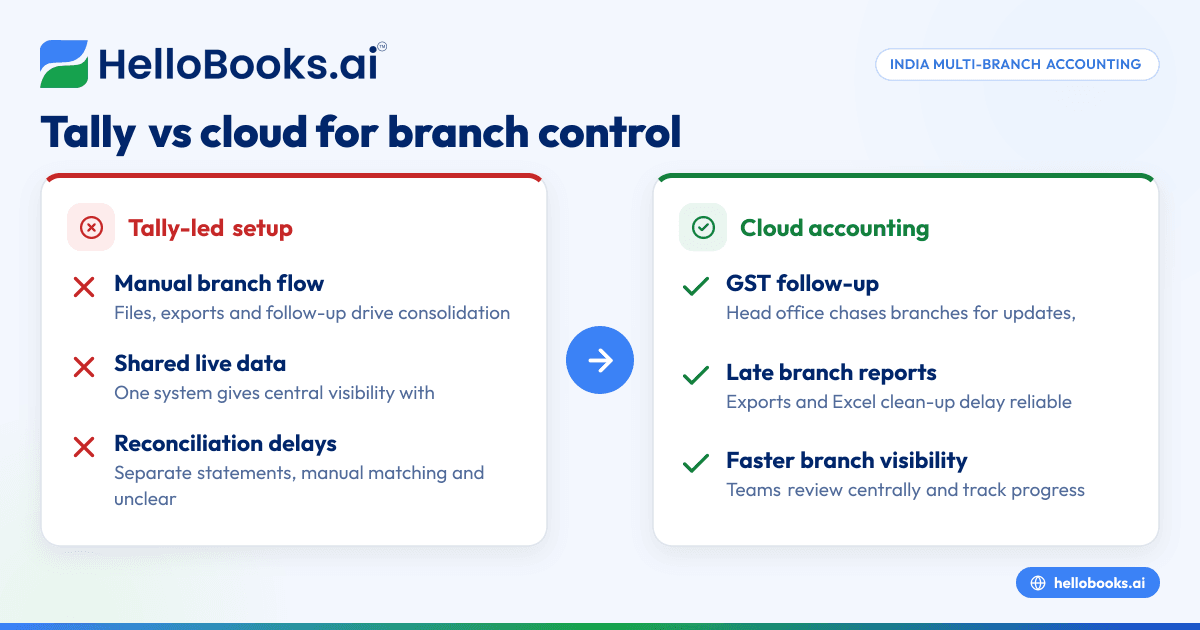
If you run a multi-branch business in India, the biggest difference in Tally vs cloud accounting is not the ledger itself. It is how quickly you can reconcile bank entries, handle GST across locations, and see branch-wise numbers without waiting for files, exports or manual consolidation.
For businesses with branches in cities like Mumbai, Pune and Bengaluru, this choice affects daily operations. It changes who can access books, how errors are found, and how fast finance teams can close the month.
Key takeaways
- In a multi-branch setup, the real gap in tally vs cloud accounting shows up in reconciliation, GST workflows and reporting speed.
- Tally can work well for many businesses, but branch consolidation often depends on file movement, discipline and manual controls.
- Cloud accounting gives one shared view across branches, which reduces duplicate data entry and version confusion.
- GST tasks become easier when invoices, purchase entries and tax reports sit in one system with role-based access.
- Branch-wise reporting is usually faster in cloud systems because data is available centrally and updates in near real time.
- The right choice depends on your branch count, finance team structure, approval workflow and how much manual work you want to remove.
Why this decision matters more for multi-branch businesses
A single-location business can often manage with workarounds. A multi-branch business usually cannot.
When you have branches, depots, sales offices or service centres, accounting becomes a coordination problem. Each branch may raise invoices, collect payments, incur expenses and buy inventory. Someone at head office then has to combine everything into one reliable set of books.
That is where the comparison between desktop-led accounting and cloud software becomes practical.
A business with three branches may still manage through disciplined processes. A business with ten branches across different states usually starts feeling pressure in three places:
- Reconciliation takes too long
- GST data is split across teams
- Reports arrive late or need manual clean-up
This is why many growing businesses start comparing Tally with modern accounting software in India once they move beyond a single office.
Tally vs cloud accounting: the basic difference
Tally is familiar to many Indian businesses. Accountants know the interface. Existing teams often have years of experience with it. For a lot of SMEs, that comfort matters.
Cloud accounting works differently. Instead of relying on a local system or branch-wise files, it keeps your books in a central online setup. Users log in with permissions based on their role. Branch teams, accountants and business owners can work from the same data.
For a multi-branch business, this changes day-to-day work in three important ways:
1. One shared dataset instead of multiple local versions
With desktop-led workflows, branches often maintain separate entries or send data to head office for posting. This creates delays and version issues.
With cloud systems, entries from all branches can sit in one place. You control who can create, approve, edit or review.
2. Access becomes role-based, not file-based
In many branch setups, finance work still depends on who has the latest file or backup. That makes reviews slower.
Cloud systems let branch managers, finance controllers and founders log in directly. A Mumbai branch can upload expenses while head office reviews them in real time.
3. Consolidation becomes part of the system
In many Tally-led setups, consolidation is a monthly exercise. In cloud accounting, it is often built into the way branches are configured.
That is the core of tally vs cloud accounting for growing companies. It is less about debit and credit. It is more about operational control.
What changes in bank reconciliation
Reconciliation is usually the first process that breaks when branches increase.
Every branch may have its own current account, petty cash, payment gateway settlements or UPI collections. Add customer receipts, vendor payments and internal transfers, and month-end becomes heavy.
How reconciliation often works in a Tally-led branch setup
A common process looks like this:
- Branches record receipts and payments.
- Bank statements are downloaded separately.
- Teams compare statement lines with ledger entries manually.
- Unclear entries are escalated through email or WhatsApp.
- Head office follows up for missing narration or proof.
- Final balances are reviewed after all branches send updates.
This process can work. But it depends on discipline and follow-up.
Typical pain points include:
- Delayed bank statement imports
- Duplicate entries across branches
- Payment gateway settlements not matched properly
- UPI collections recorded in summary, not line by line
- Inter-branch transfers posted to the wrong account
- Reconciliation status visible only to one user at a time
If your team still uses spreadsheets to track unresolved bank entries, you are already feeling the limits.
How cloud accounting changes reconciliation
In a cloud system, reconciliation is usually faster because all teams work on one live dataset. That matters when collections happen all day through bank transfer, UPI and gateways like Razorpay.
The practical improvements are simple:
- Bank transactions are available centrally
- Branch teams can identify entries quickly
- Head office can review exceptions without waiting for exports
- Unmatched items stay visible until resolved
- Reconciliation progress can be tracked branch-wise
For example, if your Pune branch receives ₹8.4 lakh in customer collections during a week, finance should not need three separate files to understand what is pending. A good bank reconciliation software workflow reduces matching errors and shortens month-end close.
Why this matters to owners
Owners rarely ask for “better reconciliation”. They ask why cash flow numbers keep changing.
When reconciliation is delayed, you do not know which receipts cleared, which payments failed, or which expenses remain unposted. That affects vendor planning, collections follow-up and working capital decisions.
For a multi-branch business, reconciliation is not a bookkeeping task alone. It is a visibility task.
What changes in GST across branches
GST complexity rises quickly when you operate from multiple locations.
This is especially true if branches issue invoices, incur local expenses, or move goods between locations. Even if your GST registration structure is straightforward, data quality still matters.
The GST challenge in multi-branch operations
In many businesses, invoice creation happens at branch level while GST review happens at head office or with an external accountant. That split creates common issues:
- Wrong GSTIN selected in customer or vendor masters
- Inconsistent tax treatment across branches
- Missing purchase invoices at the time of return preparation
- Delayed recording of credit notes or debit notes
- Separate branch records that need clean-up before filing
- Errors in invoice data needed for e-invoicing where applicable
This is general information, not tax or legal advice. GST treatment can vary based on your business model, transaction type and registration structure.
How Tally-based GST work often feels in practice
Tally can capture GST entries well when data is entered carefully. The problem in multi-branch setups is usually not the tax engine. It is process consistency.
Head office may need to chase each branch for:
- Sales register updates
- Purchase entry completion
- Missing HSN or GSTIN details
- Expense invoices
- Adjustments passed after the month-end
- Clarifications on inter-branch transactions
By the time books are ready, the filing team is working under pressure.
How cloud accounting changes GST workflows
Cloud accounting improves GST operations by centralising source data.
That means:
- Branches enter invoices into one system.
- Finance teams review data as it comes in.
- Errors are caught earlier, not at filing time.
- Supporting records are easier to trace.
- Branch-wise GST summaries can be reviewed from one dashboard.
This matters even more if your business needs e-invoicing software or wants a smoother process with GST return filing software. When invoice data and books stay connected, there is less rework at return time.
A practical example
Imagine a distributor with branches in Mumbai, Nashik and Nagpur. Each branch raises local invoices and records travel, warehouse and courier expenses. In a file-based system, head office may only see gaps after the month closes.
In cloud accounting, head office can check branch-wise sales, tax collected, pending expense entries and exceptions during the month itself. That reduces surprises before return preparation.
What changes in branch-wise reporting
Reporting is where many businesses finally decide they need to move.
Not because their accounting is impossible. Because they cannot get answers fast enough.
The reporting problem with multiple branches
A founder of a growing business wants to know:
- Which branch collected the most this month?
- Which branch has overdue receivables above 45 days?
- Which location is overspending on travel or repairs?
- Which branch has lower margins than expected?
- What is the combined position across all branches today?
If reports depend on branch teams emailing exports, the answer comes late. Often, it comes with caveats.
How Tally reporting typically works for branches
You can get strong reports in Tally. But in many companies, branch reporting requires extra manual work:
- Exporting data from different branch books
- Mapping ledgers consistently
- Combining reports in Excel
- Correcting duplicate or missing entries
- Reconciling inter-branch balances
- Rebuilding management reports each month
This is one reason finance teams spend so much time in spreadsheets even after entering everything in accounting software.
How cloud accounting changes reporting
Cloud reporting is useful because the data is already central.
This means:
- Branch-wise P&L can be reviewed faster
- Receivables and payables can be filtered by location
- Expense trends can be checked by branch or team
- Founders can see the same numbers as finance
- Reports can update as transactions are posted
For many businesses, the biggest gain is not “better reports”. It is fewer arguments about whose version is correct.
If you are looking at AI accounting software or accounting software for small business, branch reporting should be part of the evaluation. Ask how easily you can separate branch performance without building another Excel model every month.
Where Tally may still be enough
Not every multi-branch business needs to switch immediately.
Tally may still be enough if:
- You have only two or three branches
- One central finance team posts most entries
- Branches do not maintain independent books
- Monthly transaction volume is manageable
- Reporting needs are simple
- Your accountant is comfortable with current controls
If your close is on time, reconciliation gaps are low and GST work is stable, a move may not be urgent.
The issue is usually growth. Once transaction volume rises, branch autonomy increases and owners want faster visibility, manual controls start becoming expensive.
Signs you should consider cloud accounting
You should seriously compare tally vs cloud accounting if any of these sound familiar:
1. Your team keeps asking for the latest file
This is a version control problem, not just a software problem.
2. Bank reconciliation slips into the next month
That means cash visibility is weaker than it should be.
3. GST preparation depends on repeated branch follow-up
When filing relies on WhatsApp reminders, the process is fragile.
4. You need Excel to build every branch report
If core reporting lives outside the accounting system, finance effort will keep growing.
5. Founders cannot view live numbers without asking finance
That slows decisions on collections, branch spend and hiring.
6. Your branches are expanding into more cities or states
More locations usually mean more complexity, not just more revenue.
How to evaluate cloud accounting for a multi-branch business
Do not choose based only on brand familiarity or interface.
Use a practical checklist.
Ask these six questions
- Can each branch work separately without creating data silos? You need branch control and central visibility together.
- How easy is bank reconciliation across multiple accounts? This is one of the biggest time savers.
- Can GST data be reviewed centrally before filing? Earlier reviews reduce last-minute corrections.
- Are branch-wise reports available without exporting to Excel? This matters for speed and trust in numbers.
- Can owners, finance and accountants access the same system with permissions? Good role-based access improves control.
- Will the software reduce manual work in invoicing, expenses and bookkeeping? Look for connected workflows, not just ledger features.
Many businesses start this search after looking for an AI bookkeeping tool or a Tally alternative that fits growing operations better.
A sensible way to switch without disrupting finance
If you decide to move, do not try to redesign everything at once.
Start with the processes that hurt most
Usually, those are:
- Invoicing
- Bank reconciliation
- Expense capture
- GST review
- Branch-wise reporting
A phased approach works better.
Simple migration approach
- Clean up your chart of accounts and branch structure.
- Define who enters, reviews and approves transactions.
- Migrate opening balances carefully.
- Standardise customer, vendor and tax masters.
- Run one month with close monitoring.
- Review reports branch-wise before full rollout.
If your team spends too much time creating invoices and chasing payment status, using connected invoice software and expense management software can remove a lot of routine work.
Final thoughts on tally vs cloud accounting
In a multi-branch business, the choice between Tally and cloud accounting is really a choice between manual coordination and central visibility.
Tally remains a familiar option for many Indian businesses. But when branches grow, finance usually needs faster reconciliation, cleaner GST workflows and live reporting. That is where cloud systems start changing the day-to-day reality of accounting.
If you want a simpler way to manage books, branch operations, GST and reporting in one place, explore HelloBooks’ pricing or book a demo to see how it fits your workflow.
Frequently asked questions
Is Tally bad for multi-branch businesses in India?
No. Tally can work for multi-branch businesses, especially when operations are still simple and one finance team controls entries centrally. The problem usually starts when branch count, transaction volume and reporting needs increase.
Why does cloud accounting help more with reconciliation?
Cloud accounting keeps transactions and users in one shared system. This makes it easier to identify unmatched entries, assign follow-up and review pending items across branches without waiting for files.
Does cloud accounting automatically solve GST compliance?
No software removes the need for correct data and proper review. But cloud accounting can improve GST workflows by centralising invoices, expenses and tax data so errors are caught earlier.
What is the biggest reporting benefit in tally vs cloud accounting?
The biggest benefit is speed with consistency. In cloud accounting, branch-wise numbers can be available from one central dataset, so finance teams do less manual consolidation and owners get faster visibility.
When should a business move from Tally to cloud accounting?
Consider a move when month-end close is getting delayed, reconciliation is weak, GST preparation depends on repeated follow-up, or branch reporting takes too much Excel work. These are signs your process is outgrowing your system.


