
Key takeaways
What this article covers, in order:
- Key takeaways
- Why service businesses look for a QuickBooks alternative in United States
- What should a service business compare first?
- Which features matter most for a service business?
- How to compare an AI QuickBooks alternative
- What does switching really involve?
If you run a service business in the United States, the best QuickBooks alternative is not the one with the most features. It is the one that reduces manual work, keeps invoicing and reconciliation clean, and gives you reliable numbers without adding complexity. Before you switch, compare how each option handles your real workflow, not just its feature list.
Key takeaways
- A good quickbooks alternative for service business should fit how you invoice, collect payments, track expenses, and close books each month.
- Service businesses usually need strong invoicing, bank reconciliation, expense capture, and simple reporting more than inventory-heavy features.
- Compare migration effort, user access, reporting quality, and support before you move off QuickBooks.
- If your team spends hours categorizing transactions, an ai quickbooks alternative can save time by automating routine bookkeeping work.
- Review sales tax, 1099 workflows, and your historical data needs before switching systems.
- Test the software with one real month of activity before making a full change.
Why service businesses look for a QuickBooks alternative in United States
Many service businesses start with QuickBooks because it is familiar. It works for a long time. Then the business grows, and small inefficiencies become big ones.
A marketing agency in Chicago may send dozens of invoices each month. A field services company in Houston may need clean expense tracking and faster bank reconciliation. A consulting firm in Detroit may need better visibility into cash flow and unpaid invoices. In each case, the pain is often the same. Too much manual entry. Too much time fixing categorization. Too much month-end cleanup.
That is why owners search for a quickbooks alternative for service business. They want software that helps them close faster and make fewer mistakes. They also want something their bookkeeper or accountant can use without a long learning curve.
For many service businesses, the real issue is not whether QuickBooks can technically do the job. It is whether the current process is still efficient. If your team exports data to spreadsheets, chases missing receipts by email, or spends hours matching deposits, the problem is usually workflow.
A better system should reduce that friction. It should help you invoice faster, collect and record payments clearly, match bank activity with fewer clicks, and make reports easier to trust.
What should a service business compare first?
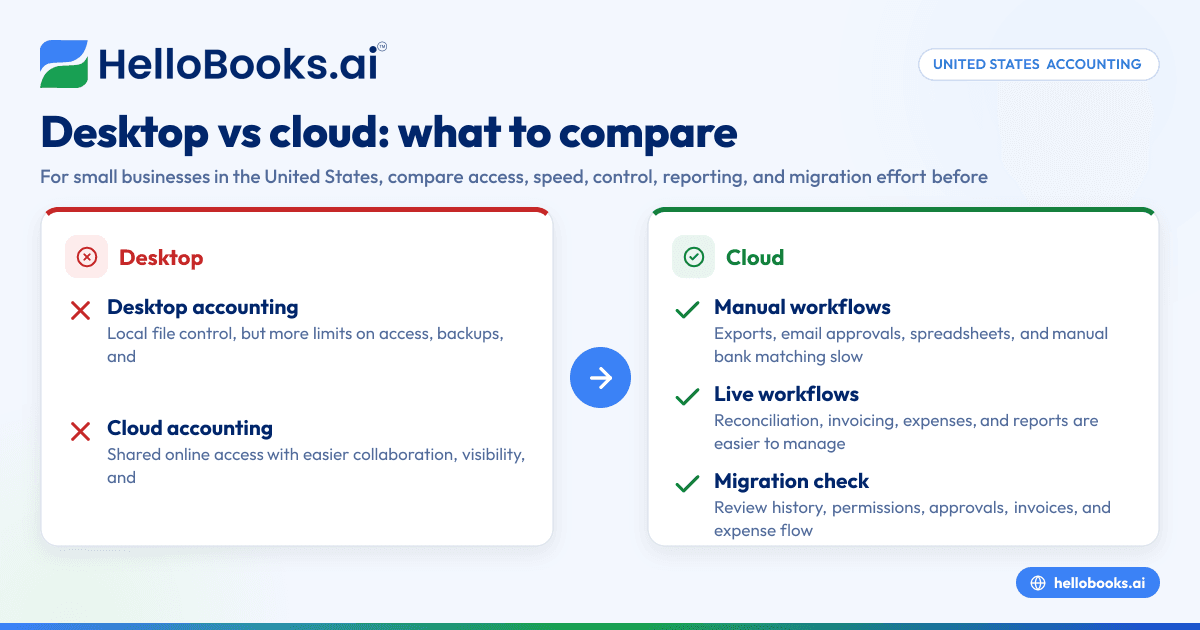
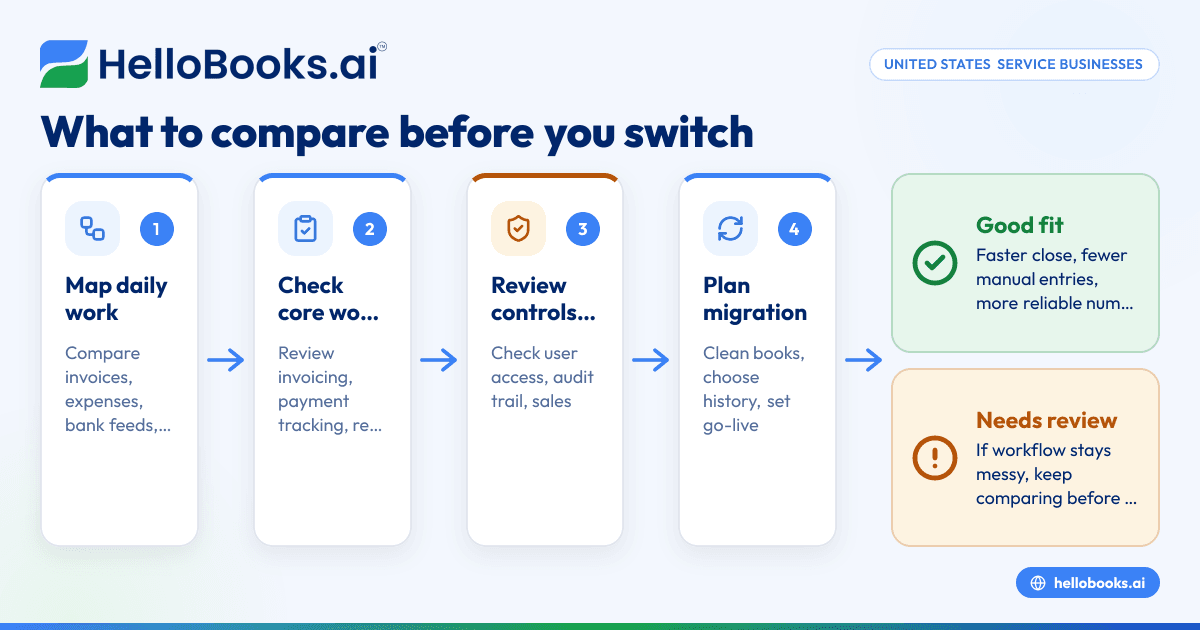
Start with daily work. Compare how each tool handles invoices, expenses, bank feeds, and month-end close. Then look at reporting, user permissions, migration, and accountant access. A system that looks cheaper or simpler can still cost more if your team spends extra hours maintaining it.
When owners compare software, they often start with the wrong questions. They look at dashboards, templates, or minor features. Those things matter, but they usually do not drive the return on switching.
Start with the work that happens every week.
1. Invoicing and payment tracking
Service businesses live on invoices. Your system should let you create invoices quickly, track due dates, and see what is paid, overdue, or partially paid.
Look for these basics:
- Fast invoice creation
- Recurring invoices for repeat clients
- Clear payment status
- Credit note handling
- Easy export or sharing for your accountant
If invoicing is one of your biggest pain points, it is worth looking closely at dedicated invoice software capabilities inside a broader accounting platform.
2. Bank reconciliation
This is where many small businesses lose time. If reconciliation takes too long, every month-end gets delayed.
A strong alternative should help your team:
- Import and review bank transactions
- Suggest matches
- Reduce duplicate entries
- Flag uncategorized items
- Reconcile deposits and expenses cleanly
If this is your biggest bottleneck, prioritize bank reconciliation software features over cosmetic reporting features.
3. Expense capture and categorization
Service businesses often have software subscriptions, travel, contractor costs, meals, office expenses, and client-related purchases. If every expense must be entered by hand, your books slow down.
Look for:
- Receipt capture
- Vendor-based categorization help
- Simple approval flow if needed
- Clear audit trail
- Month-end review tools
You can also compare expense management software functions if expenses are spread across cards, reimbursements, and bank payments.
4. Reports you actually use
Many businesses only need a few reports every month:
- Profit and loss
- Balance sheet
- Cash flow view
- Accounts receivable aging
- Expense summaries
The question is not how many reports exist. The question is whether your reports are accurate and easy to read. If your numbers do not tie out, extra reports do not help.
Which features matter most for a service business?
For most service businesses, the most important features are invoicing, payment tracking, bank reconciliation, expense management, and reliable reporting. You may not need complex inventory or manufacturing tools. Focus on faster close, fewer manual entries, and better visibility into cash flow and customer payments.
The right feature set depends on how your business earns revenue. A creative agency, legal practice, repair company, or consulting business may all be “service businesses,” but their bookkeeping patterns differ.
Businesses with repeat monthly billing
If you bill retainers or recurring monthly fees, prioritize:
- Recurring invoices
- Customer payment tracking
- Revenue visibility by client
- Strong accounts receivable reporting
Project-based service businesses
If each client job is different, prioritize:
- Flexible invoice creation
- Easy expense tagging
- Clear customer-level reporting
- Fast reconciliation of mixed deposits
Field service or multi-location businesses
If your team works in the field or across offices, prioritize:
- Mobile-friendly expense capture
- Simple workflows for non-finance staff
- Centralized reporting
- User permissions by role
How to compare an AI QuickBooks alternative
An AI-powered QuickBooks alternative should reduce repetitive bookkeeping work such as transaction categorization, invoice data entry, and reconciliation review. Compare whether the AI saves real time, improves consistency, and still lets your team review and correct entries easily.
The key word is useful. AI only matters if it lowers workload without making the books harder to trust.
When comparing an AI accounting software option, ask practical questions:
Does it automate repetitive tasks?
For service businesses, AI should help with routine work such as:
- Categorizing bank transactions
- Suggesting matches during reconciliation
- Pulling data from invoices or receipts
- Flagging unusual entries for review
That matters more than flashy summaries. If the software does not reduce actual bookkeeping effort, it is not helping enough.
Can your team review and override suggestions?
Automation should speed up work, not remove control. Your finance lead, office manager, or accountant should be able to review suggested categorizations and correct them quickly.
A strong AI bookkeeping workflow usually combines automation with human review. That is especially important when the business has contractor payments, mixed-use expenses, or unusual client billing arrangements.
Does it learn from your patterns?
Service businesses often have repeat vendors, recurring subscriptions, and common expense categories. Good automation should become more consistent over time.
You should also look for transparency. If a transaction is categorized in a certain way, your team should understand what happened and fix it when needed.
What does switching really involve?
Switching usually means cleaning your chart of accounts, exporting historical data, setting an opening balance date, reconnecting bank accounts, and testing reports. The process is manageable if you plan it around a month-end or quarter-end close and confirm balances before going live.
A switch feels risky because accounting data is sensitive. The good news is that most of the work is predictable if you do it in the right order.
1. Decide what history you need
Not every business needs years of detailed transaction history in the new system. Some only need current-year activity plus prior-year reports stored separately. Others want more.
Ask:
- Do you need transaction-level history in the new system?
- Do you mainly need comparative reports?
- Does your accountant need access to old records during tax season?
2. Clean up your existing books first
Do not move bad data into a new system if you can avoid it. Before switching:
- Review uncategorized transactions
- Reconcile major bank and card accounts
- Resolve duplicate customers or vendors
- Check accounts receivable and accounts payable balances
This step makes migration smoother and reporting cleaner from day one.
3. Pick the right go-live date
A month-end is often easiest. A quarter-end can also work well. Avoid switching in the middle of a messy close if you can.
Common go-live points:
- 01/01 for a clean annual start
- First day of a month for easier reconciliation
- After a quarter close if internal reporting is important
4. Test one month of real activity
This is the best way to compare software. Use actual invoices, deposits, expenses, and bank transactions from a recent month.
Check:
- How long invoice creation takes
- How quickly transactions are categorized
- How many manual corrections are needed
- Whether reports match expectations
If you are comparing tools side by side, this test tells you more than any sales demo.
Common mistakes when choosing a quickbooks alternative for service business
Choosing based on features you will never use
Service businesses often get distracted by advanced inventory, warehouse, or manufacturing functions. Those may be excellent features, but they do not help a consulting firm close its books faster.
Underestimating migration work
Even simple systems need setup. Customers, vendors, account mappings, opening balances, and bank connections all take time. Plan for this work upfront.
Ignoring accountant access
Your outside accountant or internal finance lead still needs to review books, adjust entries, and pull reports. Make sure the software supports that workflow. If needed, you can also find an accountant who is comfortable with modern cloud-based accounting processes.
Not checking tax and contractor workflows
If your business collects state sales tax in some situations, or pays independent contractors and handles 1099 reporting, confirm those workflows before switching. Rules depend on your facts and state. This is general information, not tax or legal advice.
Focusing only on monthly subscription cost
Software cost matters. Labor cost matters more. If your team spends eight fewer hours each month on reconciliation and cleanup, that time has real value.
A practical checklist before you switch
Use this checklist to compare options in a structured way.
Workflow checklist
- Can you create and send invoices quickly?
- Can you track open, overdue, and paid invoices clearly?
- Does it simplify expense entry and receipt capture?
- Does bank reconciliation feel faster than your current process?
- Can your accountant review entries easily?
Reporting checklist
- Are profit and loss reports easy to read?
- Does the balance sheet look clean and accurate?
- Can you review receivables by customer?
- Can you spot cash flow issues quickly?
Control checklist
- Can users have different access levels?
- Is there a clear activity trail?
- Can you review and edit automated entries?
Migration checklist
- Can you import customers, vendors, and opening balances?
- Do you need full history or only current-year detail?
- Have you selected a go-live date?
- Have you tested one real month of transactions?
When an alternative makes sense for your business
You probably do not need to switch just because another tool looks newer. A move makes sense when your current system is slowing down core work.
Consider switching if:
- Your team spends too much time on manual categorization
- Reconciliation is consistently delayed
- Invoice tracking is messy
- Reports require spreadsheet cleanup every month
- Your accountant keeps fixing basic bookkeeping errors
- The business has outgrown a founder-led process
For a small service business, modern accounting software for small business should help owners spend less time in the books and more time running the company.
If you want to evaluate products built for the local market, compare accounting software in the USA based on workflow, not just brand familiarity.
And if your current pain point is specifically platform fit, exploring a QuickBooks alternative can help you identify which gaps are process problems and which are software problems.
Where HelloBooks can fit
HelloBooks can be a strong option if your service business wants simpler day-to-day accounting with more automation. The value is not just replacing old software. It is reducing manual bookkeeping work around invoicing, expenses, reconciliation, and reporting.
That matters for businesses that have outgrown spreadsheets or feel buried in repetitive accounting tasks. Instead of building month-end around exports and corrections, teams can move toward a cleaner workflow with fewer handoffs.
The best choice still depends on your business model, transaction volume, and who manages the books internally. But if you are comparing an automation-first option, HelloBooks is worth considering alongside your current setup.
If you want to see whether HelloBooks fits your workflow, you can book a demo or compare options on the pricing page.
Frequently asked questions
Is QuickBooks always a bad fit for service businesses?
No. Many service businesses use it successfully. The issue is usually whether your current process is still efficient as volume grows. If invoicing, reconciliation, or reporting takes too much manual effort, an alternative may be worth testing.
What is the best quickbooks alternative for service business?
The best option depends on your workflow. Start by comparing invoice management, reconciliation, expense tracking, reporting, and migration effort. The right choice is the one that saves time without making your books harder to review.
Should I switch at the start of the year?
Not always. The start of the year is clean, but it is not the only good time. Many businesses switch at a month-end or quarter-end after reconciling accounts and confirming opening balances.
Will switching affect my taxes?
It can affect your bookkeeping process, but a careful migration should preserve the records you need. Review your reporting needs, sales tax setup, and contractor payment workflow before moving. If tax treatment or filing is involved, confirm details with a qualified professional.
Do I need full historical data in the new system?
Not necessarily. Many businesses only need current-year transactions and access to prior reports from the old system. The answer depends on your reporting needs, audit trail preferences, and accountant workflow.