
Key takeaways
What this article covers, in order:
- Key takeaways
- Why contractors outgrow basic accounting setups
- What should contractors compare first?
- Which job costing features matter most for contractors?
- How should contractors evaluate progress billing?
- Why is bank reconciliation such a big deal for contractors?
If you are looking for a quickbooks alternative for contractors united states, focus on three things first: accurate job costing, flexible progress billing, and fast bank reconciliation. A tool that looks simple but cannot track costs by job, invoice by milestone, and match bank activity cleanly will create extra work at month-end.
Key takeaways
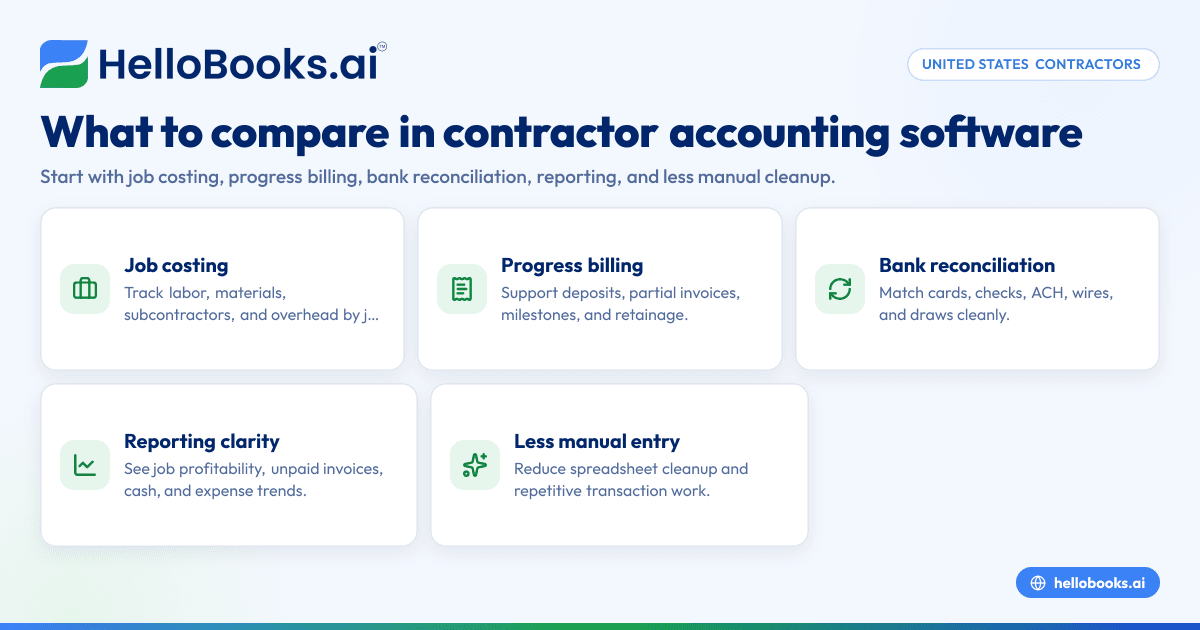
- Contractors need accounting software that tracks labor, materials, subcontractors, and overhead by job.
- Progress billing should support deposits, partial invoices, retainage workflows, and clear customer statements.
- Bank reconciliation matters because contractor cash flow moves through card charges, checks, ACH, wires, and draws.
- Reporting should show job profitability, unpaid invoices, cash position, and expense trends without spreadsheet cleanup.
- A good QuickBooks alternative should reduce manual entry, not just move it to a different screen.
- If your team still closes books in spreadsheets, look at AI bookkeeping tools that speed categorization and reconciliation.
Why contractors outgrow basic accounting setups
Contractors have messier books than many service businesses. A bakery or studio may invoice once and collect once. A contractor may estimate a job, collect a deposit, buy materials, pay a subcontractor, bill by milestone, hold retainage, and then chase a final payment weeks later.
That workflow creates pressure in three places.
First, job costs must stay tied to the correct project. If material purchases from a Houston supplier hit the wrong job, your margin report becomes unreliable. You may think one remodel was profitable when it actually ran over budget.
Second, billing rarely happens in one clean invoice. Residential remodelers, HVAC installers, roofers, electricians, and commercial subcontractors often bill in stages. Billing has to reflect contract terms and work completed.
Third, bank activity gets complicated fast. Contractors often use multiple cards, operating accounts, loan accounts, and payment processors. Reconciliation becomes slow when bookkeeping depends on manually matching every line.
This is why many contractors start searching for an accounting software in the USA option that is built for day-to-day control, not just year-end reporting.
What should contractors compare first?
Start with job costing, billing flexibility, and reconciliation speed. If software does these three well, you can usually build a cleaner month-end close, better cash flow visibility, and more reliable project profit reports.
After that, compare reporting, invoice workflows, user access, and how much manual cleanup your team still does each week.
1. Job costing by project, customer, and cost type
Job costing is the first filter. A contractor needs to answer simple questions quickly:
- How much have we spent on Job A?
- How much have we billed?
- What is still unbilled?
- Which jobs are losing money?
- Are labor and materials running above estimate?
Look for software that lets you tag every transaction to a project or job. That includes bills, card purchases, bank payments, invoices, and expense reimbursements. Cost categories should be clear enough to separate materials, labor, subcontractors, equipment, permits, and overhead.
A useful system also helps when mistakes happen. If a charge from a Detroit plumbing supplier was coded to the wrong project, your team should be able to correct it without breaking prior reports.
2. Progress billing and milestone invoicing
Contractors rarely invoice the same way every time. Some jobs use a deposit and a final invoice. Some use milestone billing. Some rely on percentage-of-completion billing. Others invoice against a purchase order or contract value.
Your software should support:
- Deposits or upfront invoices
- Partial billing
- Milestone invoices
- Change order-related charges
- Clear invoice notes
- Customer statements showing prior billed amounts and balances due
If your billing process still relies on draft invoices in spreadsheets and follow-up emails from a project manager, the accounting system is not doing enough.
Using solid invoice software matters because slow invoicing delays collections. For contractors, that usually means tighter cash flow and more borrowing.
3. Fast and reliable bank reconciliation
Many contractors underestimate this part. Bank reconciliation is where hidden bookkeeping time lives.
A contractor may have:
- An operating checking account
- One or more credit cards
- Loan payments
- Owner contributions or draws
- Check payments to vendors
- ACH collections from customers
- Refunds and duplicate charges
- Merchant fees or bank fees
The right software should pull bank activity into one review workflow and help your team match or categorize transactions quickly. Good bank reconciliation software reduces month-end stress and lowers the odds of missing duplicate charges, uncleared checks, or uncategorized expenses.
Which job costing features matter most for contractors?
The best features are simple project tagging, clear cost categories, budget-versus-actual views, and job profitability reporting. You should be able to see revenue, direct costs, and margin by project without exporting raw data to spreadsheets.
That short list sounds basic, but many systems do not handle it cleanly in real life.
Track direct costs without extra data entry
Contractors need day-to-day bookkeeping to feed job costing automatically. If a card transaction for drywall arrives from the bank feed, your team should be able to assign it to the right project and cost category during review.
The same is true for:
- Vendor bills
- Reimbursable expenses
- Subcontractor payments
- Equipment rentals
- Fuel
- Small tools
- Permit fees
This is where an ai quickbooks alternative can help. Instead of asking staff to rekey every detail and then rebuild reports later, AI-assisted bookkeeping can speed categorization, suggest matches, and make job-level coding easier to maintain.
Separate job profitability from company profitability
A contractor can be cash-positive and still lose money on jobs. That is why your software should not stop at a profit and loss statement.
Look for reports that help answer:
- Which projects have the highest gross margin?
- Which jobs are over budget on materials?
- Which customers pay slowest?
- How much unbilled work is sitting in the pipeline?
Company-level reporting is important. But project-level reporting is what helps an owner decide whether to bid differently, change purchasing controls, or tighten scope management.
Make corrections without a long cleanup process
Contracting businesses work in motion. Receipts arrive late. Field staff use cards. Project managers code costs after the fact. Errors happen.
A practical system should let your bookkeeper fix coding issues quickly. If corrections require journals, exports, and side spreadsheets, reporting will stay unreliable.
How should contractors evaluate progress billing?
Check whether the software handles deposits, partial billing, clear invoice histories, and customer balances without confusion. The best setup lets office staff bill on time while giving owners a clean view of what was billed, collected, and still due on each job.
After that, look deeper at the billing workflow.
Match billing to how work gets done
Contractors need billing tied to operations. For example:
- Create the customer and job.
- Record the estimate or contract value.
- Bill an upfront deposit.
- Issue a second invoice after rough-in or material delivery.
- Send a final invoice after punch list completion.
That process should feel natural inside the software. It should not require duplicate records or manual tracking outside the system.
Keep customer communication clear
Progress billing fails when customers cannot tell what they already paid and what remains. A good invoice should show enough detail to avoid back-and-forth calls.
This matters even more for commercial jobs, where an accounting contact may not know the site details. Clear descriptions, dates, and balances make approvals easier.
If your team sends invoices late because it takes too long to assemble job details, better AI accounting software can shorten that delay and improve collections.
Watch for retainage and change order workflows
Not every contractor needs this. But if you work on larger projects, ask how the software handles retained amounts, partial release, and billing changes tied to approved scope updates.
Even if retainage is tracked outside the accounting system at first, the core records should still let you report billed revenue, collected cash, and amounts outstanding accurately.
Why is bank reconciliation such a big deal for contractors?
Because contractors have frequent, messy transactions across cards, checks, ACH, and vendor payments. If reconciliation is slow, your books stay behind, project profit reports go stale, and cash decisions get made on incomplete numbers.
Reconciliation is not just an accounting task. It is an operations control.
Reconciliation affects cash flow decisions
A contractor in Chicago may look at the bank balance and assume there is room to buy materials for the next job. But if several uncleared checks, loan payments, or card charges are not reflected properly, that decision may be wrong.
Reconciled books help you answer:
- How much cash is really available?
- Which customer payments cleared?
- Are vendor payments duplicated?
- What charges still need review?
- What expenses are sitting uncoded?
Cleaner reconciliation supports cleaner job reports
If bank transactions are not categorized correctly, job costing suffers. Material spend ends up in general overhead. Subcontractor payments get buried in uncategorized expense. Then profitability reports stop being useful.
This is why reconciliation should be part of your software evaluation, not an afterthought.
What to test during a software trial
Before switching systems, test the software using a real month of activity.
Use a sample that includes:
- Card purchases for materials
- A subcontractor payment
- A deposit invoice
- A partial customer payment
- A refund or bank fee
- A transfer between accounts
Then see how quickly your team can review, match, and reconcile everything. The right platform should reduce clicks and exceptions.
Other features worth comparing
Job costing, billing, and reconciliation should come first. But contractors should also compare these features before choosing a system.
Expense capture and spend control
Contractors often have many small purchases from the field. Office staff then spend hours chasing receipts and identifying job codes.
Good expense management software helps collect and categorize those costs earlier. That improves both project reporting and month-end close speed.
Reports owners actually use
Look for reports that are easy to read without customization.
Useful contractor reports include:
- Profit and loss
- Balance sheet
- Cash flow summary
- Accounts receivable aging
- Revenue by customer
- Expense by category
- Job profitability by project
If reporting only works after exporting to spreadsheets, the software may not be saving enough time.
Simplicity for office staff and outside accountants
The best tool is one your team will actually use. A system with strong features but a hard daily workflow often creates workarounds.
If you rely on an outside accountant for review or cleanup, ask how easy it is to provide clean access and organized records. If needed, you can also find an accountant to support setup and review.
A practical checklist for choosing a QuickBooks alternative
Use this checklist during demos and trials.
1. Confirm job-level tracking
Ask whether every income and expense transaction can be tied to a job or project. Test common contractor costs, not just ideal examples.
2. Review billing workflows
Create a sample job with a deposit, one milestone invoice, and a final invoice. Make sure staff can follow the process without side notes.
3. Test reconciliation with real bank data
Bring in one real bank statement period. Check how many transactions need manual handling and how easy corrections are.
4. Check reporting clarity
Run project profitability, accounts receivable aging, and cash reports. Make sure the reports are understandable without reformatting.
5. Measure time saved
Ask your bookkeeper or office manager how long key tasks take now:
- Weekly transaction coding
- Monthly reconciliation
- Invoice creation
- Customer follow-up
- Job cost review
Then compare that with the software trial. The goal is not new software for its own sake. The goal is fewer manual steps.
When an AI-based alternative makes sense
A contractor should consider an AI-based tool when bookkeeping is delayed, reconciliation takes too long, or the team depends on spreadsheets for job cost visibility. The right system should automate routine work while keeping human review simple.
That matters most for growing contractors.
If you add jobs each month but your back office stays the same size, manual bookkeeping eventually becomes the bottleneck. In many firms, the owner steps in to fix coding, review invoices, and check cash position. That is expensive use of owner time.
A stronger accounting software for small business setup can help by reducing repetitive work across transaction capture, invoice workflows, and month-end review. The benefit is not just speed. It is more dependable numbers.
For contractors evaluating HelloBooks, the value is straightforward: less manual entry, easier invoice handling, cleaner categorization, and faster reconciliation workflows. That can make it a practical fit if your current setup feels too manual and your project reporting depends on spreadsheet fixes.
If you want to see whether HelloBooks fits your workflow, book a demo at book a demo or compare options on the pricing page.
Frequently asked questions
Is QuickBooks always a bad fit for contractors?
No. Some contractors use it successfully. The issue is usually not the brand itself, but whether your current setup handles project costs, billing stages, and reconciliation without too much manual work.
What is the biggest red flag when comparing accounting tools?
The biggest red flag is needing spreadsheets to understand job profitability. If the core system cannot show costs, billings, and margins by project clearly, you will keep doing cleanup outside the software.
Should a contractor switch software before year-end?
Not always. Many businesses switch at the start of a month or fiscal period to make reporting cleaner. The best timing depends on open jobs, billing cycles, and how much historical cleanup is needed. This is general information, not tax or legal advice.
Can bank reconciliation really improve job costing?
Yes. When transactions are matched and categorized correctly, costs land in the right projects and accounts. That makes profitability reports more accurate and helps owners trust the numbers.
Do small contractors need AI features?
Not every small contractor needs advanced automation. But if your team spends hours each week on data entry, coding receipts, and matching bank lines, AI-assisted workflows can save time even in a small office.