
Key takeaways
What this article covers, in order:
- Before you start
- What is “state code 24”?
- Why is state code important for GST return filing?
- How do I verify that I am using state code 24 correctly?
- How do automated tools help with state code accuracy in GST?
- What mistakes do people make when using state code 24 for GST?
How to Use State Code 24 for Accurate GST Return Filing in Gujarat
===================================================================
This guide is for business owners, finance leads, and accountants in Gujarat who want to file GST returns without errors related to state codes. By the end of this post, you will understand the importance of using state code 24 correctly and know how to apply it during GST filing for your Gujarat-based business.
Before you start
- Have your GSTIN handy, as it includes the state code.
- Be familiar with the GST return forms you file (GSTR-1, GSTR-3B, etc.).
- Know your place of business address in Gujarat.
- Use reliable accounting or GST return filing software that can handle state codes automatically.
What is “state code 24”?
State code 24 is the official two-digit numeric code assigned to Gujarat by the Central Board of Indirect Taxes and Customs (CBIC) for GST and other indirect tax purposes. Every Indian state has a unique state code that forms the first two digits of the GSTIN allocated to taxpayers registered in that state.
For example, a GSTIN registered in Gujarat starts with "24", followed by PAN and other identifiers. So, if your business is registered in Ahmedabad or Surat, your GSTIN starts as 24ABCDE1234F1Z5.
Using the correct state code is critical because your GST returns show state-wise transaction details. Mistakes cause filing errors or mismatches with your supplier’s or customer’s returns, delaying input tax credit claims and triggering compliance notices.
Why is state code important for GST return filing?
Your GST returns break down sales, purchases and tax payments by location. State codes identify where you and your customers/suppliers are located within India. The GST software matches state codes on invoices and returns with GSTINs. If you enter the wrong state code, the system treats your return details as belonging to a different state.
Errors in state codes can lead to:
- Rejected GST returns or error notifications.
- Mismatched Input Tax Credit (ITC) claims.
- Delays in filing or receiving refunds.
- Increased chances of scrutiny by GST authorities.
The bookkeeper or accountant must be precise when handling state codes. When you use AI-powered tools like HelloBooks’ AI bookkeeping solutions, the system automatically detects and fills in state codes to reduce human error.
How do I verify that I am using state code 24 correctly?
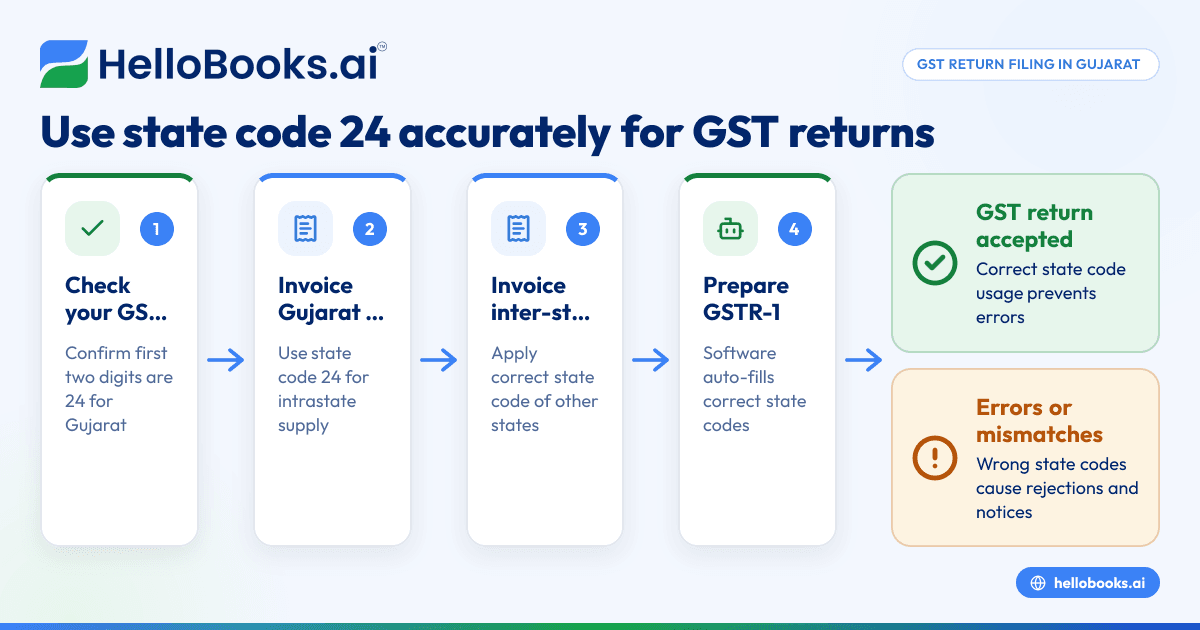
Always cross-check the GSTIN assigned to your business and confirm the first two digits are "24" for Gujarat. If you operate in multiple states, each GSTIN will have that state's assigned code.
For example:
- Business office in Mumbai: GSTIN begins with “27”
- Business office in Gujarat: GSTIN begins with “24”
While filing return forms such as GSTR-1 or GSTR-3B, ensure your invoices’ place of supply matches state code 24 for intra-Gujarat transactions. For inter-state sales from Gujarat to other states, enter the counterparty’s correct state code.
Mistake to avoid: Don’t assume all invoices have the same state code. Verify each invoice's location details carefully.
How do automated tools help with state code accuracy in GST?
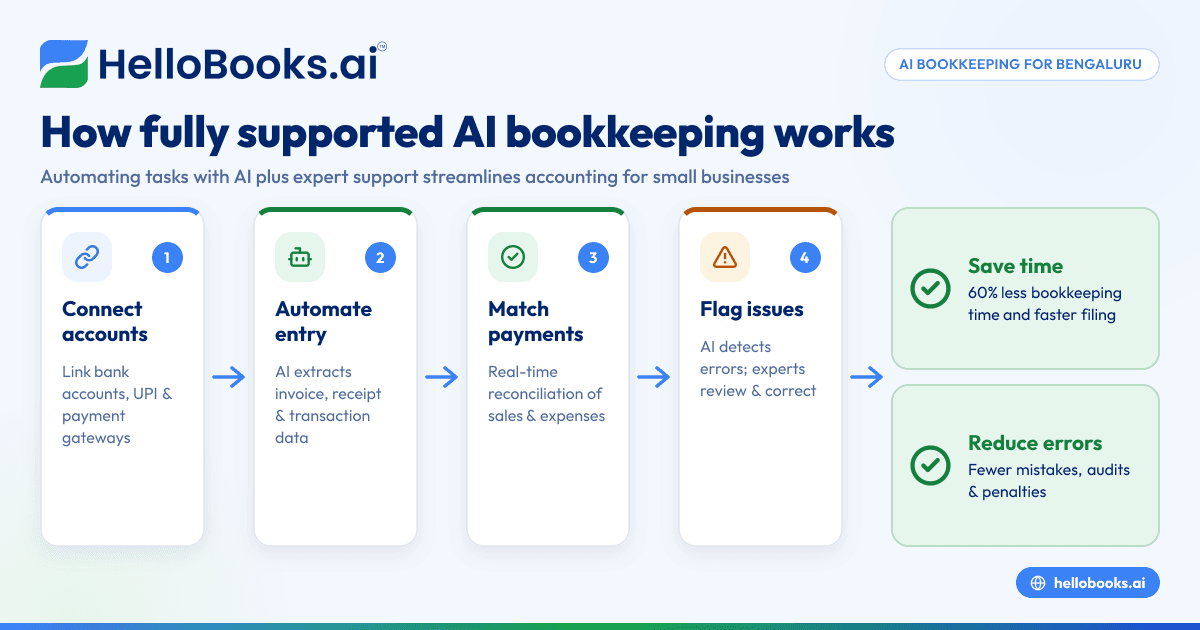
Automated accounting software in India can parse your GSTINs and reconcile state codes on invoices and returns automatically. These tools reduce manual data entry and effectively prevent errors related to state codes.
By using AI state code detection, such as in HelloBooks, the software identifies the correct state code from your GSTIN and matches it to invoice data. This lowers your compliance risk and speeds up the filing process.
What mistakes do people make when using state code 24 for GST?
The biggest errors made in using state code 24 include:
- Using a different state code than 24 for Gujarat transactions.
- Confusing place of supply state codes in inter-state sales.
- Entering an incorrect GSTIN or partially entered GSTIN.
- Forgetting to update state codes when a business relocates to another state.
Such mistakes can cause GST portal errors or mismatches during reconciliation.
Can I update wrong state codes after filing GST returns?
No, state codes are part of your original GSTIN and placed at invoice creation time. You cannot change state codes in a filed GSTR-1 or GSTR-3B. Correct mistakes in your next filing period or file amendments if time permits.
Due diligence before filing helps avoid such corrections. Using help from AI accounting software minimizes these errors.
Worked example: Filing GSTR-1 for a Gujarat business using state code 24
Let’s say you run a Pune-based branch of your company registered in Gujarat (GSTIN starts with 24). You sell goods within Gujarat and also to Mumbai.
Step 1: Verify GSTIN and state code
Your GSTIN is 24ABCDE1234F1Z5 — correct state code 24 for Gujarat.
Step 2: Invoice your Gujarat customers
For customers in Ahmedabad and Surat, the place of supply state code on invoices is 24. In your GSTR-1 return, record these as intrastate supplies with state code 24.
Step 3: Invoice inter-state customers
For customers in Mumbai, state code is 27. Note this on invoices and returns for inter-state sales.
Step 4: Prepare GSTR-1
Your AI bookkeeping or invoice software picks the right state codes automatically, matching invoices and your GSTIN data.
Step 5: File your GSTR-1
Submit your return; state codes 24 and 27 accurately represent your transactions’ places of supply. The GST portal accepts your filing without errors related to state codes.
Step 6: Reconcile GSTR-3B
Match your sales data from GSTR-1 ensuring state code 24 transactions reflect correctly in your GSTR-3B summary.
How do I know if my suppliers are using the correct state code?
Check their GSTIN for state code prefix. If they are registered in Gujarat, their GSTIN should start with 24. If you receive invoices with a GSTIN starting with a different state code, confirm the place of supply and transaction nature.
Incorrect state codes from your suppliers may affect your ITC claims and GST return reconciliation.
Communicate clearly with suppliers and request corrections when necessary. Using bank reconciliation software with invoice-matching features can help identify mismatches early.
Next steps for accurate GST filing with state code 24
Now that you know the importance of state code 24 for Gujarat, check your business’s GSTIN and return filings for accuracy. Automate bookkeeping and GST compliance with solutions designed for India’s GST system like HelloBooks. This reduces manual errors and saves time.
To see how HelloBooks can help your business file GST returns correctly using state codes, you can book a demo or compare plans to choose the right fit for your business needs.
This article provides general information. For tax or legal advice on GST return filing, consult a professional accountant or GST expert familiar with your case.
Related reading
- How to Correctly Use State Code 10 in GST Returns for Small Businesses in Karnataka
- How to Use State Code 07 for GST Returns in Delhi: A Practical Guide for SMEs
Read next
This article covers one part of a bigger topic. For the complete picture, read our guide to state code 24.