
Key takeaways
What this article covers, in order:
- Key takeaways
- Why small businesses in the United States are adopting AI bookkeeping
- What does AI bookkeeping actually do?
- Is AI bookkeeping safe to rely on?
- Your 30-day plan to set up AI bookkeeping
- What should you automate first?
AI bookkeeping for a small business in the United States means using software to capture transactions, categorize activity, match bank entries, and keep your books current with less manual work. A practical setup does not need to be complicated. In 30 days, most small businesses can clean up core records, connect accounts, define rules, and move to a weekly review process.
Key takeaways
- Start with clean bank, card, invoice, and expense data before you turn on automation.
- Use AI to reduce manual entry, not to remove human review from important accounting decisions.
- Set clear rules for chart of accounts, sales tax handling, and month-end reviews.
- Roll out in phases over 30 days so errors stay small and easy to fix.
- Focus first on bank feeds, expense capture, invoicing, and reconciliation.
- Keep an accountant involved for tax treatment, cleanup, and close review when needed.
Why small businesses in the United States are adopting AI bookkeeping
Small businesses often outgrow spreadsheets before they realize it. The books start as a simple cash tracker. Then the business adds Stripe, a second bank account, employee reimbursements, sales tax, and monthly reporting. At that point, manual bookkeeping becomes slow and error-prone.
That is where AI bookkeeping can help. It speeds up transaction coding, document capture, reconciliation suggestions, and exception handling. Instead of entering every bank line by hand, your team reviews suggested matches and categories.
For a business in Chicago, Houston, or Detroit, the pain points are usually familiar. Someone is exporting CSV files. Someone is chasing receipts in email. Someone is trying to figure out why the bank balance does not match the ledger. AI can shorten that cycle.
Still, AI bookkeeping works best when the setup is disciplined. If your chart of accounts is messy or your source data is incomplete, an ai-powered workflow can move bad data faster. The goal is not full autopilot. The goal is faster bookkeeping with stronger controls.
What does AI bookkeeping actually do?
AI bookkeeping software helps classify transactions, extract details from bills and receipts, suggest matches during reconciliation, and flag unusual activity for review. It saves time on repetitive work, but it still needs clear rules and human checks for edge cases, tax treatment, and month-end close.
In practice, AI bookkeeping usually helps with five jobs:
- Transaction capture Pulling data from bank accounts, cards, invoices, and uploaded documents.
- Categorization Suggesting account codes based on vendor, memo, amount, and prior behavior.
- Matching Pairing deposits to invoices and payments to expenses.
- Exception detection Flagging duplicates, missing documents, or unusual postings.
- Workflow support Routing items for approval or review before posting.
For a small business, these are the biggest time savers. They remove routine data entry and give the owner or finance lead more time to review the books.
If you are moving away from spreadsheets or trying to reduce cleanup work in a legacy setup, look for accounting software in the USA that supports a clean review process. The software should make it easy to see what was suggested, what was posted, and what still needs attention.
Is AI bookkeeping safe to rely on?
Yes, if you use it with approvals, review rules, and basic controls. AI can speed up bookkeeping, but it should not post everything without oversight. Keep user permissions tight, review exceptions weekly, and have a month-end process that checks cash, receivables, payables, and sales tax balances.
The key idea is controlled automation. You want ai automation for repeatable tasks, not blind posting. For example, recurring software subscriptions from the same vendor may be safe to auto-categorize after several correct cycles. A large transfer, owner draw, loan payment, or unusual refund should still be reviewed manually.
This matters even more if your books support lender reporting, investor updates, or customer requirements. Buyers and partners may expect sound controls around financial data. Good software helps, but your process matters just as much.
Your 30-day plan to set up AI bookkeeping
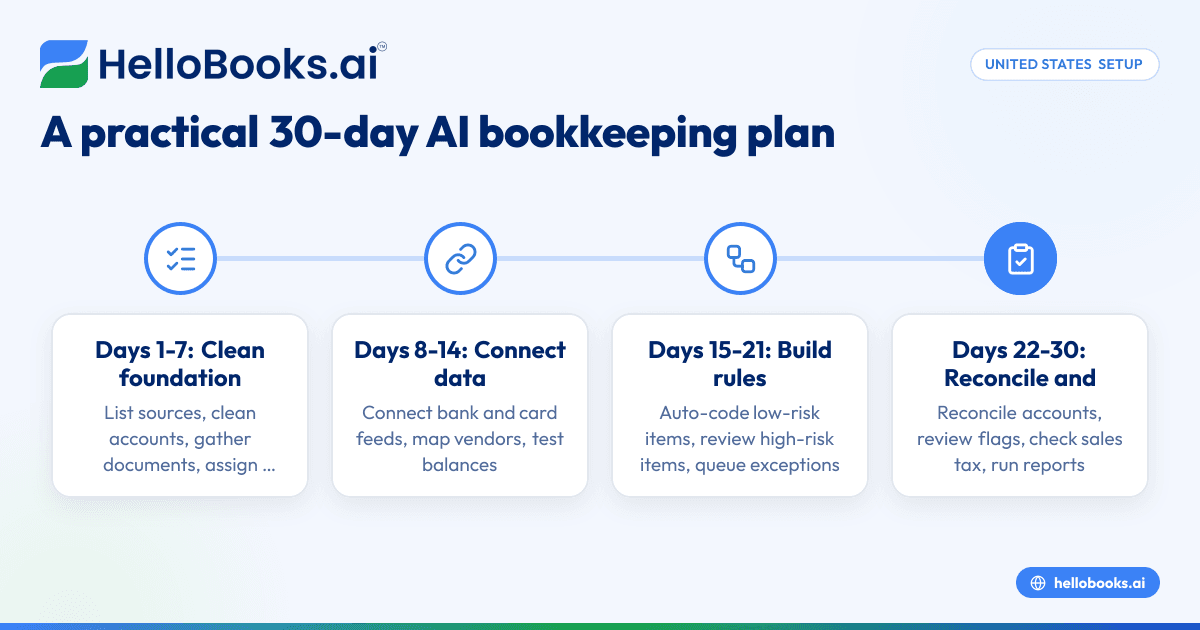
A 30-day rollout keeps the project small and manageable. Each week has one main job. By the end, you should have live bank feeds, cleaner records, and a simple close routine.
Days 1-7: Clean your foundation
Before you connect anything, get the basics in order.
- List every financial source Include checking accounts, savings, credit cards, payment processors, loans, and payroll reports.
- Review your chart of accounts Remove duplicate accounts. Rename vague ones. Keep the structure simple.
- Pick a start date Many businesses choose the first day of the current month or quarter.
- Collect source documents Gather bank statements, card statements, unpaid bills, open invoices, and recent receipts.
- Decide who owns reviews Assign one person to review banking, one for expenses, and one for final monthly approval if possible.
This week is also the time to define how your business handles sales tax. Sales tax rules can vary by state and by what you sell. This article is general information, not tax or legal advice. If you are unsure how to record or file sales tax, ask a qualified accountant.
Days 8-14: Connect data sources and map accounts
Now connect your core systems and map where data should land.
- Connect bank and card feeds Start with your main operating account and most-used business card.
- Connect invoicing and payment activity If you bill customers and collect online, make sure deposits can be traced back to invoices and fees.
- Map vendors and common expenses Create rules for recurring software, rent, utilities, shipping, and meals.
- Set income categories Separate product sales, service revenue, and other income if you need that view.
- Test opening balances Confirm your beginning cash and open items are correct.
This is where an ai tool becomes useful quickly. It can suggest categories based on prior entries and recognize recurring vendors. Still, do not bulk-approve everything at once. Review a small batch first and confirm the logic makes sense.
If your current system feels heavy or disconnected, this may also be a good time to evaluate AI accounting software built for faster transaction review and cleaner workflows.
Days 15-21: Build rules and approval workflows
Once data is flowing in, define what can be automated and what requires review.
- Create auto-coding rules for low-risk transactions Examples include bank fees, recurring subscriptions, and rent.
- Require review for high-risk items Examples include transfers, loan activity, tax payments, and owner transactions.
- Set document requirements Require receipts or bills for categories where support matters.
- Define approval paths Decide who reviews uncategorized expenses, customer credits, and unusual deposits.
- Create exception queues Keep a list for duplicates, missing receipts, and unmatched deposits.
This week is where many businesses save the most time. Repetitive work becomes automated with ai, while unusual items stay visible for a person to review. That balance is what makes the process reliable.
How should you handle receipts and expense documents?
Use one consistent intake method and require documents close to the purchase date. Let the system extract vendor, date, and amount, then review the coding before posting. Do not allow receipts to sit in email or text threads for weeks if you want clean books.
Receipt workflow is often the difference between smooth bookkeeping and month-end chaos. Set one rule for the whole company. For example, every receipt must be uploaded the same day or forwarded to a single accounting inbox. Then the bookkeeping system should attach that document to the transaction record.
This is also a good place for expense management software. It helps standardize capture and approval so your team is not hunting for support at the end of the month.
Days 22-30: Reconcile, review, and close your first period
Your final week is about proving the process works.
- Reconcile bank and card activity Match every cleared transaction through the cutoff date.
- Review uncategorized and flagged items Resolve anything the system could not place confidently.
- Check receivables and payables Confirm open invoices and unpaid bills are real and current.
- Review sales tax accounts Make sure tax collected and tax payable are not mixed into revenue.
- Run core reports At minimum, review profit and loss, balance sheet, and cash flow.
- Document what needs adjustment Write down rule changes, account cleanup, and process gaps.
A good first close is not about perfection. It is about making sure your books are usable, explainable, and faster to maintain next month.
If bank matching is still the main bottleneck, bank reconciliation software can reduce manual matching and surface exceptions faster.
What should you automate first?
Start with bank feeds, recurring expenses, receipt capture, and invoice matching. These areas usually deliver the fastest time savings with lower risk. Leave complex items like loans, owner transactions, and unusual tax entries for manual review until your rules are proven.
Here is a practical order of operations:
1. Bank and card transaction import
This is the base layer. Without reliable feeds, everything else slows down.
2. Recurring expense categorization
Monthly subscriptions, rent, bank fees, and utilities are good candidates for rule-based coding.
3. Receipt and bill capture
Use ai software to extract document details and attach support to transactions.
4. Customer invoicing and deposit matching
This makes it easier to connect cash received to actual revenue and fees. If invoicing is still manual, invoice software can help standardize the flow.
5. Exception reporting
You want a short list of items that need human eyes each week.
Common mistakes when setting up AI bookkeeping for small business united states
Many small businesses expect AI to fix broken processes on its own. It will not. It improves a process that already has basic structure.
Here are the most common mistakes:
Turning on too many rules at once
Start with a narrow set of trusted recurring transactions. Expand only after you review results.
Keeping a messy chart of accounts
Too many overlapping categories create weak reporting and poor suggestions.
Ignoring sales tax setup
Sales tax should be tracked separately from revenue where applicable. Do not guess.
Failing to review payment processor deposits
A $1,000 deposit may include fees, refunds, or multiple invoices. Match the detail, not just the total.
Letting uncategorized items pile up
Review weekly. Small cleanup is easier than a month-end backlog.
Not involving an accountant early enough
An accountant can spot structural issues before they become a cleanup project. If you need help, use find an accountant.
A simple weekly checklist after setup
After your first 30 days, keep the process light and consistent.
Every week
- Review uncategorized transactions.
- Check unmatched deposits and payments.
- Approve expense documents and coding.
- Review cash balances and major variances.
- Clear resolved exceptions.
Every month
- Reconcile all bank and card accounts.
- Review open invoices and unpaid bills.
- Check sales tax liability accounts where applicable.
- Run financial reports.
- Lock the period after review if your system allows it.
This rhythm is what turns a one-time setup into an actual operating process.
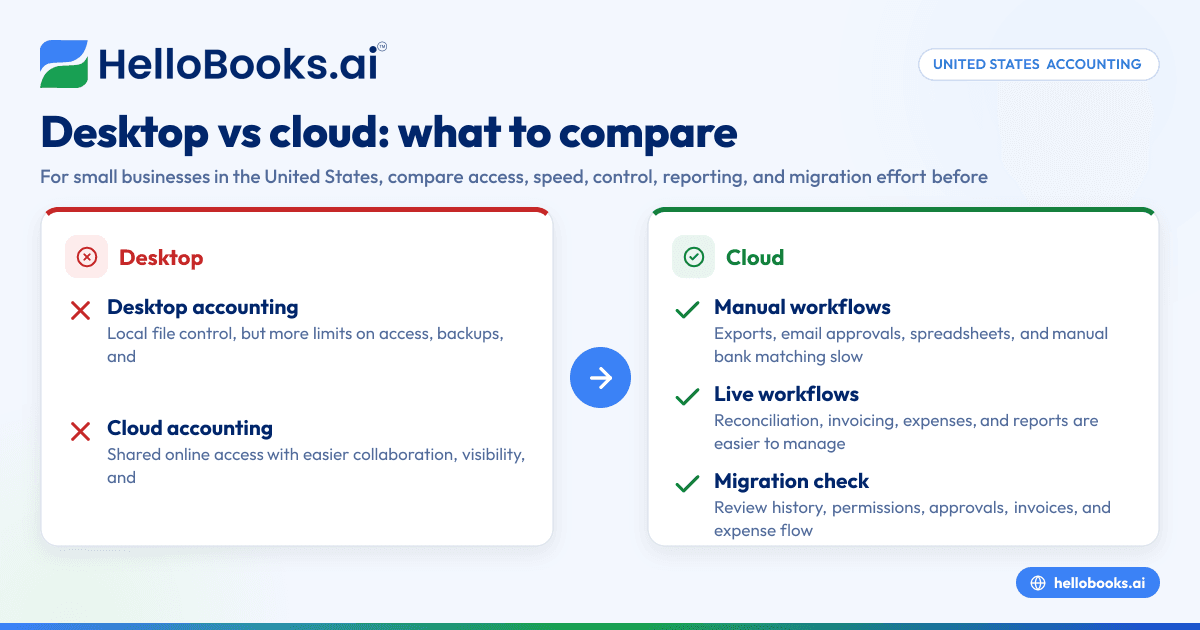
When should you switch from spreadsheets or basic bookkeeping tools?
Switch when transaction volume is rising, reconciliations take too long, or reporting is regularly delayed. If your team spends hours copying data, searching for receipts, or fixing coding errors, you are likely past the point where spreadsheets are efficient.
That does not mean you need a giant finance system. Most small businesses need simpler tools that reduce manual work and improve review. If you are comparing options, look for accounting software for small business that makes daily bookkeeping easier, not more complex.
Some businesses also reach this point when they are frustrated with legacy workflows and start looking for a QuickBooks alternative that offers more automation and a cleaner user experience.
How to choose the right AI bookkeeping setup
Pick software based on workflow, not buzzwords. Ask practical questions:
- Can it import bank and card activity reliably?
- Can it suggest categories and matches with a clear review trail?
- Can it capture receipts and bills without extra manual work?
- Can it support invoicing and expense workflows in one place?
- Can your owner, finance lead, or accountant review exceptions quickly?
The best setup is the one your team will actually use every week. A simple review queue beats a complicated system that no one trusts.
For many small businesses, HelloBooks fits best when the goal is to reduce manual bookkeeping, keep documents attached to transactions, and speed up reconciliations without losing control.
If you want to see whether HelloBooks matches your process, you can book a demo at book a demo or compare options on the pricing page.
Frequently asked questions
Can AI bookkeeping replace a bookkeeper?
Not fully for most small businesses. AI can handle repetitive data work and surface exceptions, but someone still needs to review unusual transactions, close the books, and coordinate with your tax preparer or accountant.
How long does setup usually take?
A basic setup can often be done in 30 days if your accounts, documents, and opening balances are reasonably clean. Cleanup may take longer if you have missing statements, mixed personal spending, or unresolved old transactions.
Does AI bookkeeping work if I already use QuickBooks?
Yes, but the value depends on your current pain points. If your main issue is manual coding, receipt collection, and reconciliation delays, an AI-focused workflow may save time whether you stay put or move to a different system.
Can AI help with sales tax?
It can help organize transactions and separate tax-related entries, but it does not remove the need to set up sales tax correctly. Rules depend on your state, your products or services, and where you have obligations.
What reports should I review after setup?
At minimum, review your profit and loss statement, balance sheet, and cash flow statement. Also review account detail for cash, receivables, payables, and any sales tax liability accounts you use.