
Key takeaways
What this article covers, in order:
- Key takeaways
- What AI bookkeeping means for a small business in United States
- How AI bookkeeping works
- What tasks AI can handle well
- What still needs human review
- Signs your business is a good fit for AI bookkeeping
AI bookkeeping for small businesses in United States means using software to capture transactions, categorize them, match bank activity, flag errors, and keep books up to date with less manual work. It does not replace judgment, but it can remove repetitive data entry and speed up month-end close, invoicing, and reporting for owners, bookkeepers, and accountants.
Key takeaways
- AI bookkeeping for small business helps automate transaction coding, bank matching, invoice capture, and routine checks.
- It works best when your bank feeds, payment tools, and chart of accounts are set up cleanly from the start.
- Small businesses in the United States still need human review for exceptions, tax treatment, and final financial decisions.
- Good AI bookkeeping software should reduce manual work without making your books harder to audit or explain.
- The biggest gains usually come from faster reconciliation, fewer coding errors, and clearer real-time reports.
- If you use spreadsheets, QuickBooks, or a mix of tools, AI can help simplify your workflow without rebuilding everything at once.
What AI bookkeeping means for a small business in United States
For most small businesses, bookkeeping is a steady stream of repetitive work. You download bank statements, enter expenses, match deposits, chase receipts, and fix uncategorized items before month-end. That process takes time, and it often depends on one person remembering dozens of small rules.
AI bookkeeping changes that workflow. Instead of typing every transaction by hand, software can read bank feeds, learn from past categorizations, suggest account mappings, and surface items that need review. It can also pull data from invoices and receipts, which reduces manual entry.
In practical terms, that means a retail business in Chicago, a marketing agency in Houston, or a contractor in Detroit can spend less time cleaning books and more time using the numbers. Owners get faster visibility into cash flow. Bookkeepers get fewer repetitive tasks. Accountants get cleaner records to review.
That said, AI is not autopilot. It is a tool for speed and consistency. Your business still needs someone to review unusual transactions, handle tax questions, and make sure the financial statements make sense.
If you are exploring AI bookkeeping, the right question is not whether AI can do all your accounting. The better question is which parts of your bookkeeping are routine enough to automate safely.
How AI bookkeeping works
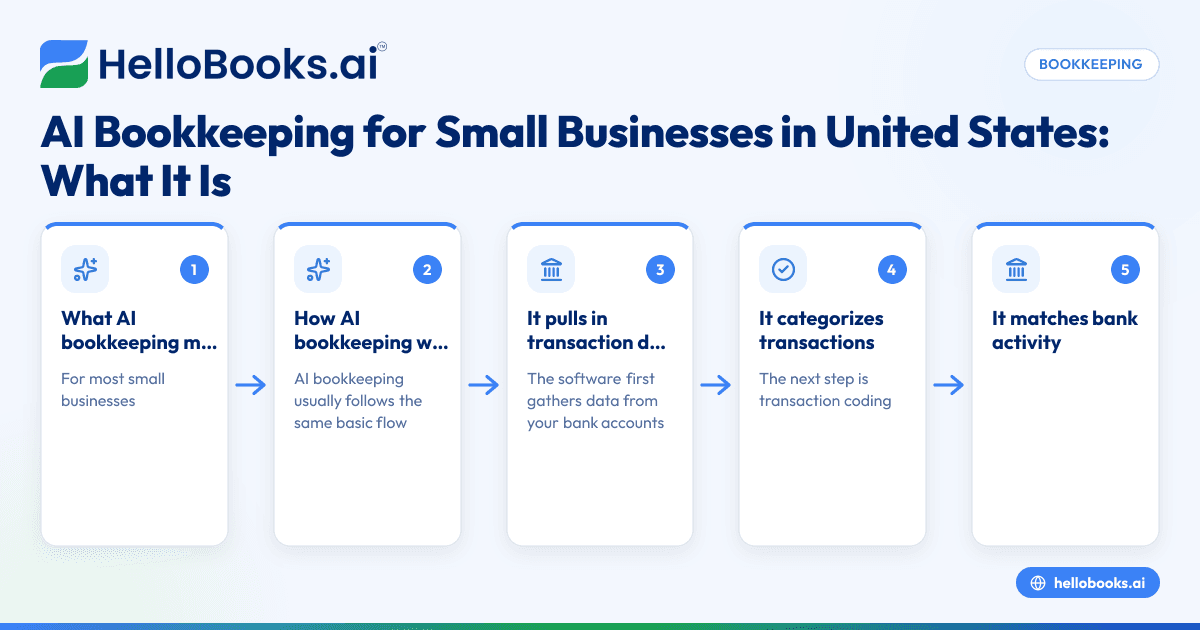
AI bookkeeping usually follows the same basic flow. It collects financial data, organizes it, applies rules or predictions, and then asks for review where confidence is low.
1. It pulls in transaction data
The software first gathers data from your bank accounts, cards, invoices, bills, and payment platforms. Many small businesses already have data sitting across tools like Stripe, bank portals, spreadsheets, and accounting software.
When these sources are connected, transactions can flow in automatically. That removes the need to import CSV files every week or type entries line by line.
2. It categorizes transactions
The next step is transaction coding. The software looks at vendor names, amounts, payment patterns, keywords, and your past bookkeeping history. Based on that, it suggests categories such as office supplies, software subscriptions, travel, or advertising.
For example, if your business pays the same cloud software vendor monthly, the system may learn to code it consistently. If a deposit from a customer usually maps to a certain income account, it can suggest that too.
3. It matches bank activity with records
AI bookkeeping systems often help match bank deposits and withdrawals to invoices, bills, card charges, or transfers. This speeds up reconciliation and reduces the number of unmatched items sitting in suspense.
This is especially useful for businesses with high transaction volume. Think of an ecommerce seller with daily card settlements or a service business with many customer payments and expense reimbursements.
4. It extracts data from receipts and invoices
Many tools can read uploaded documents and pull fields such as date, vendor name, invoice number, and amount. That helps turn paper receipts, emailed bills, and PDF invoices into structured bookkeeping entries.
This is one of the easiest wins for a small business. Instead of retyping details from each receipt, your team reviews extracted data and approves it.
5. It flags exceptions
Not every transaction should be automated. Good AI bookkeeping tools flag duplicate entries, unusual amounts, missing documents, or transactions that do not fit prior patterns.
That is where humans stay involved. A large one-time purchase, owner draw, loan payment, or tax-related transaction may need a bookkeeper or accountant to review the treatment.
What tasks AI can handle well
AI bookkeeping is strongest when the work is repetitive, rules-based, and high volume. These are the areas where small businesses usually see the fastest payoff.
Bank transaction categorization
Routine expenses are often predictable. Software subscriptions, rent, utilities, fuel, merchant fees, and recurring vendor payments tend to follow patterns. AI can learn those patterns and reduce recoding work every month.
Bank reconciliation support
Reconciliation is one of the most time-consuming parts of bookkeeping. AI can help match bank feed activity to your books and narrow down exceptions. If reconciliation is a pain point, look at tools with strong bank reconciliation software features.
Receipt and bill capture
If your team handles many receipts, card swipes, or vendor invoices, AI can save hours by extracting data and routing items for review. This is often paired with expense management software to keep supporting documents organized.
Invoice workflows
For service businesses, AI can help by creating drafts, organizing customer records, and tracking overdue invoices. If billing is part of your bottleneck, dedicated invoice software can help shorten the order-to-cash cycle.
Basic financial reporting
Once transactions are categorized and reconciled, the software can produce cleaner profit and loss statements, balance sheets, and cash flow views. The value is not just the report itself. The value is getting a usable report sooner.
What still needs human review
AI can do a lot of heavy lifting, but there are limits. Small businesses in the United States still need human oversight for decisions that require context, judgment, or tax knowledge.
Tax treatment and compliance choices
The same payment can be treated differently depending on facts and circumstances. A software recommendation may not know whether something should be capitalized, expensed, reimbursed, or split across accounts.
If your bookkeeping affects tax filings, state sales tax treatment, 1099 reporting, or year-end adjustments, review those areas with a qualified accountant. This article is general information, not tax or legal advice.
Unusual or one-time transactions
Examples include loans, asset purchases, owner contributions, legal settlements, refunds, intercompany entries, and payroll corrections. These transactions often need more than pattern matching.
Clean-up and chart of accounts design
AI works better when your chart of accounts is logical and your historical books are reasonably clean. If your records are inconsistent, the software may simply automate confusion faster.
Final review of financial statements
A human should still look at your monthly reports. Gross margin swings, duplicate income, missing liabilities, and strange cash movements are easier to catch when someone reads the statements with business context.
Signs your business is a good fit for AI bookkeeping
Not every company needs advanced automation right away. But many small businesses are already a good fit, especially if the current process feels slow or fragile.
You spend too much time on manual entry
If your team is copying data from emails, receipts, and statements into spreadsheets or desktop software, automation can make an immediate difference.
You close the books late every month
If month-end reports are always delayed because reconciliation drags on, AI can help shorten the close cycle.
You have recurring transactions
The more repeatable your expenses, deposits, and billing patterns are, the more useful automated categorization becomes.
You use several disconnected tools
Many businesses use bank portals, card statements, Stripe, spreadsheets, and accounting software at the same time. AI can help bring that data into one flow. If you are evaluating broader tools, start with AI accounting software or accounting software in the USA.
You rely too much on one bookkeeper
If one employee knows all the rules and shortcuts, your process is risky. Better systems create consistency and make handoffs easier.
How to implement AI bookkeeping without making a mess
The best rollout is gradual. You do not need to automate everything in one week.
Step 1: Clean your chart of accounts
Remove duplicate accounts and unclear labels. Group similar expenses together. Keep the structure simple enough for your team to use consistently.
Step 2: Connect your main data sources
Start with bank accounts, credit cards, and your billing system. Add more sources only after the basics are stable.
Step 3: Set rules for recurring items
Teach the system how to handle common vendors, customer payment types, merchant fees, and transfers. Good rules improve AI suggestions over time.
Step 4: Review exceptions weekly
Do not wait until month-end. Review flagged items each week so errors do not pile up.
Step 5: Reconcile monthly
Even with automation, reconciliation remains essential. The goal is not to skip review. The goal is to make the review faster and cleaner.
Step 6: Keep an accountant in the loop
Your accountant does not need to enter every transaction. But they should review setup, key mappings, and reporting logic, especially early on. If you need support, you can find an accountant.
Common mistakes to avoid
AI bookkeeping works best when expectations are realistic. These mistakes cause most implementation problems.
Assuming the software is always right
Predictions are helpful, not perfect. Always review low-confidence or unusual items.
Automating bad historical data
If your old books are messy, fix core issues before importing everything into a new workflow.
Using too many categories
An overly detailed chart of accounts creates confusion. Keep categories useful, not endless.
Ignoring source document quality
If receipts are blurry or invoice data is incomplete, extraction will be less accurate. Good inputs still matter.
Forgetting internal controls
Automation should support your controls, not weaken them. Separate approval, payment, and review where possible, even in a small team.
How to choose AI bookkeeping software for a small business
When comparing tools, focus on workflow, visibility, and ease of review. Fancy features matter less than whether the software makes the books more reliable.
Look for strong transaction review tools
You want a clear queue for suggested categorizations, exceptions, and missing information. Review should be fast and explainable.
Check reconciliation and reporting depth
If the software saves time on entry but makes reconciliation harder, it is not helping enough. Reconciliation and month-end reporting should improve together.
Make sure your team can actually use it
A business owner, bookkeeper, and accountant should all be able to understand what happened in the system. If only one person can navigate it, that is a risk.
Consider migration from your current stack
Many businesses in the United States move from spreadsheets, QuickBooks, or partial systems when they want cleaner automation. If you are reviewing alternatives, a QuickBooks alternative may be worth comparing.
Choose software that can grow with you
Your needs may expand from bookkeeping into invoicing, expenses, and reporting. If you want a broader option, look at accounting software for small business rather than a narrow point tool.
Real-world example: how AI bookkeeping helps a service business
Imagine a 12-person marketing agency in Houston. The business invoices clients monthly, pays staff and contractors, uses company cards for software and travel, and receives payments through bank transfer and card links.
Before automation, the office manager spends several hours each week downloading statements, entering expenses, and asking employees for receipts. At month-end, the owner waits two extra weeks for accurate numbers.
With AI bookkeeping, the agency connects bank accounts and cards, sets rules for recurring software vendors, captures receipts as they come in, and reviews exceptions every Friday. Deposits are matched against customer invoices faster. Recurring expenses are coded more consistently. The month-end close becomes shorter and less stressful.
The owner still reviews big purchases and discusses tax treatment with the accountant. But the routine bookkeeping load drops significantly. That is the real value. The business gets timely books without adding more manual work.
Is AI bookkeeping worth it for small businesses?
For many small businesses, yes. The value is usually not in replacing your bookkeeper or accountant. The value is in removing repetitive tasks, reducing avoidable errors, and giving you faster access to usable financial data.
That matters when cash is tight, margins are changing, or you need clearer reporting before making decisions. It also matters when your current process depends on spreadsheets and memory.
The right software should help you move from reactive bookkeeping to a repeatable monthly process. If you are evaluating options, HelloBooks offers AI bookkeeping capabilities as part of broader bookkeeping and finance workflows for growing businesses.
If you want to see whether HelloBooks fits your process, you can book a demo or compare options on the pricing page.
Frequently asked questions
What is AI bookkeeping for small business?
AI bookkeeping for small business is software-assisted bookkeeping that automates parts of transaction capture, categorization, matching, and review. It helps reduce manual data entry, but a human should still review exceptions and final reports.
Can AI bookkeeping replace a bookkeeper?
Usually no. It can reduce repetitive work and speed up the close process, but it does not replace judgment. Most small businesses still need a bookkeeper or accountant for review, corrections, and tax-related decisions.
Is AI bookkeeping accurate enough for monthly books?
It can be very useful for monthly bookkeeping if your setup is clean and someone reviews exceptions regularly. Accuracy depends on your chart of accounts, connected data sources, and how consistently the system is trained and monitored.
How is AI bookkeeping different from regular accounting software?
Traditional accounting software records and organizes transactions, often with more manual work. AI bookkeeping adds automation through suggestions, document extraction, pattern recognition, and exception flagging.
What types of businesses benefit most from AI bookkeeping in United States?
Service businesses, ecommerce sellers, agencies, contractors, and other companies with recurring transactions often benefit the most. Any business with heavy manual entry, slow reconciliations, or delayed month-end reporting is a strong candidate.
Do I still need an accountant if I use AI bookkeeping software?
Yes, in most cases. An accountant helps with setup decisions, reviews financial statements, and advises on tax treatment and compliance issues in the United States. AI makes their work more efficient, but it does not remove the need for professional oversight.


