HelloBooks.ai home

Tally Prime Integration — Push Entries, Guided Import | HelloBooks.ai Connect HelloBooks to Tally Prime: push cloud entries into your Tally company via the Tally Connector, and bring existing Tally data across with a one-time guided import. No double entry.

Tally integration, Tally Prime integration, Tally cloud sync, push entries to Tally, Tally Connector, and Tally import — HelloBooks pushes cloud entries into Tally Prime on Windows and imports existing Tally data with a one-time guided import.

Built for Indian SMBs: AI bookkeeping, GSTR-1 and GSTR-3B filing, e-invoicing (IRN), and e-way bills, with Tally kept in the loop via the Connector.

Tally Integration

Tally Prime integration without the double entry

Keep Tally where it earns its place and run your day-to-day books in the cloud. The HelloBooks Tally Connector pushes entries from HelloBooks into your Tally Prime company, and a one-time guided import brings your existing Tally masters and transactions across — with your voucher numbering continued, not broken.

Free Plan with 2,500 AI credits every month — no credit card.

What the HelloBooks Tally Connector actually does

Most "Tally integration" pitches are vague about direction. Ours is simple and one-way by design: you work in HelloBooks — AI bookkeeping, invoicing, bills, bank reconciliation, GST returns — and the Tally Connector pushes those entries into your Tally Prime company on Windows. Your CA or your existing Tally-based workflows keep getting the data they expect.

Separately, a one-time guided import brings your existing Tally data into HelloBooks when you start: ledgers, stock items, and transaction history, mapped with a column-to-field mapper and AI-suggested chart-of-accounts mappings.

  • Push entries from HelloBooks into your Tally Prime company (HelloBooks → Tally)
  • One-time guided import of existing Tally masters and transactions (Tally → HelloBooks, at setup)
  • Voucher numbering continued — no broken sequences after import
  • Column-to-field mapper with AI-suggested chart-of-accounts mappings
  • Runs alongside Tally Prime on the Windows machine where Tally lives
Run HelloBooks and Tally in parallel — no risky big-bang cut-over

You do not have to abandon Tally on day one. Teams typically start by importing their Tally data into HelloBooks, keep Tally running, and push entries from HelloBooks into Tally while they build confidence. Reconcile in parallel for a period, then decide whether Tally stays as a downstream copy for your CA or gets retired.

This matters because the usual alternative — a single weekend migration — is exactly how businesses lose voucher history and spend a quarter re-checking opening balances.

Cloud books plus GST filing, with Tally kept in the loop

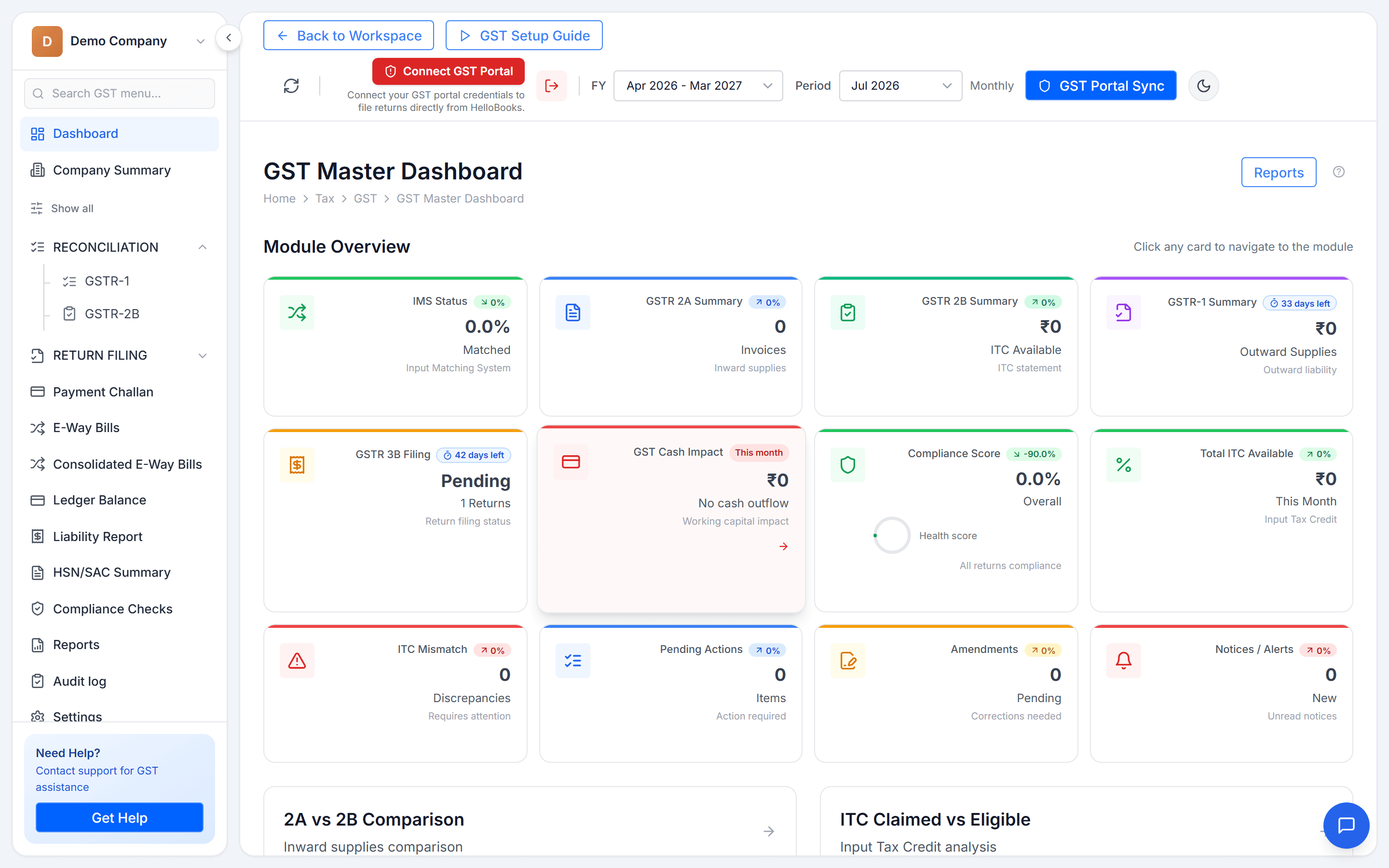
While the Connector keeps Tally updated, the actual work happens in HelloBooks: AI categorises bank transactions, bills are captured with OCR, and GSTR-1 and GSTR-3B are prepared and filed from the same screen. E-invoices (IRN) and e-way bills are generated in-app for Indian entities.

HelloBooks GST dashboard showing return periods and filing status for an Indian entity
GST returns prepared and tracked in HelloBooks — while the Tally Connector keeps your Tally company updated.

What this integration is not (read before you buy)

We would rather tell you the boundaries now than have you discover them later. The Connector pushes entries one way, from HelloBooks into Tally Prime. It is not a two-way, real-time sync: edits made directly in Tally are not pulled back into HelloBooks (your existing Tally data comes across once, via the guided import at setup). The Connector runs on Windows alongside Tally Prime, and the integration is built for Indian entities.

If what you actually want is to leave Tally entirely, the guided migration on its own does that — see the Tally alternative page below.

How teams use HelloBooks

What HelloBooks does for businesses like yours

“AI categorizes every transaction automatically and learns from your corrections, so a small team keeps clean books without spending evenings on manual data entry.”
Small business · US
“For a practice managing dozens of client books, automated reconciliation turns a full day of matching into a background task — review the AI matches, approve, and move on.”
Accounting practice · US
“Snap a receipt on your phone and the AI reads, categorizes, and files it — bookkeeping stays current even for people who would rather not think about numbers.”
Freelancer · mobile-first

Illustrative scenarios describing what the product does for each business type — not attributed customer reviews.

How it works

How to connect HelloBooks and Tally Prime

Bring your existing Tally data into HelloBooks with the guided import, then push new entries back into Tally Prime via the Tally Connector.

  1. Step 1

    Create your free HelloBooks account

    Sign up free (no credit card) and create your organisation and entity with country set to India.

  2. Step 2

    Run the one-time guided Tally import

    Export your masters and transactions from Tally and walk through the guided importer. The column-to-field mapper and AI-suggested chart-of-accounts mappings do the heavy lifting; voucher numbering is continued.

  3. Step 3

    Install the Tally Connector on your Tally machine

    Set up the Connector on the Windows machine running Tally Prime and link it to your Tally company.

  4. Step 4

    Work in HelloBooks, push entries to Tally

    Invoices, bills, and journals you create in HelloBooks are pushed into your Tally company, so downstream Tally-based workflows keep working.

  5. Step 5

    Reconcile in parallel, then decide

    Run both systems side by side while you build confidence. Keep Tally as a downstream copy for your CA, or retire it when you are ready.

FAQ

Frequently asked questions

Is the Tally integration two-way?
No. The Tally Connector pushes entries one way: from HelloBooks into your Tally Prime company. Your existing Tally data comes into HelloBooks once, through the one-time guided import when you set up. Changes made directly in Tally afterwards are not synced back into HelloBooks.
What do I need to run the Tally Connector?
A Windows machine running Tally Prime — the Connector runs alongside it and pushes HelloBooks entries into your Tally company. Your HelloBooks account itself is cloud-based and works from any browser or the mobile app.
What data does the guided import bring across from Tally?
Your masters (ledgers, stock items) and transaction history, using a guided importer with a column-to-field mapper. The AI suggests chart-of-accounts mappings, and voucher numbering is continued so your sequences are not broken.
Can I keep using Tally while I evaluate HelloBooks?
Yes — that is the intended pattern. Import your Tally data, run both in parallel, and push HelloBooks entries into Tally via the Connector. Move at your own pace instead of a risky one-weekend cut-over.
Does this work outside India?
The Tally integration is built for Indian entities, where Tally is the incumbent. HelloBooks itself supports businesses in the US, UK, India, Australia, Canada, Singapore, New Zealand, and the UAE.
What does it cost?
HelloBooks has a Free Plan with no credit card required; paid plans are listed on the pricing page. The guided Tally import is part of onboarding.

Start automating your books today

Free Plan with full access to the AI accountant — no credit card, no time limit.

Subscribe to our newsletter

Stay up to date with the latest news and announcements. No credit card required.

By subscribing, you agree to our Privacy Policy.

    Tally Prime Integration — Push Entries, Guided Import | HelloBooks.ai