
Key takeaways
What this article covers, in order:
- Key takeaways
- What should small businesses consider when choosing accounting software?
- How does AI accounting software improve small business finance management?
- What are the essential features of accounting software for U.S. small businesses?
- How do I integrate accounting software with my payment and banking systems?
- How much does accounting software cost for small businesses?
Choosing the Best Accounting Software for Small Businesses in the United States in 2026
=========================================================================================
Accounting software helps small businesses automate and manage their financial records, invoicing, tax compliance, and reporting. Choosing the right tool in the United States involves understanding features, ease of use, integration with payment processors, and compliance with local regulations to streamline your finances and save time.
Key takeaways
- Accounting software automates bookkeeping, invoicing, bank reconciliation, and tax filing tasks.
- Compliance with U.S. tax rules, including state sales tax and 1099 forms, is essential for small businesses.
- AI accounting software introduces automation for faster data entry, error reduction, and smart financial insights.
- Businesses should choose software compatible with popular U.S. payment processors like Stripe and QuickBooks.
- Cloud-based solutions improve accessibility and security, especially for remote or growing teams.
- Evaluate features such as expense management, bank feeds, and report customization.
What should small businesses consider when choosing accounting software?
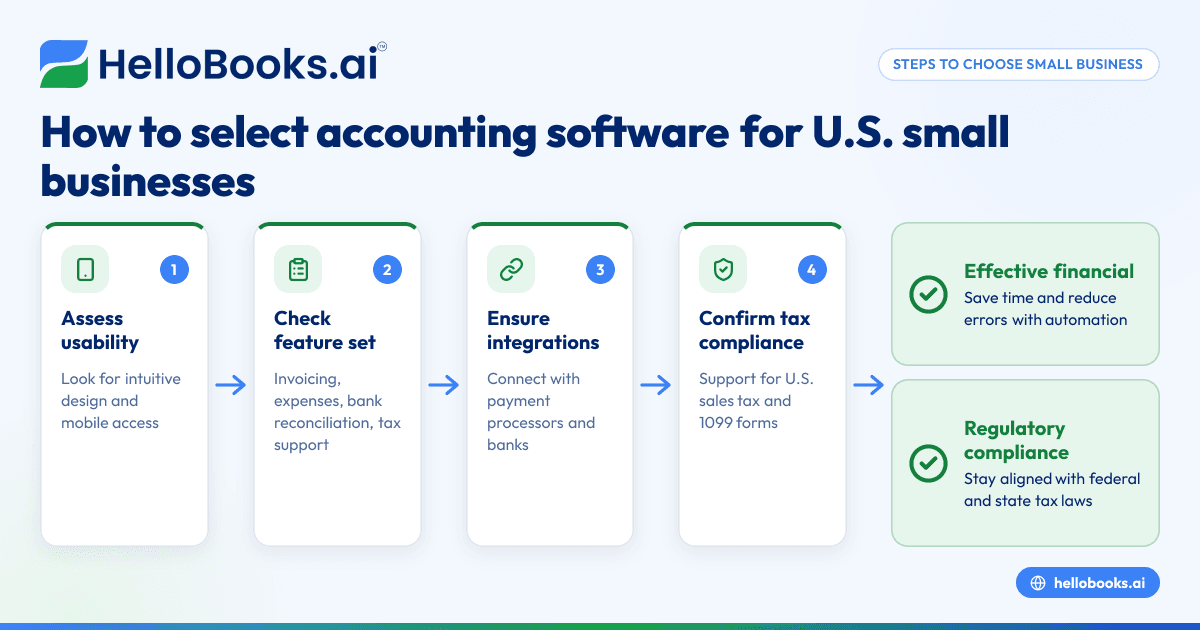
Selecting accounting software for your small business means balancing usability, compliance, and features that fit your business needs today and in the future. Here are the key considerations:
1. Ease of Use and Learning Curve
You or your finance team will spend a lot of time in your accounting software. Look for an intuitive interface and simple workflows tailored to small business owners or non-accountants. For example, dashboards that summarize pending invoices, cash flow, and upcoming tax deadlines reduce toggling between reports. Mobile apps help business owners who want to manage finances on the go – handy if you run a retail store in Houston or a service business in Detroit.
2. Feature Set Tailored to Small Business Needs
The essential tasks you want to manage include:
- Invoicing customers and tracking payments
- Managing expenses, including digital receipt capture
- Bank reconciliation to ensure your books match your bank
- Tax calculation and handling state sales tax compliance
- Financial reporting for decision-making and tax filings
If you operate in a specific industry (like manufacturing or consulting), check for features relevant to you such as inventory management or project expense tracking.
3. Integration with Payment Processors and Banks
Your accounting software should seamlessly integrate with the payment tools you use: Stripe, PayPal, Square, or even payment terminals common in U.S. cities. For example, if your business collects online payments via Stripe, your accounting software should automatically record sales and fees. It should also connect to your bank accounts — whether you bank with Chase in Chicago or Bank of America in Los Angeles — to import transactions automatically for faster reconciliation.
4. Compliance with U.S. Tax Laws
Ensure the software supports federal and state tax compliance, including:
- Accurate sales tax calculation and reporting for the states you operate in
- Preparation and filing of 1099 forms for contractors
- Support for filing deadlines and tax categories
Tax laws in the U.S. can vary widely by state. Proper software helps you stay compliant without manual tax rule lookups.
5. Scalability and Pricing
Consider whether the software can grow with you as you hire employees, add products, or expand your service area. Also, review pricing plans carefully to avoid paying for features you don’t use. Look out for user limits, transaction caps, or costs for added integrations.
6. Security and Accessibility
Cloud-based solutions enable you to access your books anytime, from anywhere, which is vital if your team is remote or you travel between locations like Houston and Detroit. Ensure the provider uses encryption, secure backups, and role-based access to protect your financial data.
How does AI accounting software improve small business finance management?
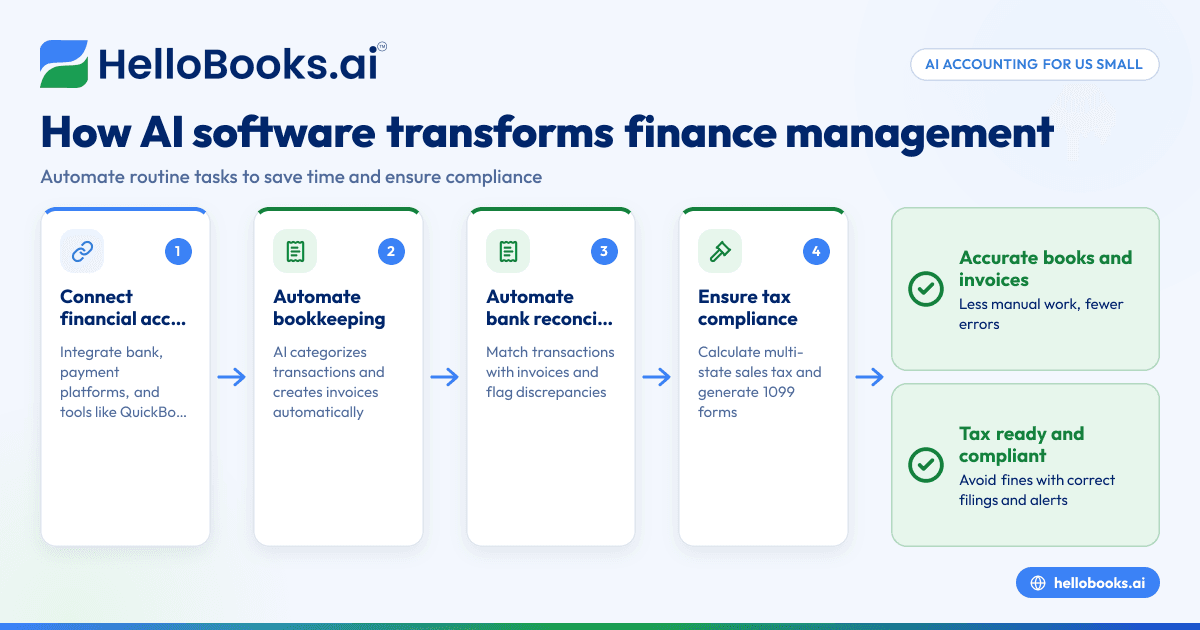
AI accounting software leverages advanced algorithms to automate and improve many manual financial tasks. This results in increased accuracy, faster bookkeeping, and valuable financial insights.
Automation of Data Entry and Transaction Categorization
Traditional bookkeeping requires manually entering invoices, expenses, and bank transactions. AI software can extract data automatically from uploaded bills and receipts using optical character recognition (OCR). It can also connect to bank feeds and automatically categorize transactions — such as separating office supplies from travel expenses.
For instance, a small consulting firm in Detroit could scan a vendor invoice into the system. The AI identifies the vendor name, date, and amount, then matches it with a corresponding bank transaction. This eliminates duplicate data entry and reduces errors.
Bank Reconciliation Made Simple
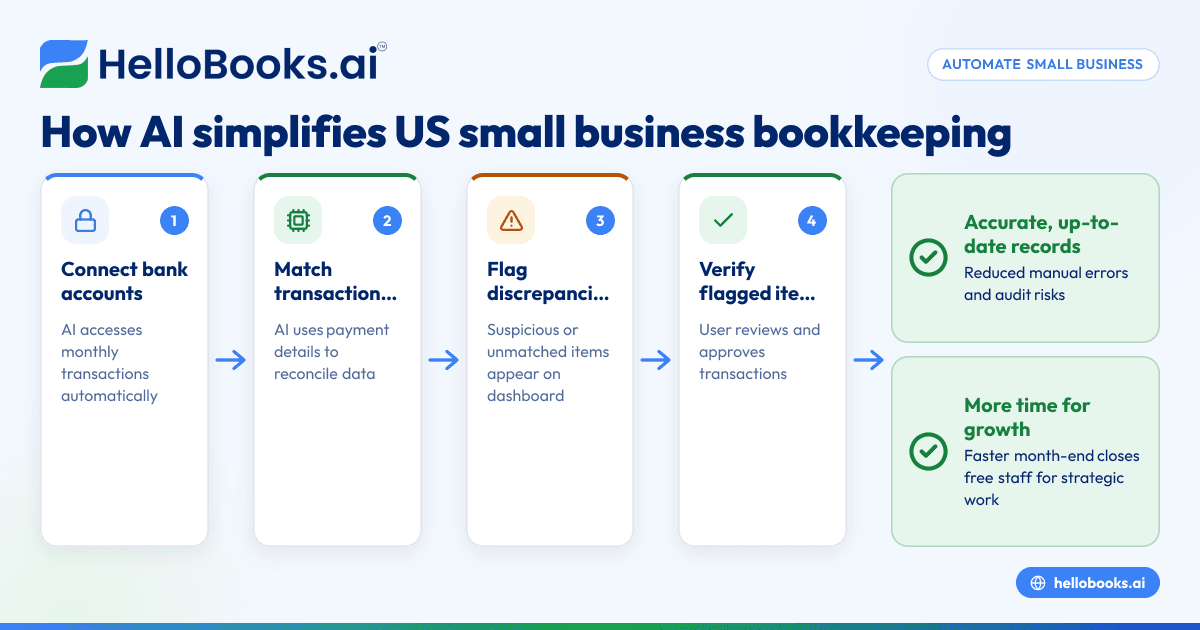
Matching bank statement lines to your recorded expenses or income often causes delays in monthly closing. AI can automate much of this reconciliation by suggesting matches, flagging discrepancies immediately.
Example: A Houston small retailer receives a batch of credit card payments via Stripe. The AI system automatically reconciles those payments against invoices raised, spotting a missing payment quickly so you can follow up promptly.
Detecting Anomalies and Fraud Prevention
Powerful AI models can notice unusual patterns or spending behaviors. For example, if a vendor amount spikes suddenly or a duplicate payment appears, it alerts you to potential fraud or bookkeeping errors.
Forecasting Cash Flows and Costs
AI can analyze historical trends to forecast future cash inflows and outflows. This helps business owners in Chicago plan for lean periods or allocate budgets more effectively.
Enhanced Tax Compliance
AI tools can automatically identify transactions subject to sales tax and populate forms like 1099s, reducing the risk of IRS penalties due to missing reports.
What are the essential features of accounting software for U.S. small businesses?
Every small U.S. business should look for the following core features:
1. Invoicing Automation
Create professional invoices, send them by email automatically, and receive payment reminders. Features like recurring invoices for subscription services or payment links for faster checkout streamline cash flow.
Example: A freelance graphic designer in Detroit sets up monthly recurring invoices for retainer clients through the software, saving hours on manual billing.
2. Bank Reconciliation
Automatic daily imports of bank and credit card transactions matched to your books prevent month-end surprises and save hours.
Tip: Select software with customizable rules so the AI learns how you classify transactions after a few manual corrections.
3. Expense Management
Upload receipts on the fly from a mobile app. The system categorizes expenses, attaches images, and can even flag personal vs. business spend.
Scenario: A Chicago bakery manager snaps photos of supply receipts, which the software automatically assigns to cost of goods sold.
4. Tax Compliance and Reporting
Support for calculating, collecting, and reporting state sales tax (which varies across states like Texas and Illinois) and generating 1099 forms. Software that offers tax form exports can simplify reminders and submissions.
Important: Accounting software can aid compliance, but always consult a tax advisor for accurate filings.
5. Financial Reporting
Customizable profit and loss, balance sheet, and cash flow reports allow insights into business performance. Look for dashboards that visualize key metrics — revenue growth, expenses by category, net profit margins.
6. Integration with Payroll and Payment Platforms
A seamless connection with U.S. payroll providers or processing services like QuickBooks payroll and Stripe payment gateway ensures your business runs smoothly without duplicate entries.
7. Cloud Security and User Permissions
Ensure the solution stores data securely with encryption, offers backups, and lets you control who can view or edit financial information.
8. User-Friendly Interface and Mobile Support
Accounting is complex enough without clunky software. Choose platforms with clean design and mobile apps for managing Finances from anywhere.
How do I integrate accounting software with my payment and banking systems?
Integration with payment gateways and banks is crucial for real-time financial tracking. Here’s a step-by-step guide to setting it up properly:
Step 1: Identify Your Payment Channels and Bank Accounts
List all your payment receiving methods (Stripe, PayPal, Square) and your bank accounts (checking, savings, credit cards). This helps narrow down the integrations your software must support.
Step 2: Choose Compatible Accounting Software
Make sure your accounting software supports direct integration with these channels. Many cloud accounting solutions include built-in connectors for popular U.S. payment gateways and banking institutions.
Step 3: Connect and Authorize Access
Within the accounting software, initiate the connection to your payment or banking account by logging in securely. Most providers use encrypted OAuth protocols to ensure privacy.
Step 4: Configure Import and Categorization Rules
Set how and how often transactions import (daily recommended). Customize rules to categorize certain vendors or expenses automatically.
Step 5: Monitor and Reconcile Regularly
Once integrated, review imported transactions frequently for accuracy. Perform bank reconciliation to clear matched items and investigate mismatches.
Example Pitfall: Avoid double counting income by ensuring your payment gateway fees are not recorded as separate income and expense.
Step 6: Export Data to Payroll or Tax Systems
If you use QuickBooks or similar payroll services, configure automatic synchronization or export functions to avoid manual re-entry of payroll or tax data.
How much does accounting software cost for small businesses?
Pricing depends on features, user count, and additional services like advanced reporting or tax filing assistance.
- Entry-level plans usually cover invoicing and basic bookkeeping with limited users. These plans are suitable for freelancers or sole proprietors.
- Mid-tier plans add bank feeds, expense management, and financial reporting, ideal for growing small businesses.
- Premium plans feature AI automation, multi-user access, payroll integration, and priority support.
Many providers offer free trials or limited free plans to evaluate software suitability. Remember to factor in:
- User limits and costs for extra seats
- Additional fees for integrations and add-ons
- Costs for customer support or training
Example: A startup with 2 users in Chicago might start on a mid-tier plan offering bank reconciliation and invoice automation, then upgrade as the team grows.
Why choose HelloBooks for your small business accounting needs?
HelloBooks offers comprehensive [accounting software for small business] with AI-powered bookkeeping automation tailored for U.S. companies. It handles invoicing, bank reconciliation, expense management, and compliance reporting in one easy, cloud-based platform. Integrations with Stripe and QuickBooks streamline your financial data flow, reducing manual tasks.
With HelloBooks, your small business can:
- Save hours weekly on data entry and reconciliation
- Maintain audit-ready reports for tax filing and investors
- Manage expenses and invoices effortlessly from desktop or mobile
- Stay compliant with U.S. tax laws using built-in support
Explore features and find the best plan for your needs on our pricing page or book a demo to see HelloBooks in action.
Frequently asked questions
What is the best accounting software for small businesses in the United States?
The best software depends on your business size, industry, and specific needs. Focus on solutions that offer ease of use, integration with your banks and payments providers, tax compliance for U.S. rules, and affordability. Many businesses select cloud options like HelloBooks or QuickBooks alternatives tailored to American regulatory requirements.
Is AI accounting software suitable for small businesses?
Absolutely. AI accounting automates routine tasks such as transaction entry, matching, and error detection. This saves time for small teams and reduces costly mistakes, helping you focus on growing your business.
How does accounting software handle U.S. tax compliance?
Good accounting software tracks sales tax rates across states you operate in, calculates liabilities, and facilitates 1099 form generation for contractors. It prepares data exports compliant with IRS and state tax authorities. However, it’s important to consult a tax professional to ensure accurate filings.
Can accounting software integrate with QuickBooks and Stripe?
Yes. Many modern platforms offer direct integration with QuickBooks for payroll and tax workflows and Stripe for online payments, creating a streamlined financial process.
How secure is cloud-based accounting software?
Cloud solutions use encryption, frequent backups, and role-based access controls to protect sensitive data. Providers often comply with industry best practices comparable to SOC 2 standards. Always review security policies before adopting any solution.
Can I switch from spreadsheet bookkeeping to accounting software easily?
Yes. Most cloud accounting solutions allow you to import existing data from spreadsheets or CSV files. AI features can assist in cleaning and categorizing historical transactions, making the transition smoother.
If you want to experience the benefits of AI-driven bookkeeping and financial management tailored for your U.S. small business, book a demo of HelloBooks or explore our feature-rich plans on the pricing page today.
Read next
This article covers one part of a bigger topic. For the complete picture, read our guide to accounting software.