Online Invoice Payments — Get Paid Online | HelloBooks Send every invoice as a secure link your customer can view, pay online (Razorpay, Stripe, PayPal, Google Pay) and print. Get paid faster — no attachments, no follow-ups.
Send an invoice link. Get paid online.
Turn every invoice into a secure link your customer can open, pay and print — by WhatsApp, email or QR. No attachments, no follow-ups, no “I’ll pay next week”.
Send your first payment link in under 2 minutes.
4
Ways to pay, one link
1 tap
For your customer to pay
No login
Needed to view or pay
24/7
Pay anytime, anywhere
From “sent” to “paid” in three steps
You send one link. Your customer does the rest. HelloBooks keeps the books in sync.
Send the link
Share the invoice by WhatsApp, email, SMS or a QR code — straight from the invoice, no attachments to chase.
Your customer pays
They open a clean, branded page and pay in a couple of taps with the methods you have switched on.
You see it land
The invoice flips to Paid and the money settles to your connected account — no manual follow-up.
A page that looks like you — and makes paying easy
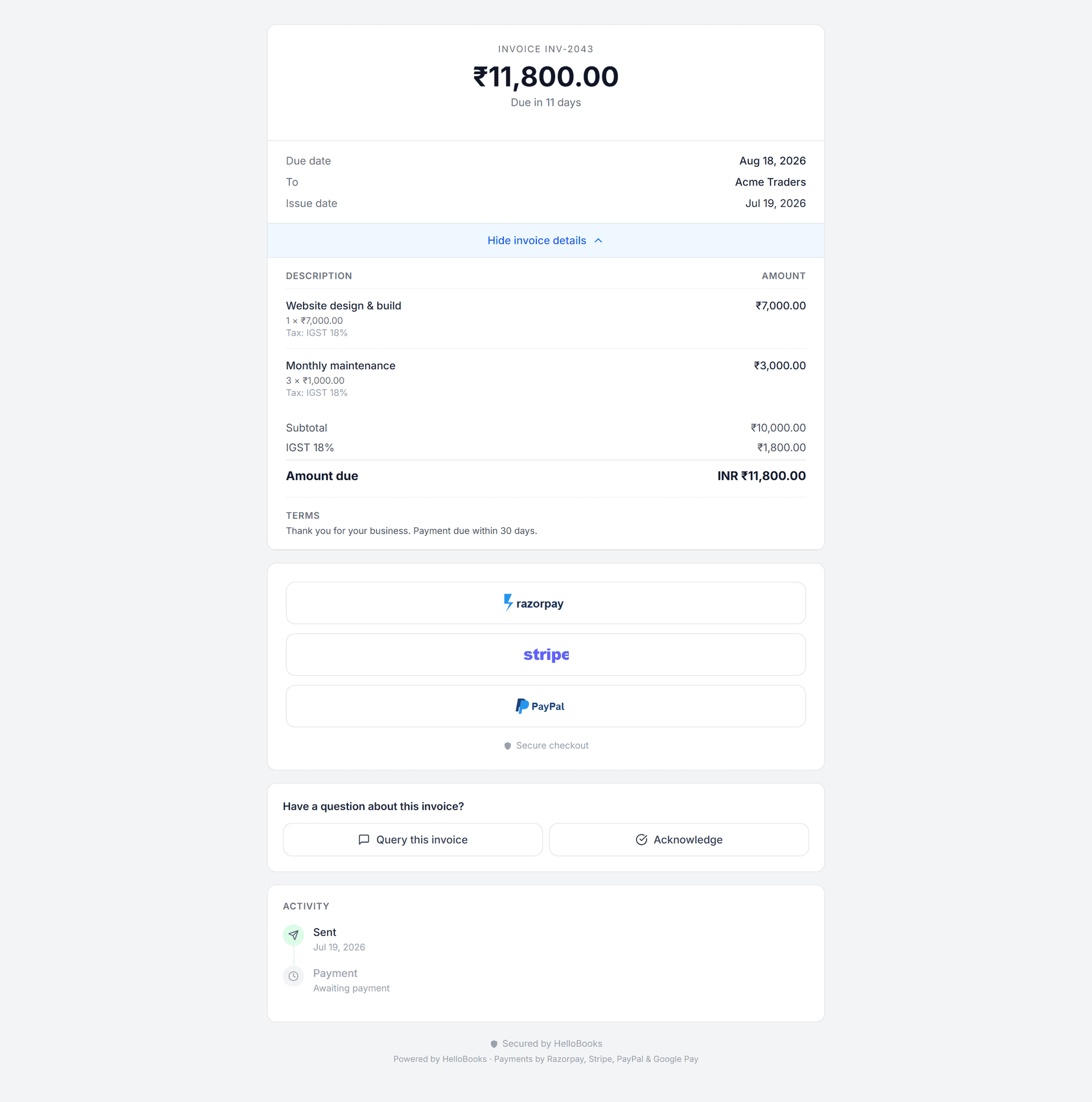
Your customer opens a clean, branded invoice with the amount, due date and full breakdown. When you’ve connected a gateway, the Pay Now buttons appear right below — no dead ends, no confusion.
- Pay with Razorpay, Stripe, PayPal or Google Pay
- View the full invoice — line items, tax and totals
- Print or Save as PDF in one click
- Secured by HelloBooks — no login required
Less chasing. More cash in the bank.
One link does the chasing
Copy it, WhatsApp it, or show a QR. The reminder does the nagging so you don’t have to.
Customers pay how they like
UPI, cards, net-banking, PayPal or Google Pay — the gateways you connect are the ones they see.
View, pay or print — anywhere
The same link works on any device: view online, pay online, or Print / Save as PDF for the records.
Know the moment you’re paid
Track Sent, Viewed and Paid in real time, and reconcile automatically in your books.
Questions, answered
Do my customers need a HelloBooks account to pay?
No. They open a secure link and pay as a guest — no login, no app to install.
Which payment methods can they use?
Whatever gateways you connect — Razorpay, Stripe, PayPal and Google Pay are supported. If you haven’t connected one yet, the link still works as a view-and-print invoice.
Can they download or print the invoice?
Yes — every shared invoice has a Print / Save as PDF option, so customers always have a clean copy.
How do I know when I’ve been paid?
The invoice status updates to Paid automatically and the payment is recorded in your books, so nothing needs manual matching.
Ready to automate your books?
Let AI handle the bookkeeping and reclaim hours every month. Get started free — no credit card required.